
ActivityTimeline shows two main types of items on the timeline:
-
Jira tasks
-
Custom Events
Understanding the difference between them is important because they serve different purposes.
Jira Tasks
Jira tasks are issues (work items) synchronized from Jira into ActivityTimeline.
During setup, tasks from enabled Jira projects are loaded into the app and become available for planning, depending on user permissions.
In the Planner module, users can browse and search these issues in the left panel. By default, this panel shows issues updated within the last 30 days unless at least one filtering criteria is applied.
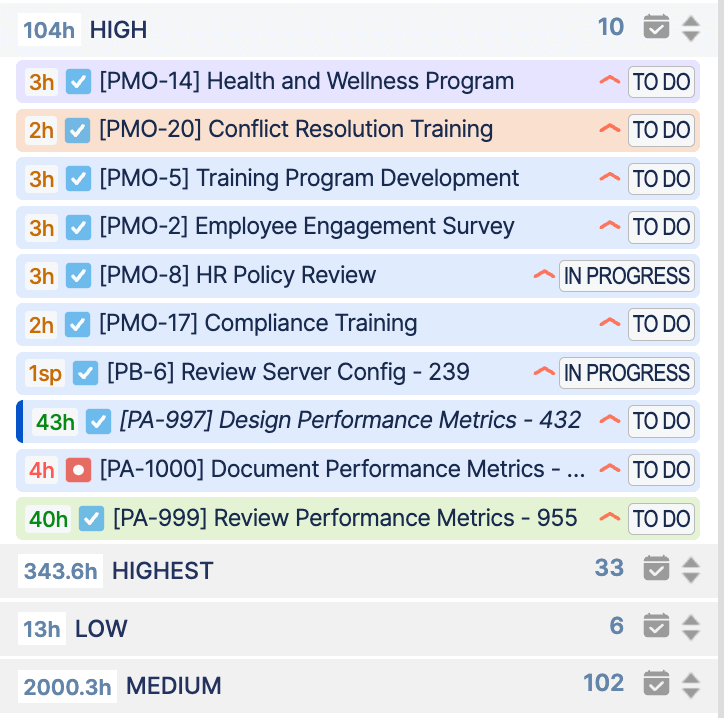
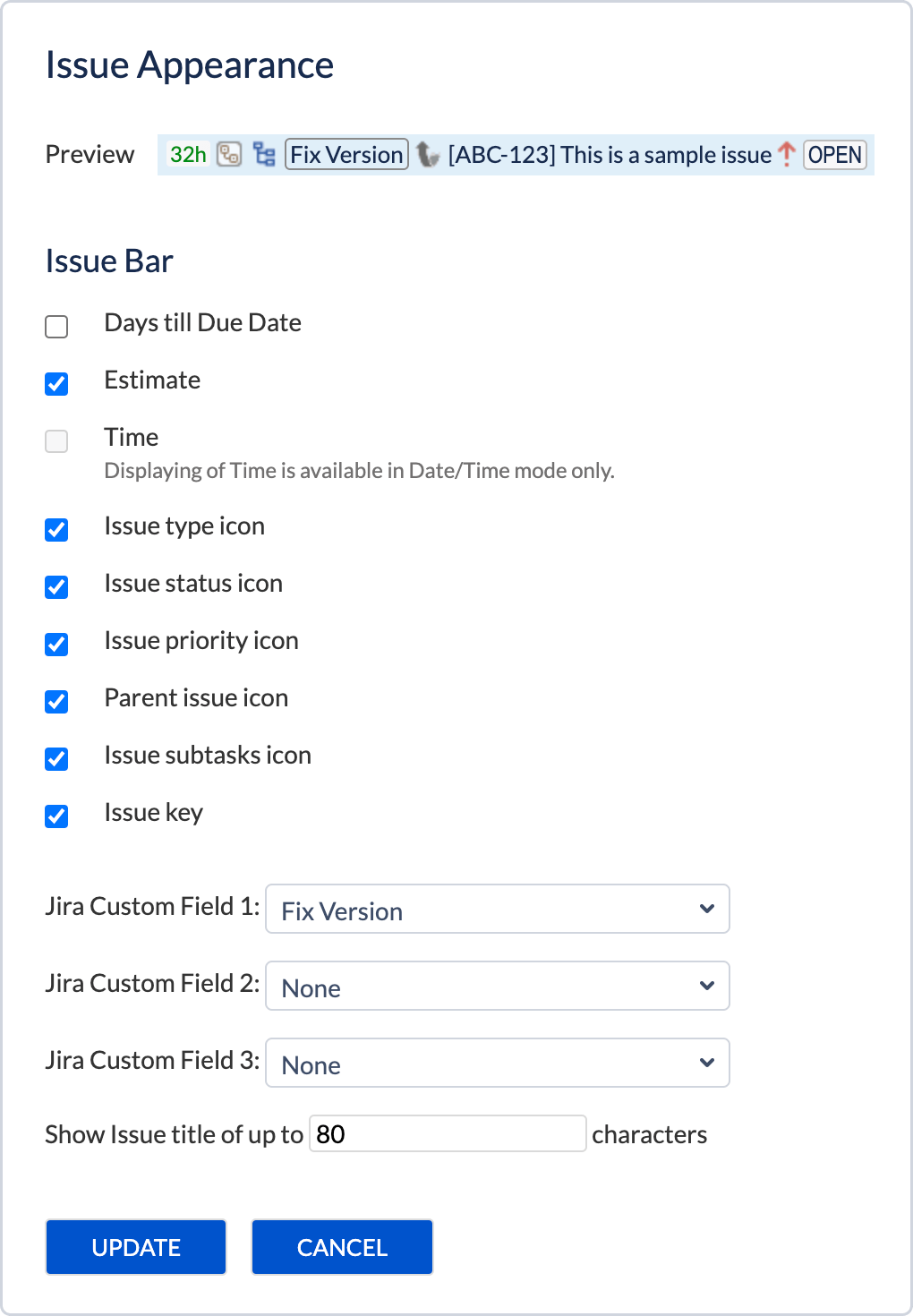
Each Jira task appears as a separate item on the timeline that has a set of attributes that describes this task (i.e. priority, issue type, estimate, etc), however, the appearance is customizable and can be adjusted according to the user's needs in Configuration → Issues.
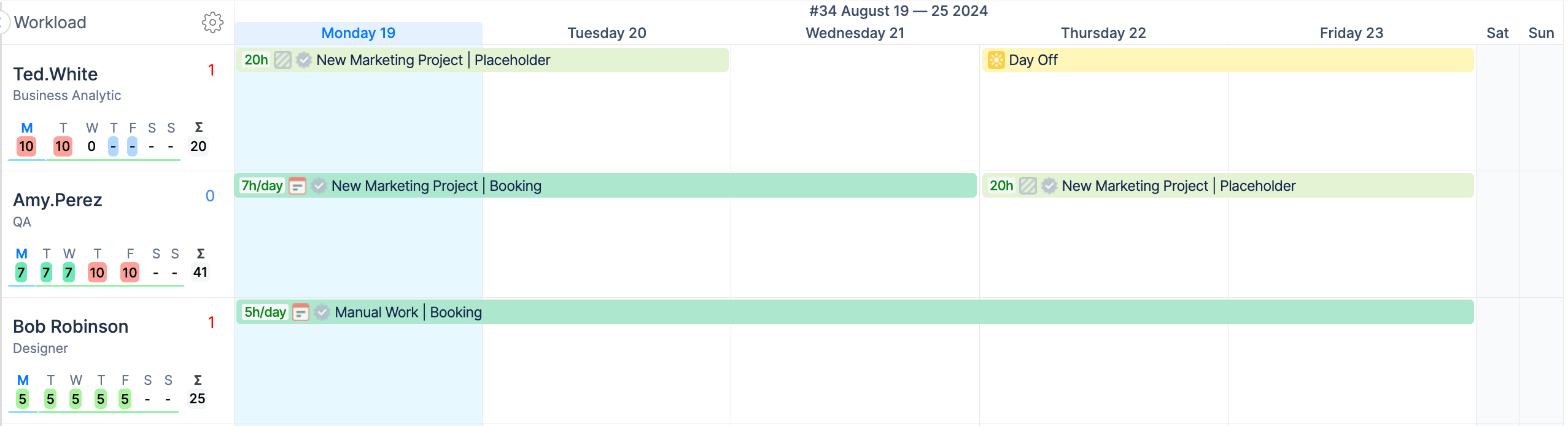
Custom Events
Custom events are items created and stored directly in ActivityTimeline.
They are useful for planning situations that are not fully covered by Jira work items, such as reserving time, marking time off, or adding non-project activities to the schedule.
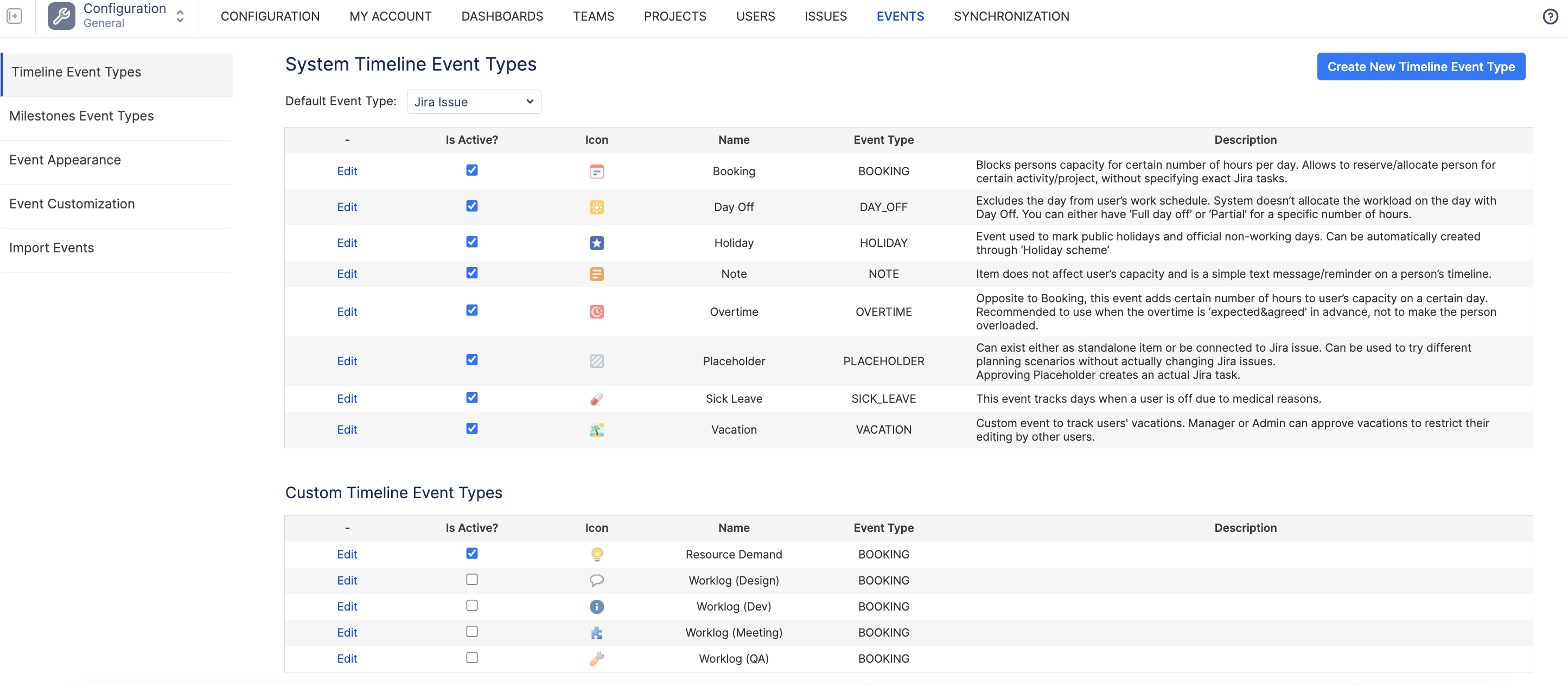
Here is the list of custom events that are available within ActivityTimeline.
|
Name |
Description |
|---|---|
|
BOOKING |
Blocks persons' capacity for a certain number of hours per day. Allows to reserve/allocate person for certain activity/project, without specifying exact Jira tasks. |
|
DAY_OFF |
Excludes the day from user’s work schedule. System doesn’t allocate the workload on the day with Day Off. You can either have ‘Full day off’ or ‘Partial’ for a specific number of hours. |
|
HOLIDAY |
Event used to mark public holidays and official non-working days. Can be automatically created through ‘Holiday scheme’ |
|
NOTE |
Item does not affect user’s capacity and is a simple text message/reminder on a person’s timeline. |
|
OVERTIME |
Opposite to Booking, this event adds certain number of hours to user’s capacity on a certain day. Recommended to use when the overtime is ‘expected&agreed' in advance, not to make the person overloaded. |
|
PLACEHOLDER |
Can exist either as standalone item or be connected to Jira issue. Can be used to try different planning scenarios without actually changing Jira issues.
|
|
SICK_LEAVE |
This event tracks days when a user is off due to medical reasons. |
|
VACATION |
Custom event to track users' vacations. Manager or Admin can approve vacations to restrict their editing by other users. |
You can also create your own custom event types based on system event types, which gives you more flexibility in how you plan work.
Why this matters
Use Jira tasks for work that exists in Jira.
Use custom events for planning items, availability changes, and activities that still affect the schedule but do not need to be regular Jira issues.