
Overview
ActivityTimeline Timesheet module includes built-in filters by Project, Epic, Issue, Category and Team. However, if you require more detailed filtering, a Jira filter can help.
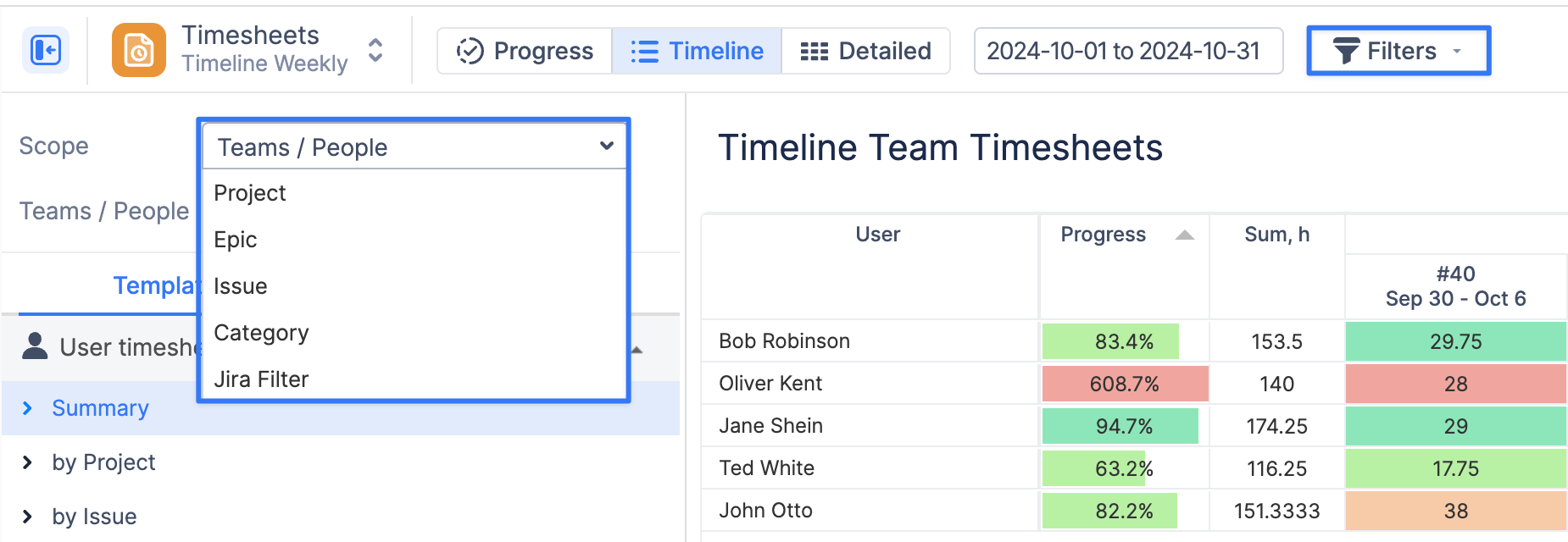
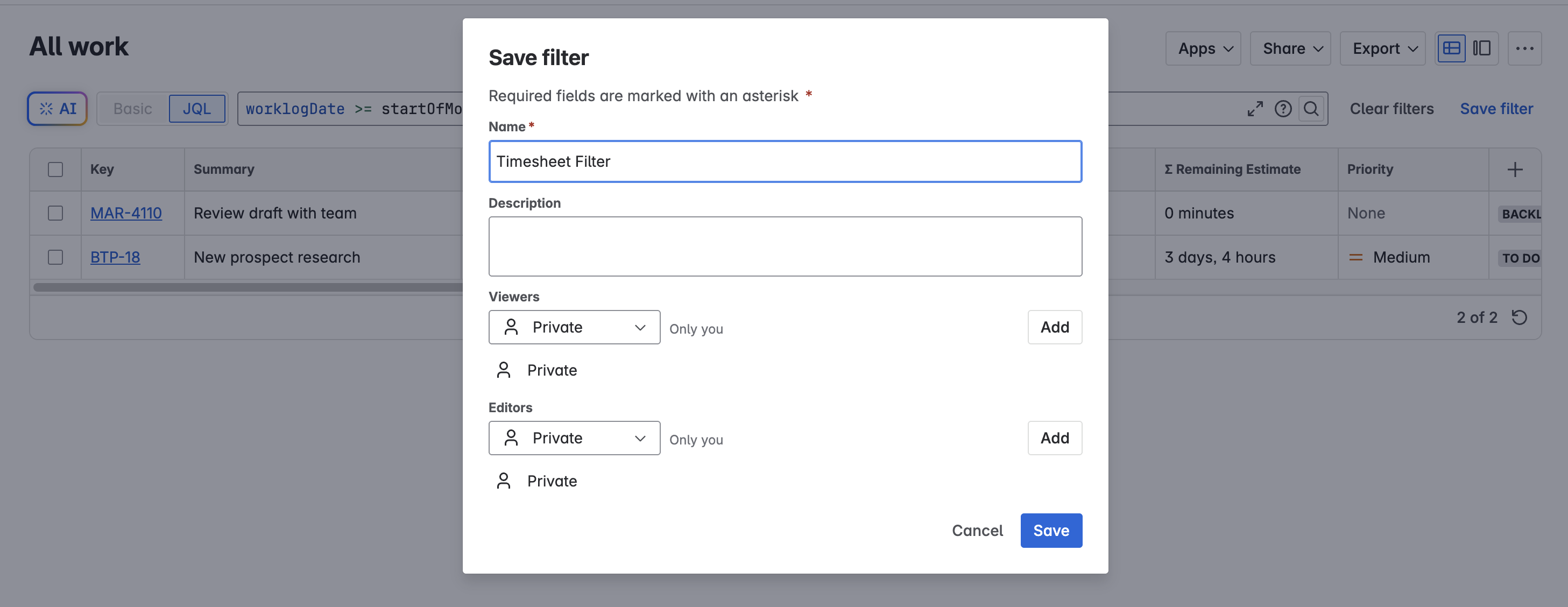
You can specify all the necessary parameters in Jira, save the filter, and then quickly use it within AcitivityTimeline Timesheets.
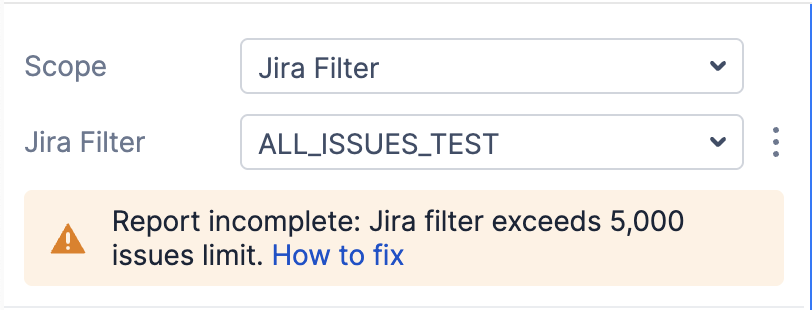
There is an important thing to keep in mind: when generating Timesheets based on the Jira filter you provide, the report is limited to the first 5,000 issues returned by that filter. If your filter returns more than 5,000 issues, the report may be incomplete.
Why is there a limit?
The 5,000-issue limit helps maintain system stability and ensures reports load quickly, even in large Jira instances.
How to Fix This
To see a complete and accurate report, please narrow down your Jira filter to match fewer than 5,000 issues.
Here are some ideas for refining your filter:
-
Filter by assignees or teams
Limit results to certain users or groups:
assignee in (user1, user2)

-
Use project filters
If you only want results from a specific project, epic, initiative:
project = ABC

-
Add a time range for worklogs
Narrow down issues by when work was logged. For example, to include only recent worklogs:
worklogDate >= startOfMonth() AND worklogDate <= endOfMonth()

-
Combine conditions
Use multiple criteria together to make your filter as specific as possible:
project = ABC AND issuetype = Task AND worklogDate >= startOfMonth()

Still need help?
If you need help writing a JQL filter that fits within this limit, please feel free to contact our support team — we’re here to help.