
This page is used for manually removing Jira issues and worklogs from ActivityTimeline when they were not removed automatically during synchronization.
In most cases, administrators do not need to use this page. ActivityTimeline normally handles deleted Jira issues and worklogs through regular synchronization. However, if a deleted Jira issue or worklog remains visible in ActivityTimeline, it can be removed manually from this section.
Issue & Worklogs Maintenance
To access the page, go to:
Configuration → Issues → Maintenance
To access maintenance page for worklogs click on ‘Worklog Records Cache’ button at the top right corner.
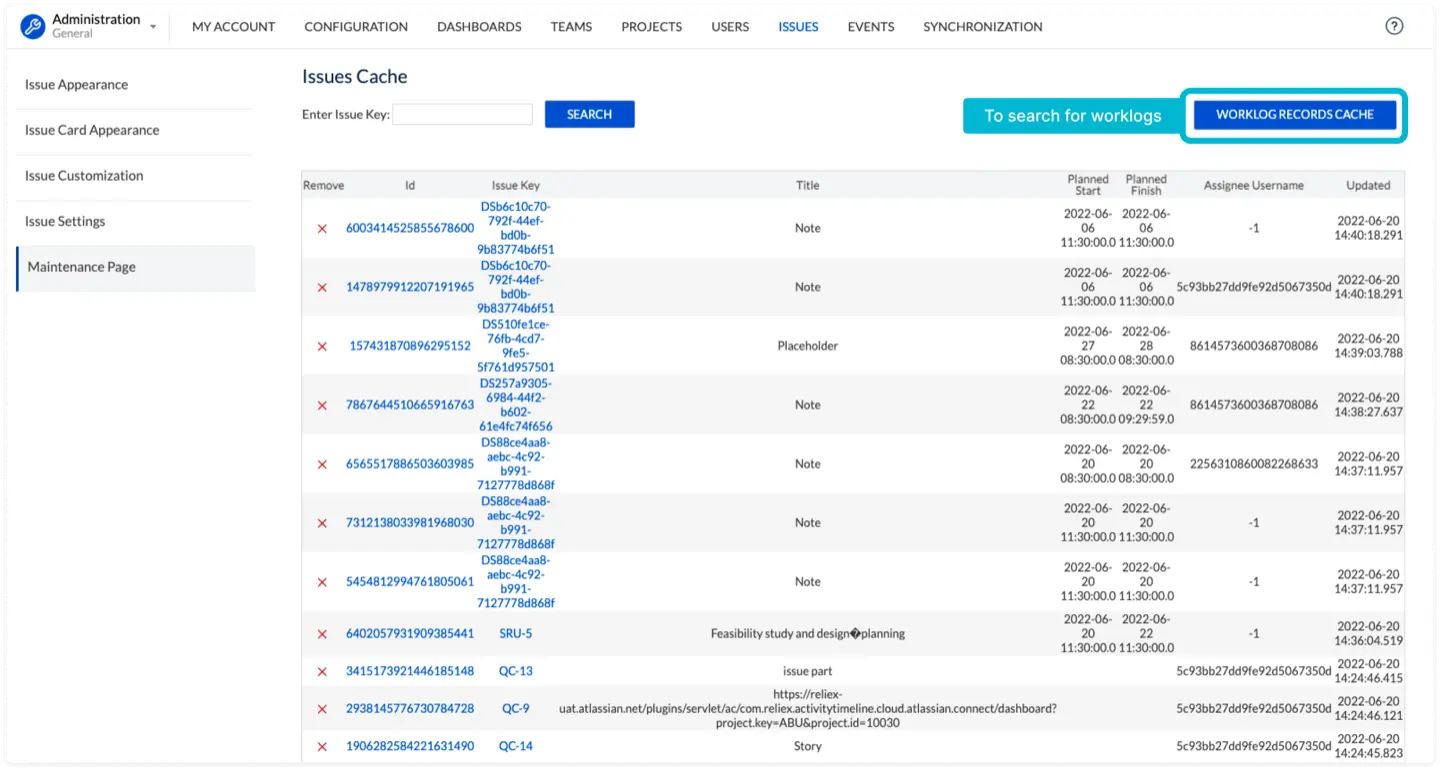
From this page, administrators can search for specific issues or worklogs and remove them manually from ActivityTimeline cache.
Recommended: Configure Jira Webhooks
For a more reliable synchronization experience, we recommend configuring Jira webhooks: Refresh Issues | Webhooks Configuration (Recommended)
Webhooks help ActivityTimeline receive updates from Jira more promptly, including information about deleted issues and worklogs. This reduces the need for manual cleanup from the Maintenance page and helps keep ActivityTimeline data consistent with Jira.
The Maintenance page should be used only when manual cleanup is needed. For ongoing synchronization reliability, Jira webhooks are the recommended approach.