ActivityTimeline administrators can configure how items appear on the Planner timeline and choose which information should be displayed on item cards.
This helps keep the timeline clean and focused by showing only the details that are relevant for planning.
Jira Issue Appearance
To configure the appearance of Jira issues, go to:
Configuration → Issues → Issue Appearance
In this section, you can choose which icons should be displayed on Jira issue bars. You can hide the icons that are not relevant to your team’s planning process.
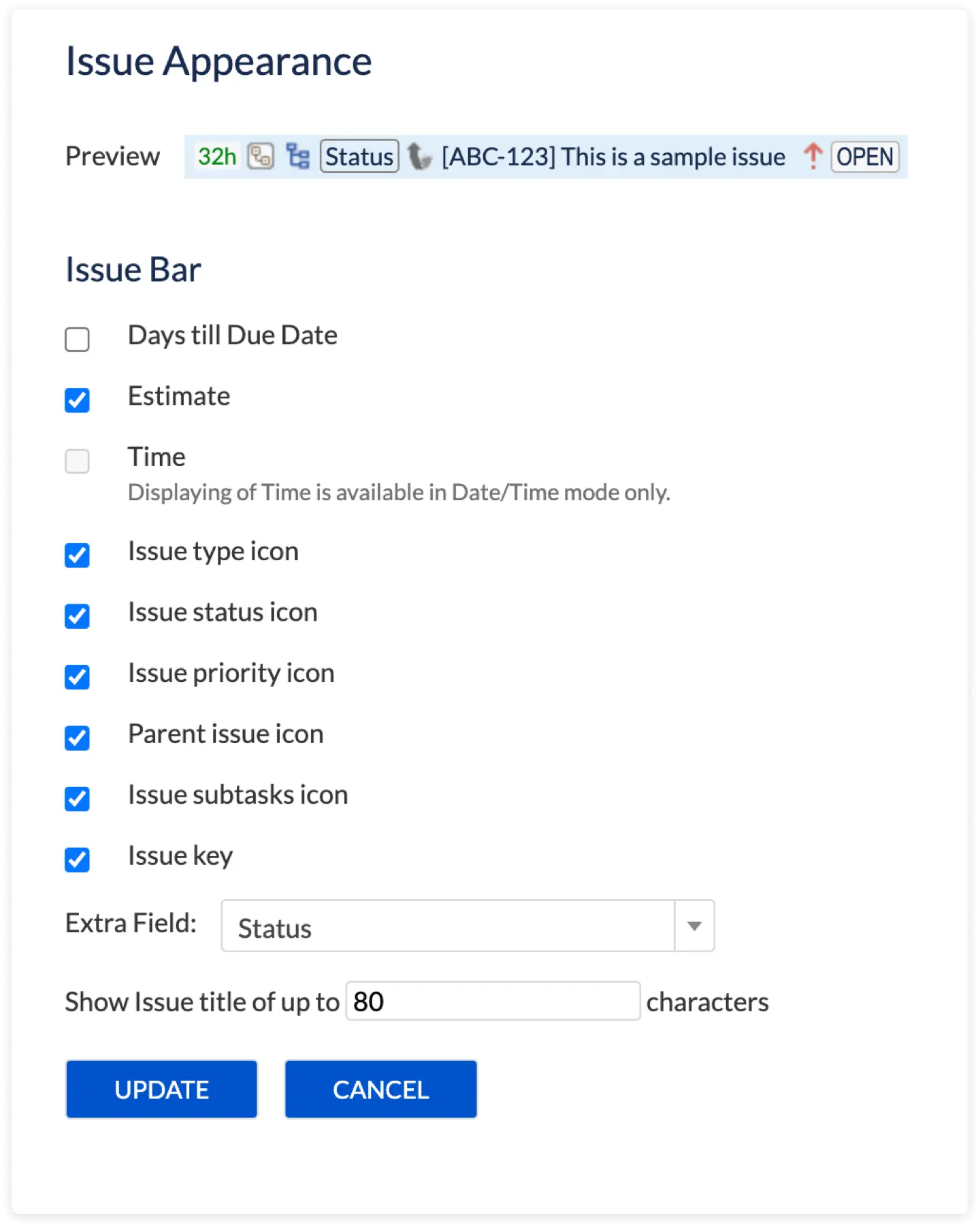
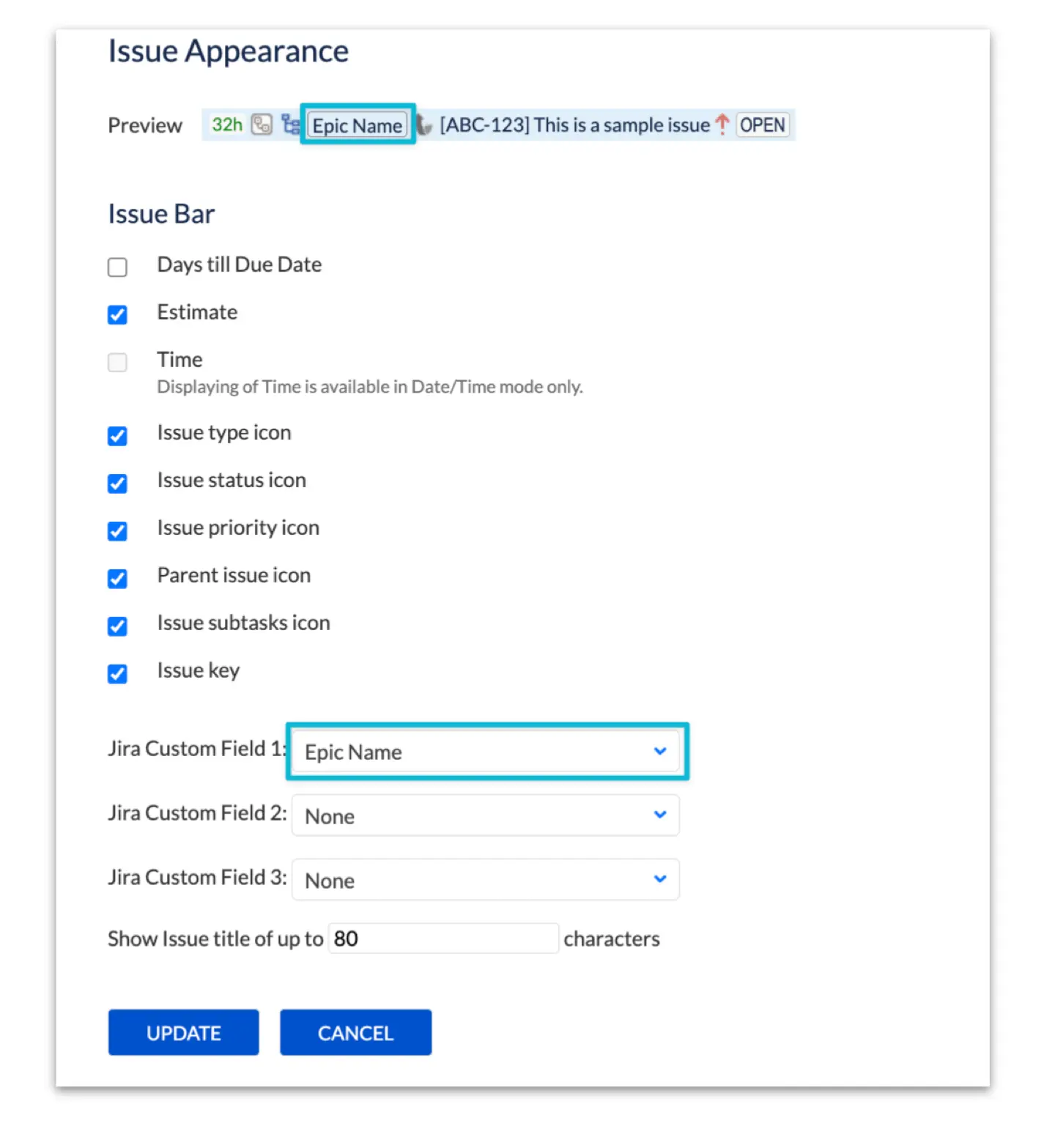
You can also display up to three additional fields on the issue bar.
These fields can include Jira custom fields.
This allows teams to show important issue details directly on the timeline without opening each issue.
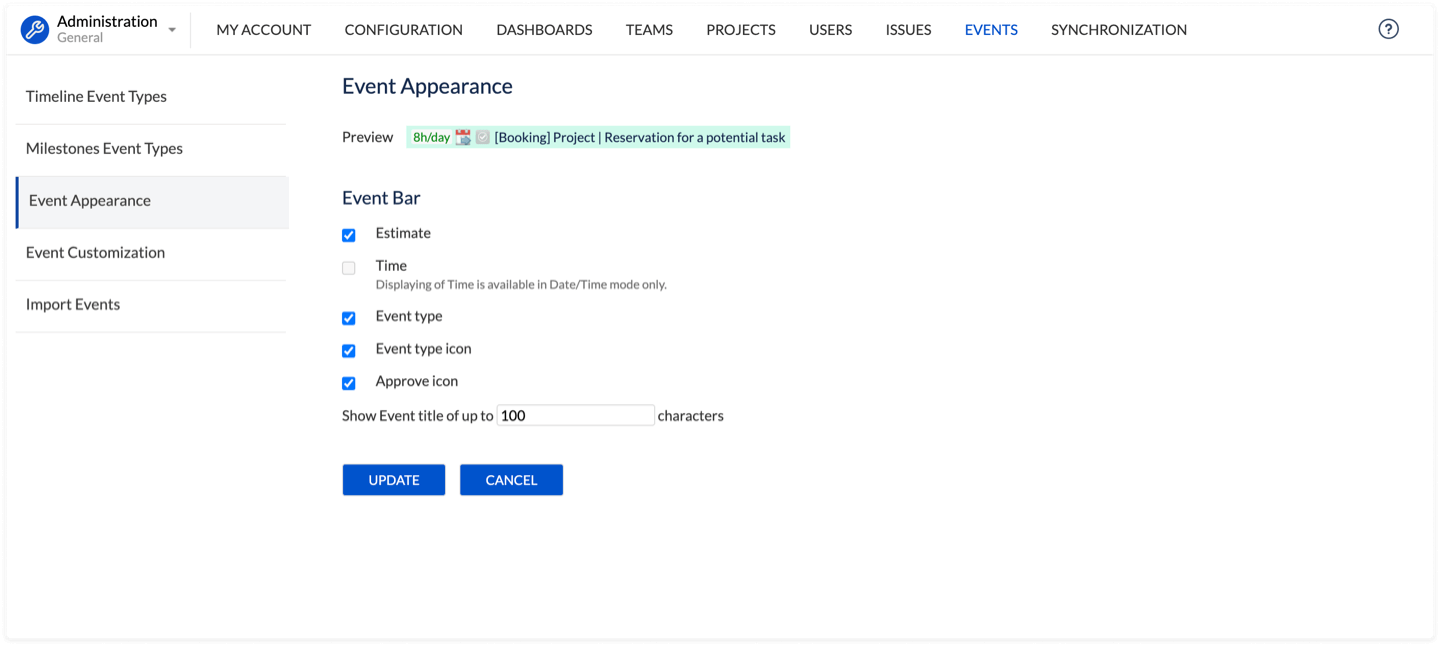
Event Appearance
The same type of appearance configuration is available for ActivityTimeline events.
To configure event appearance, go to:
Configuration → Events → Event Appearance
In this section, you can define what information should be displayed on local event cards in the Planner.