
The Issue Panel allows users to group Jira issues by different fields, making it easier to organize the backlog and find the right work items for planning.
To change the grouping, open the Group tab in the Issue Panel and select the required grouping option.
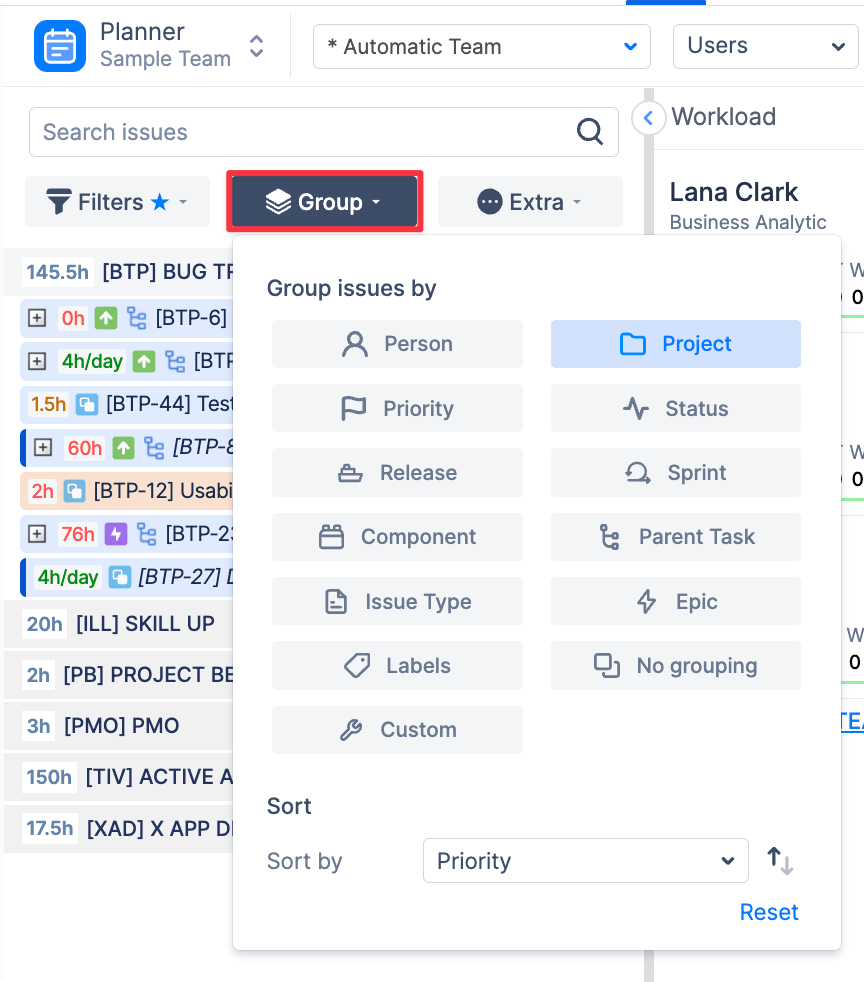
-
Group by Person
Use Person grouping to organize issues by assignee.
When this option is selected, ActivityTimeline groups Jira issues under the users they are assigned to. This is useful when you want to review each person’s unscheduled or available work before planning it on the timeline.
-
Group by Project
Use Project grouping to organize issues by Jira project.
This is the default grouping option. When issues are grouped by project, ActivityTimeline displays Jira tickets under their corresponding project groups and sorts them based on last updated date.
-
Group by Priority
Use Priority grouping to organize issues by Jira priority.
When this option is selected, issues are grouped from higher to lower priority, helping users focus on the most urgent work first.
-
Group by Status
Use Status grouping to organize issues by Jira workflow status.
This helps users review issues based on their current progress, such as To Do, In Progress, Done, or any other statuses configured in Jira.
-
Group by Release
Use Release grouping to organize issues by Jira Fix Version.
This option displays issues that have a Fix Version defined in Jira and helps teams plan work around upcoming releases.
-
Group by Sprint
Use Sprint grouping to organize issues by Jira sprint.
When this option is selected, ActivityTimeline displays issues that belong to currently available sprints. This is useful for sprint-based planning and reviewing work already assigned to active or planned sprints.
-
Group by Component
Use Component grouping to organize issues by Jira component.
This helps teams review work by functional area, module, product component, or technical ownership, depending on how components are configured in Jira.
-
Group by Parent Task
Use Parent Task grouping to organize sub-tasks under their parent Jira issue.
When this option is selected, ActivityTimeline groups sub-tasks below the related parent task. Sub-tasks are marked with a sub-task indicator, making it easier to understand their relationship to the parent issue.
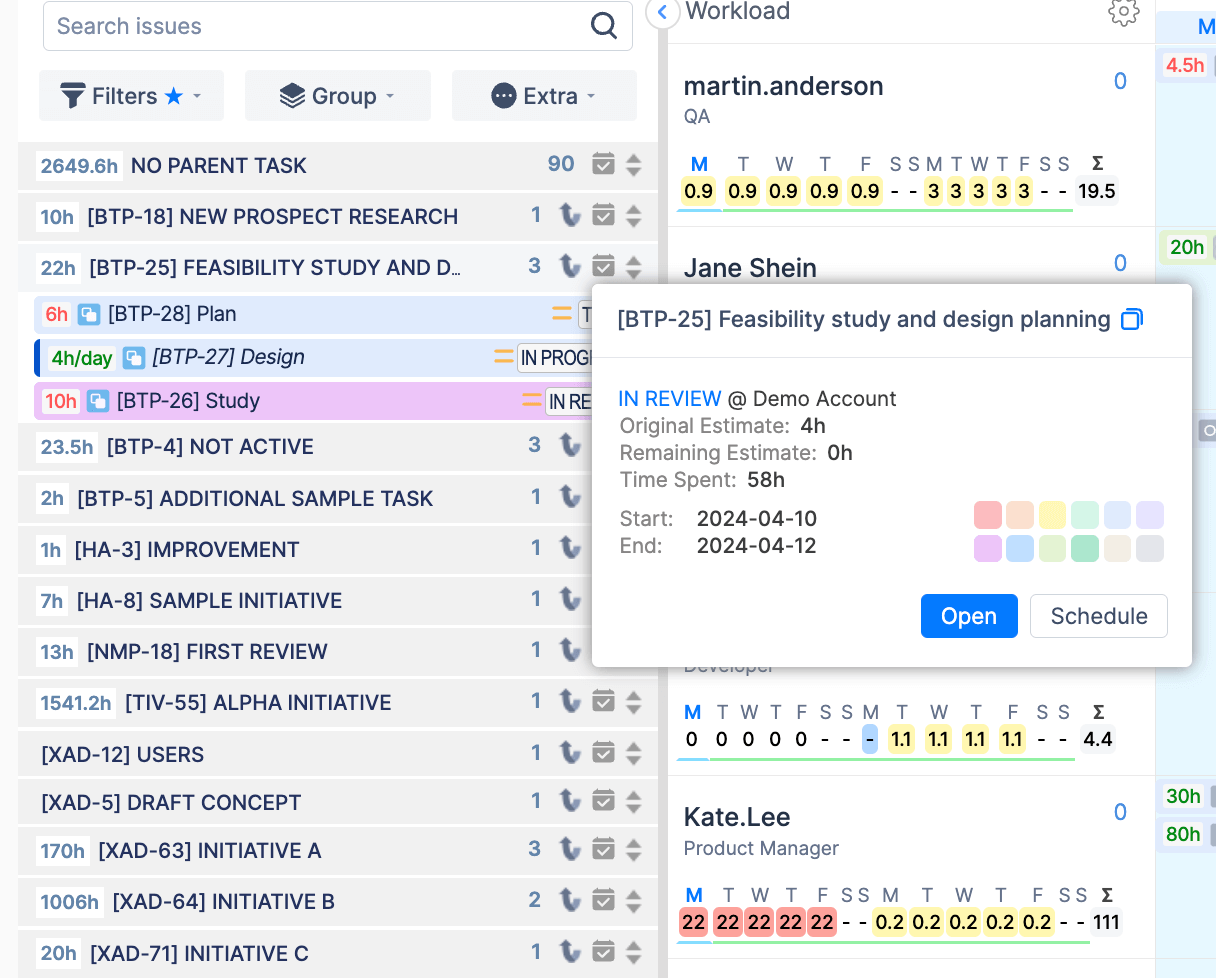
Hovering over the parent indicator shows information about the related parent task. Clicking the indicator opens the parent issue view in Jira.
-
Group by Issue Type
Use Issue Type grouping to organize issues by Jira work type. This helps users focus on a specific type of work when planning or reviewing the backlog.
-
Group by Epic
Use Epic grouping to organize issues under their related Jira Epic.
This is useful when planning larger initiatives or reviewing all work connected to a specific Epic.
-
Group by Labels
Use Labels grouping to organize issues by Jira labels.
This can help teams group work by internal tags, initiatives, themes, or other label-based classifications used in Jira.
-
Group by Custom
Use Custom grouping to group issues by supported Jira custom fields.
Click Custom to open a dropdown list of available Jira custom fields that can be used for grouping.

This is useful when your team uses custom Jira fields for planning, such as customer, department, workstream, business priority, region, or other internal classifications.
-
No Grouping
Select No grouping to display all issues in a flat list.
This view is useful when users want to browse or search issues without any additional grouping structure.
Grouping changes only how issues are organized in the Issue Panel. It does not change Jira issue data, assignments, estimates, or scheduling.
Users can combine grouping with filters to create a more focused planning view. For example, you can filter issues by project and then group them by sprint, priority, or assignee.