
Position Availability Report helps managers understand whether the organization has enough people in specific roles available for upcoming work.
It shows how much capacity employees in selected positions have over a chosen time period.
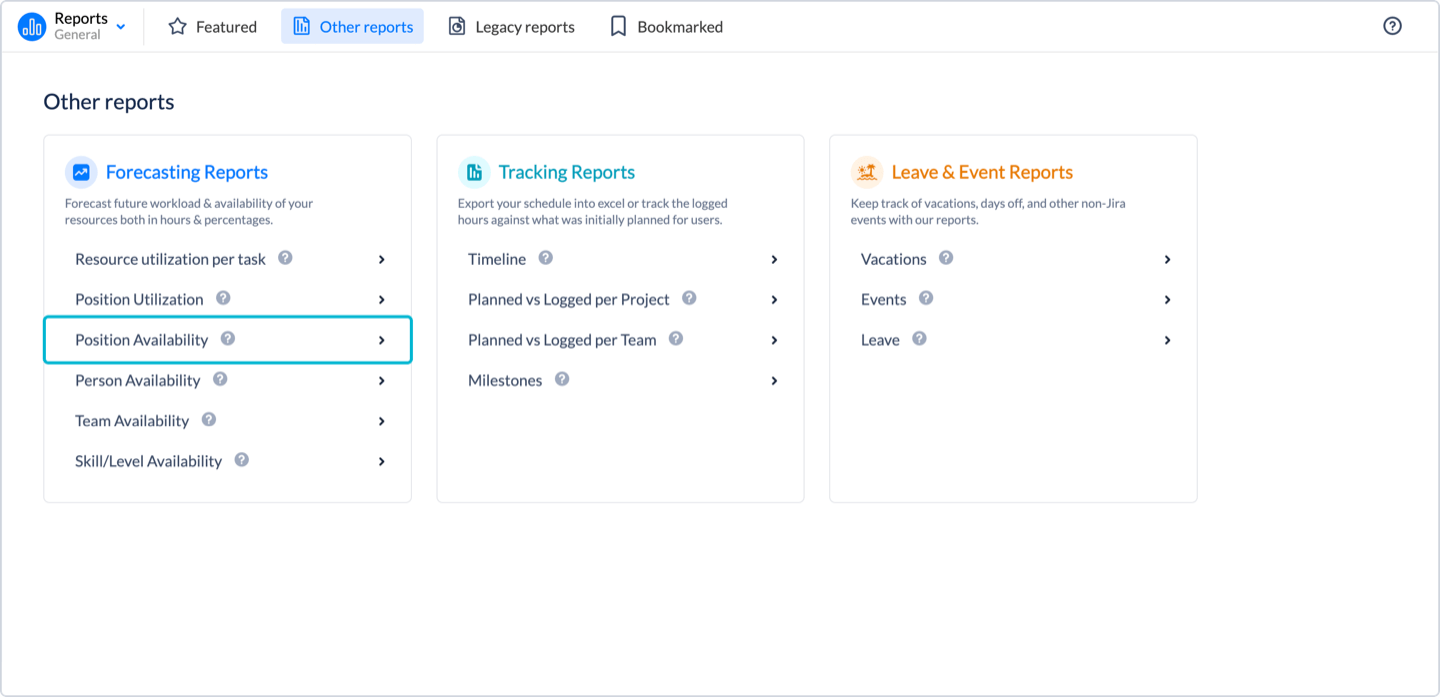
To generate this report navigate to Reports → Other Reports → Position Availability.
How It Works
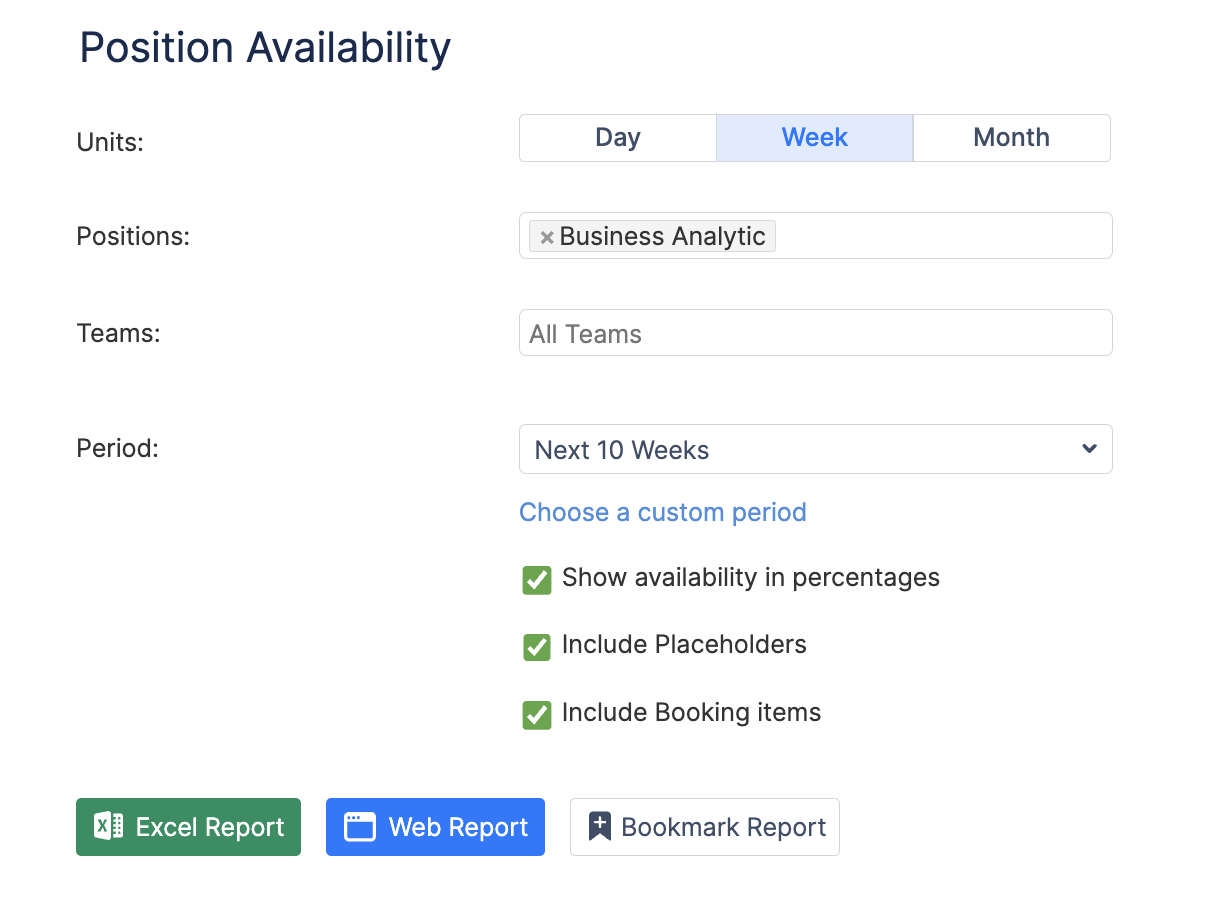
You select the positions, teams, and time period, and the report shows:
-
Which employees belong to the selected positions
-
How much of their time is still available
Employees are grouped by position, making it easy to evaluate role-based capacity across teams.
What You See
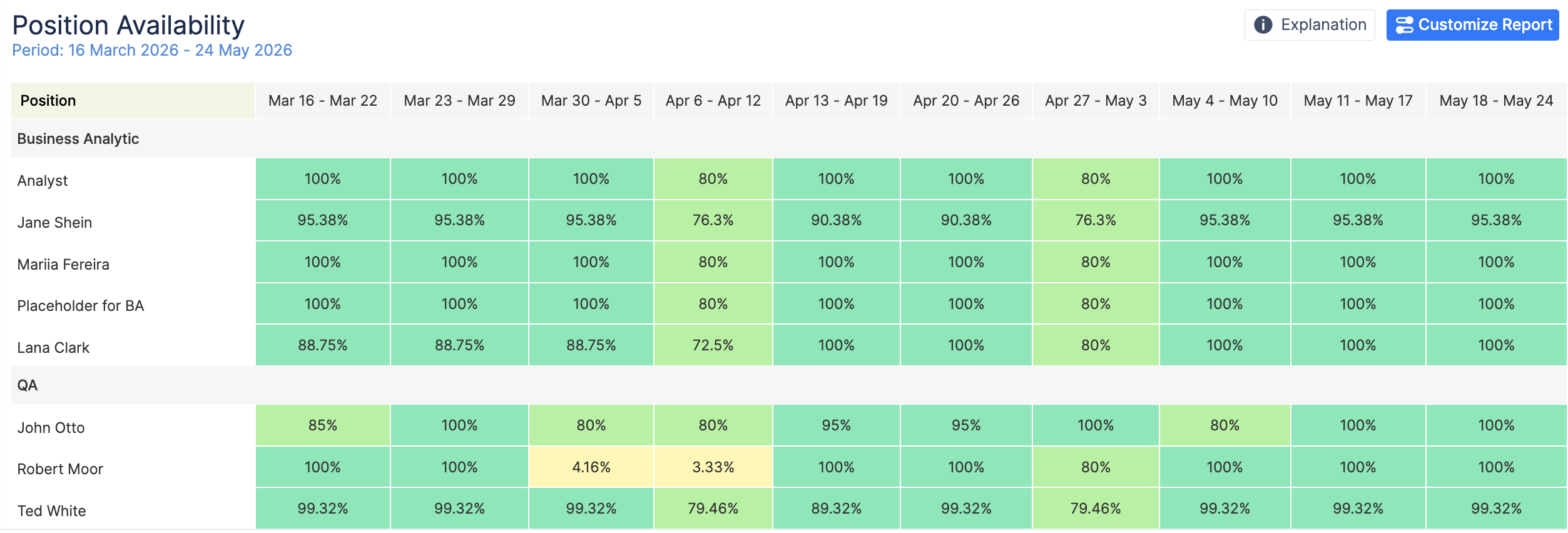
For each selected position, the report displays employees who hold that role and their availability over time.
A timeline shows upcoming periods, allowing you to quickly understand future capacity.
Availability is highlighted with color indicators so you can easily assess the situation:
-
Green — Enough free time
-
Yellow — Limited availability
This helps you quickly determine whether people in specific roles can take on new work.
Typical Use Cases
This report is especially helpful for:
-
Project managers planning work that requires specific roles
-
Resource managers balancing workload across positions
-
Department leads reviewing staffing capacity
-
HR planning recruitment for critical roles