
Mar 11, 2023
|
Server/Data Center version: Upgrading from v9.4.8 or below to v9.6.0 may take few minutes longer than usual due to the application's DB tables update. |
ActivityTimeline Cloud: Released on Mar 11, 2023.
ActivityTimeline Server/DC: Released on Mar 23, 2023.
Recommended: Backup your Jira’s database before the upgrade from v8.x to v9.0+
This version update includes the following enhancements:
-
Significantly improved UI/UX of the Track module making it easier and more intuitive to use. To help you quickly get familiar with the new changes, we've created a short guide that you can check out at the following link:
Track Module Update: The Ultimate User Guide
-
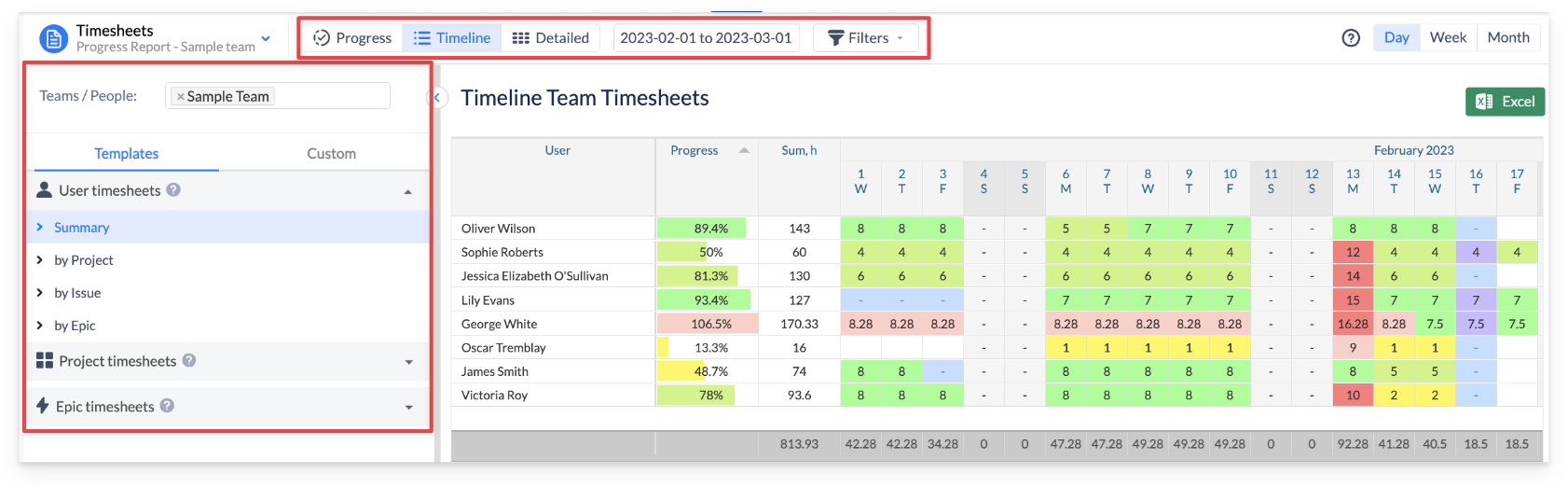
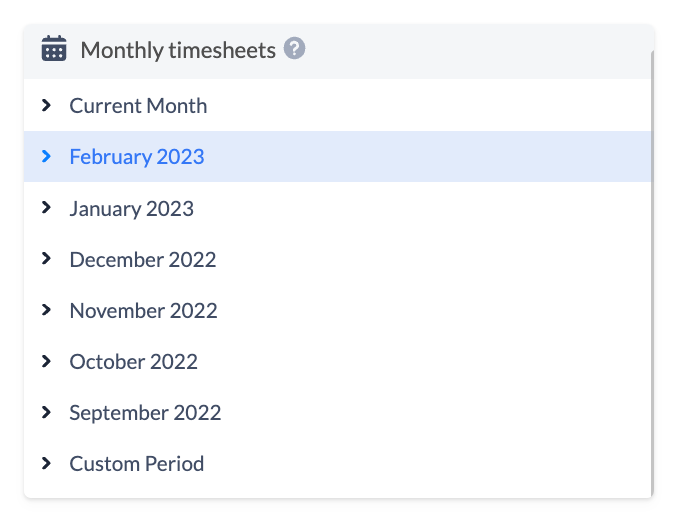
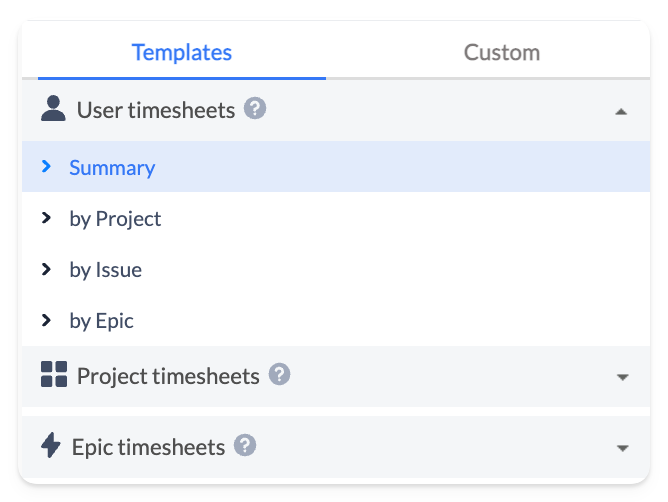
Implemented pre-defined templates that have already been tailored to your needs for quick report generation.
-
Added the option to automatically color issues based on Epic links, making it easier to distinguish between tasks linked to different epics.
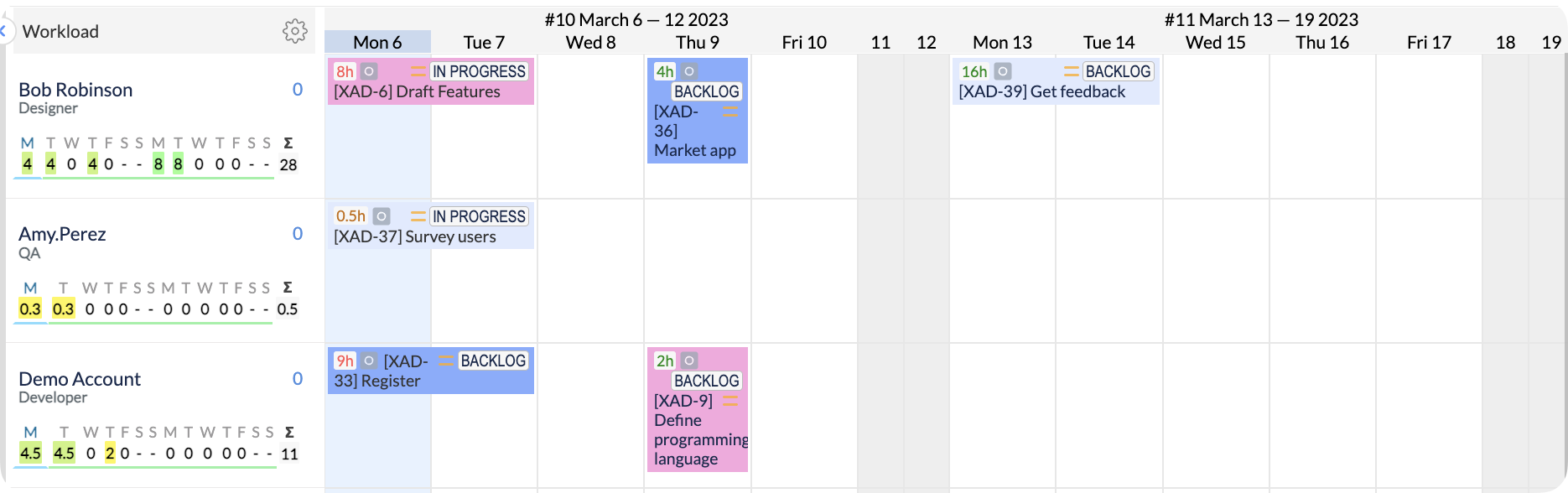
You can turn on 'Automatically color issue based on Epics' feature at the Configuration → Timeline panel page. Tasks linked to the same epic will have the same issue card color
-
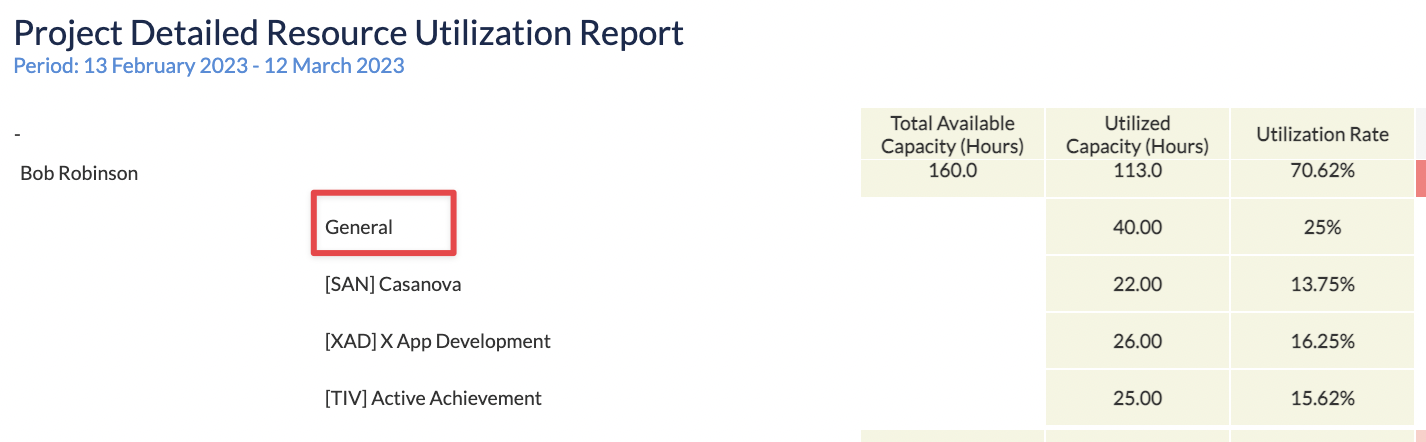
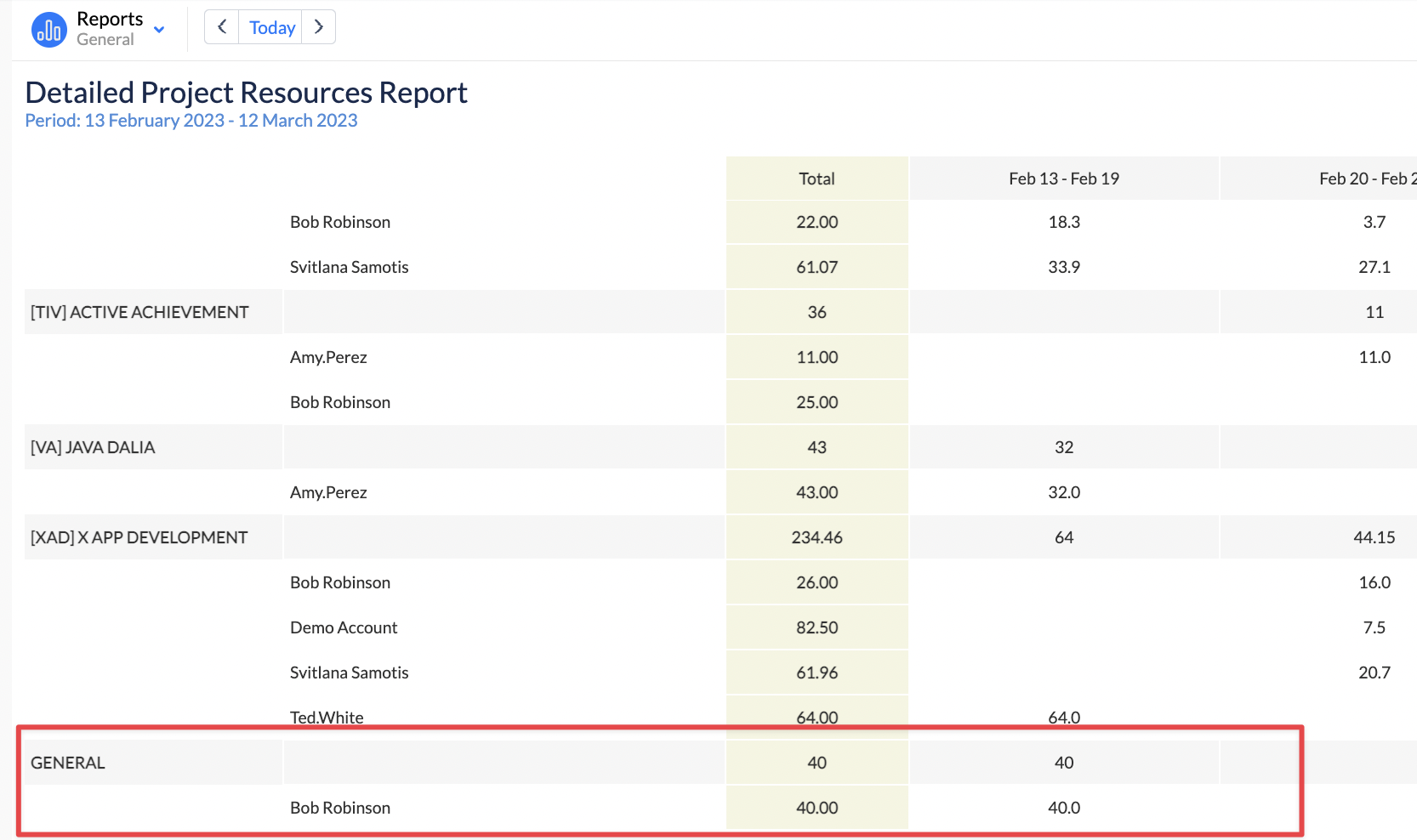
Added ‘General' row to Resource Utilization & Project Detailed reports, allowing to visualize all bookings and placeholders created under project 'General.'
-
Added support for Booking event types on Team Panel.

By using the team-level bookings feature, you can ensure that your team is not overloaded and is able to take on new tasks.
-
Added support of a dark theme for better visual comfort when working in low-light environments. to learn more about how to enable dark theme.
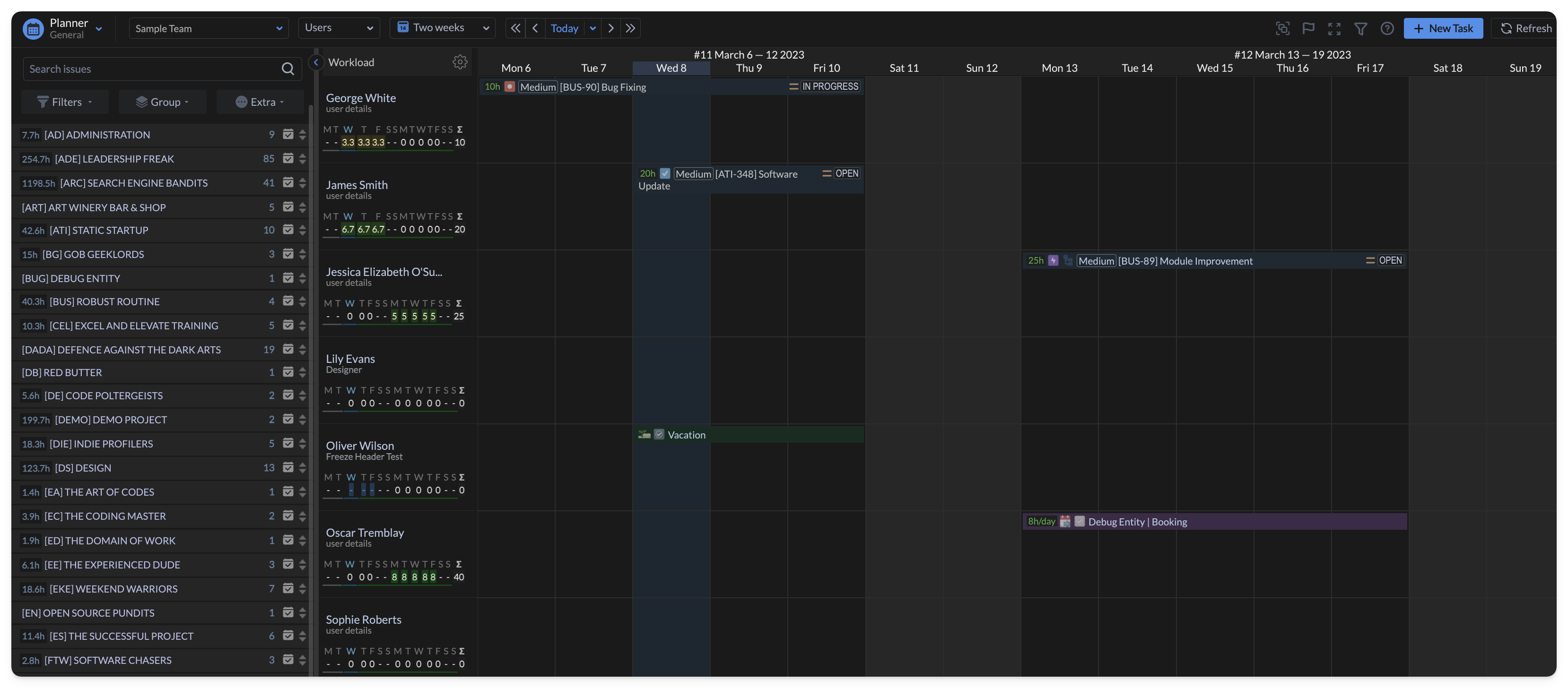
Your Operating System must run in a Dark theme mode to enable it.
-
Added the 'Include Issues' check box in Resource Utilization & Project Detailed reports.
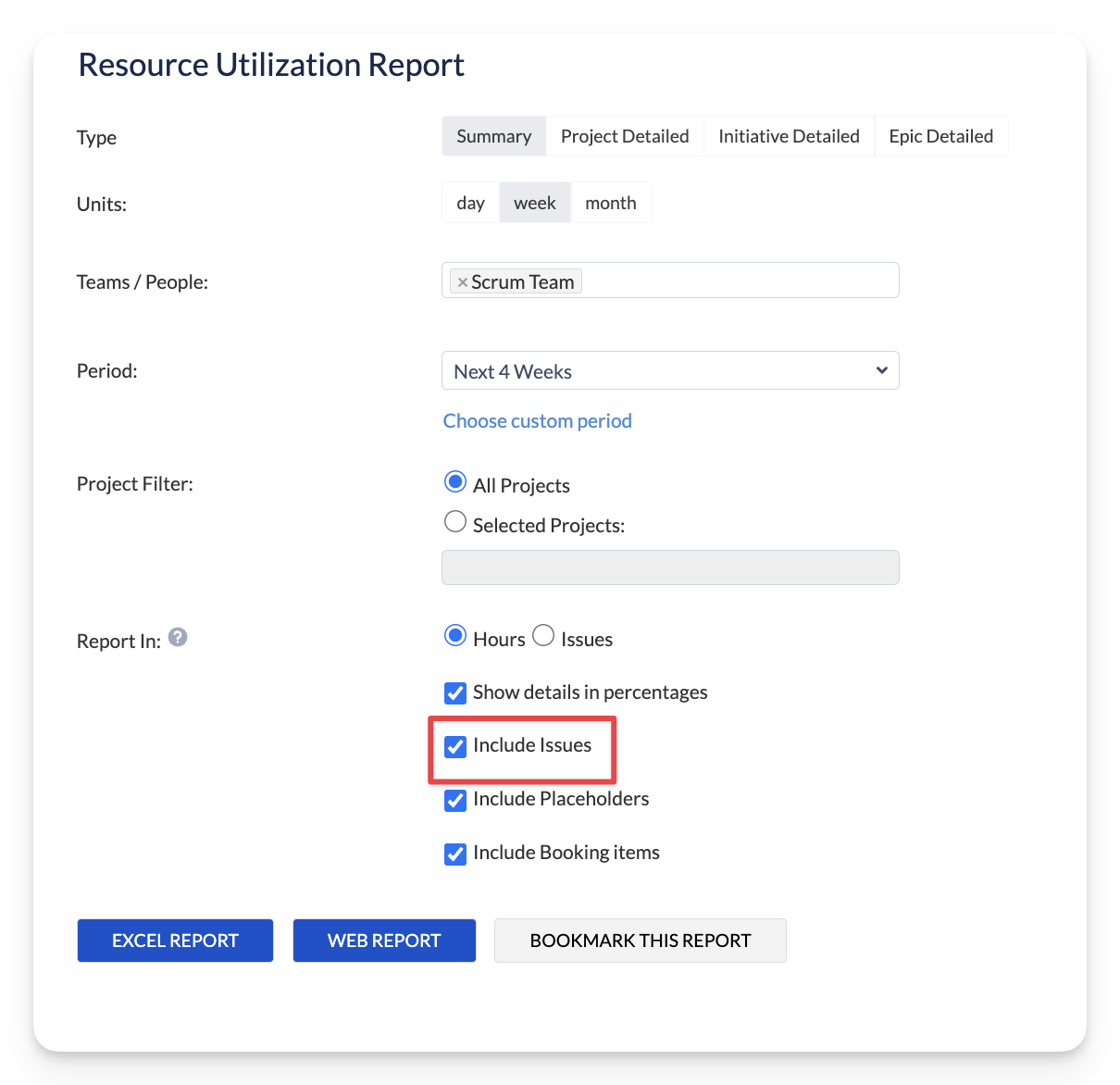
When unchecked, the report is generated only based on bookings and/or placeholders.
-
Improved left issue panel filtering and added a background filter for issues last updated within the last 30 days (If no other filters are applied), making it easier to identify and prioritize relevant tasks.
-
Added GET availability and GET capacity REST API calls, providing more extensive integration options.
-
Optimized performance of future app upgrades
-
Many other improvements and fixes.
Should you have any questions regarding any of the new features -
feel free to contact our Support Team.