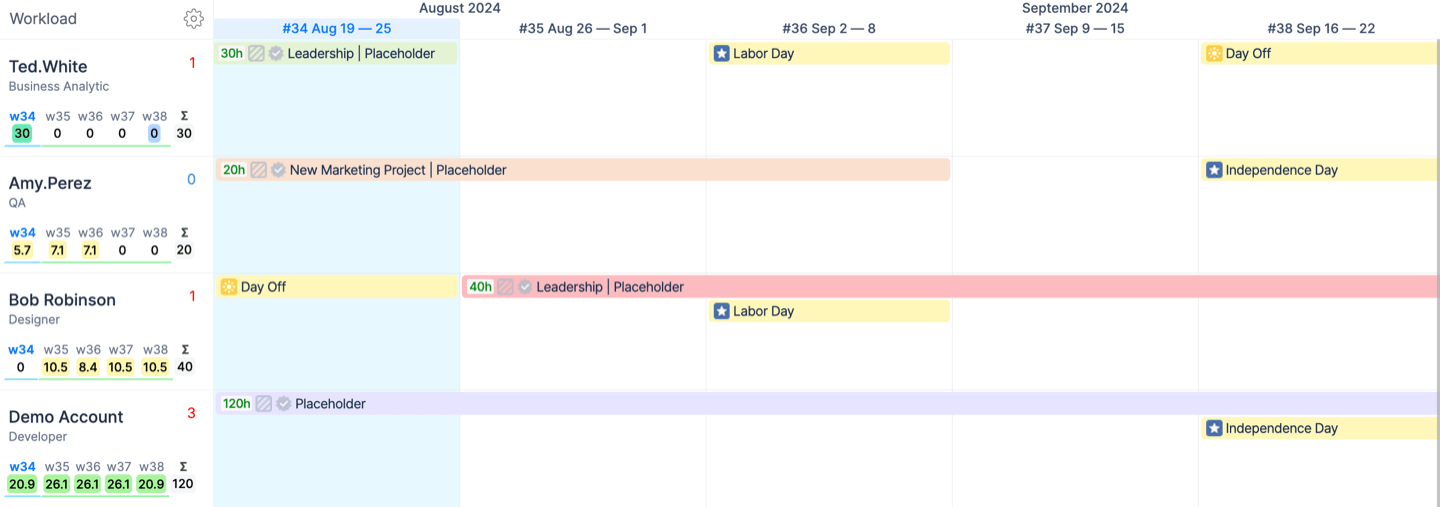
In addition to creating Placeholders for Jira issues that are not ready for assignment, ActivityTimeline also allows you to create Placeholders without linking them to any Jira issue.
This is useful for organizations that plan work several months in advance, when Jira issues may not exist yet.
Create a standalone Placeholder
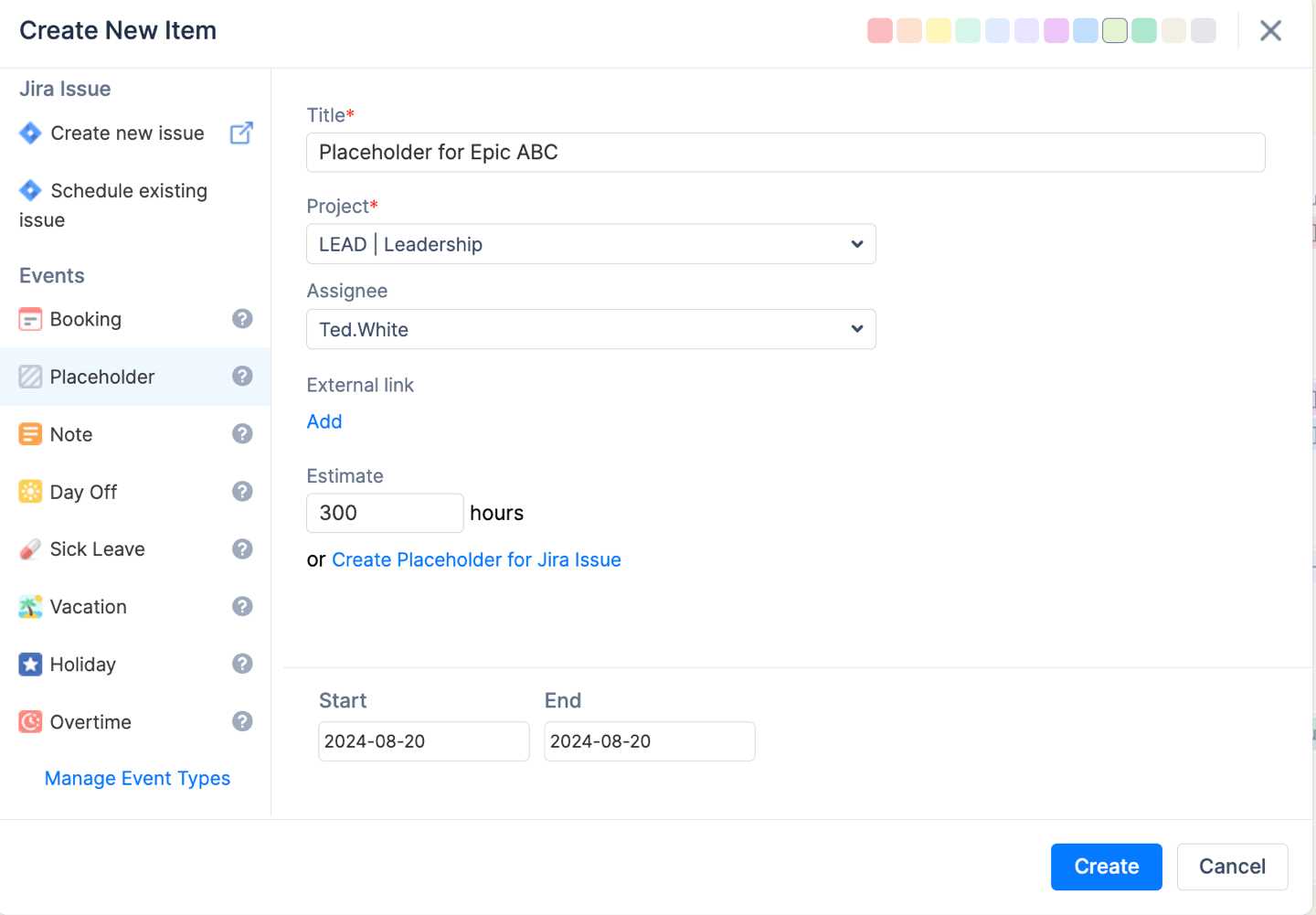
To create a Placeholder without an associated Jira issue:
-
Click a cell on the user’s timeline.
-
Select Placeholder.
-
Enter the Title and Estimate.
-
Select the relevant Project.
-
Click Create.
The Placeholder will be scheduled on the user’s timeline. No Jira issue will be associated with it.
Associate a Placeholder with a Jira issue later
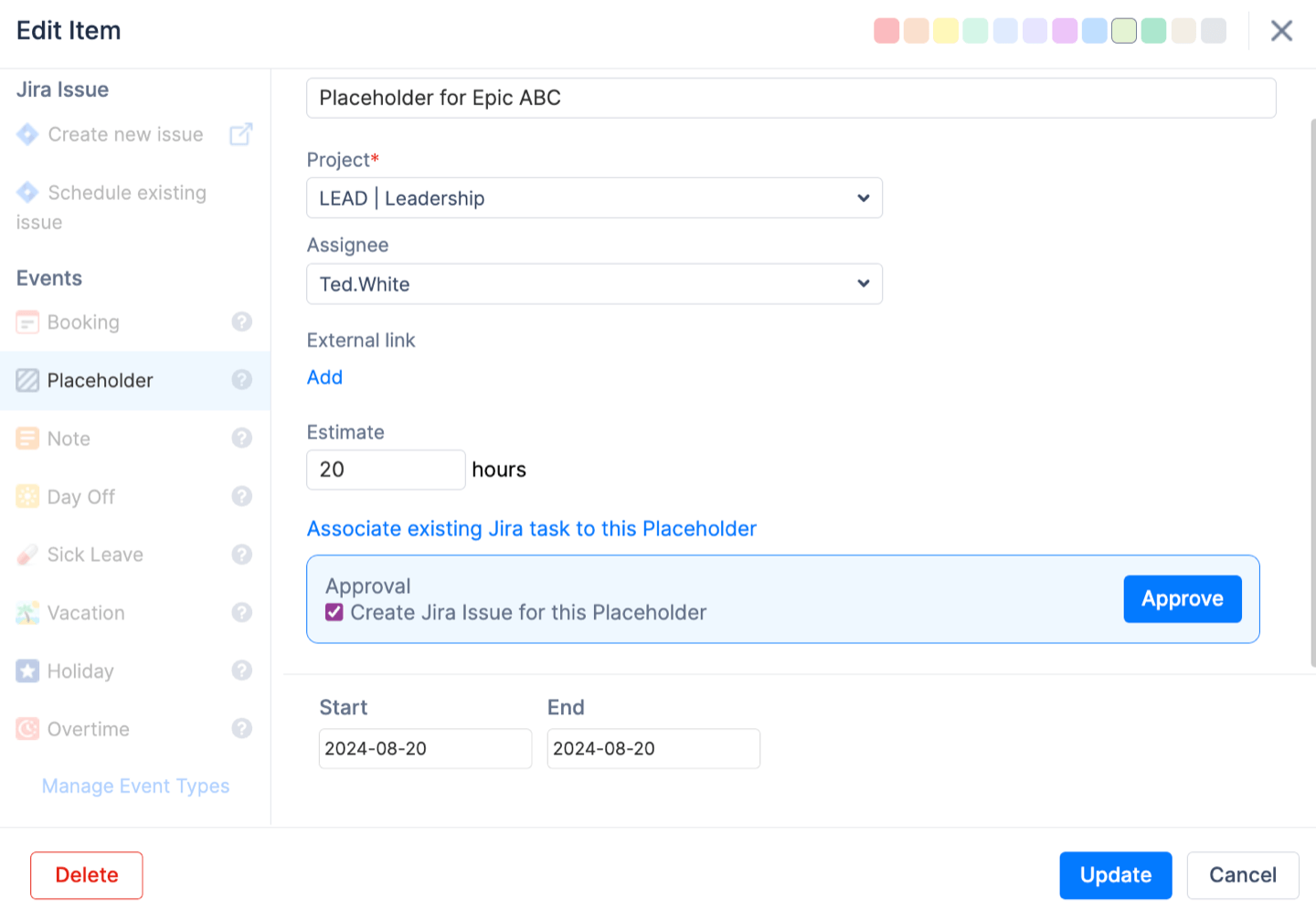
You can link the Placeholder to an existing Jira issue at any time.
To do this:
-
Click the Placeholder.
-
Select Open.
-
In the Approval section, enable Associate existing Jira issue to this Placeholder.
-
Search for the Jira issue using Quick Issue Search.
-
Click Proceed.
Update the Jira issue with Placeholder details
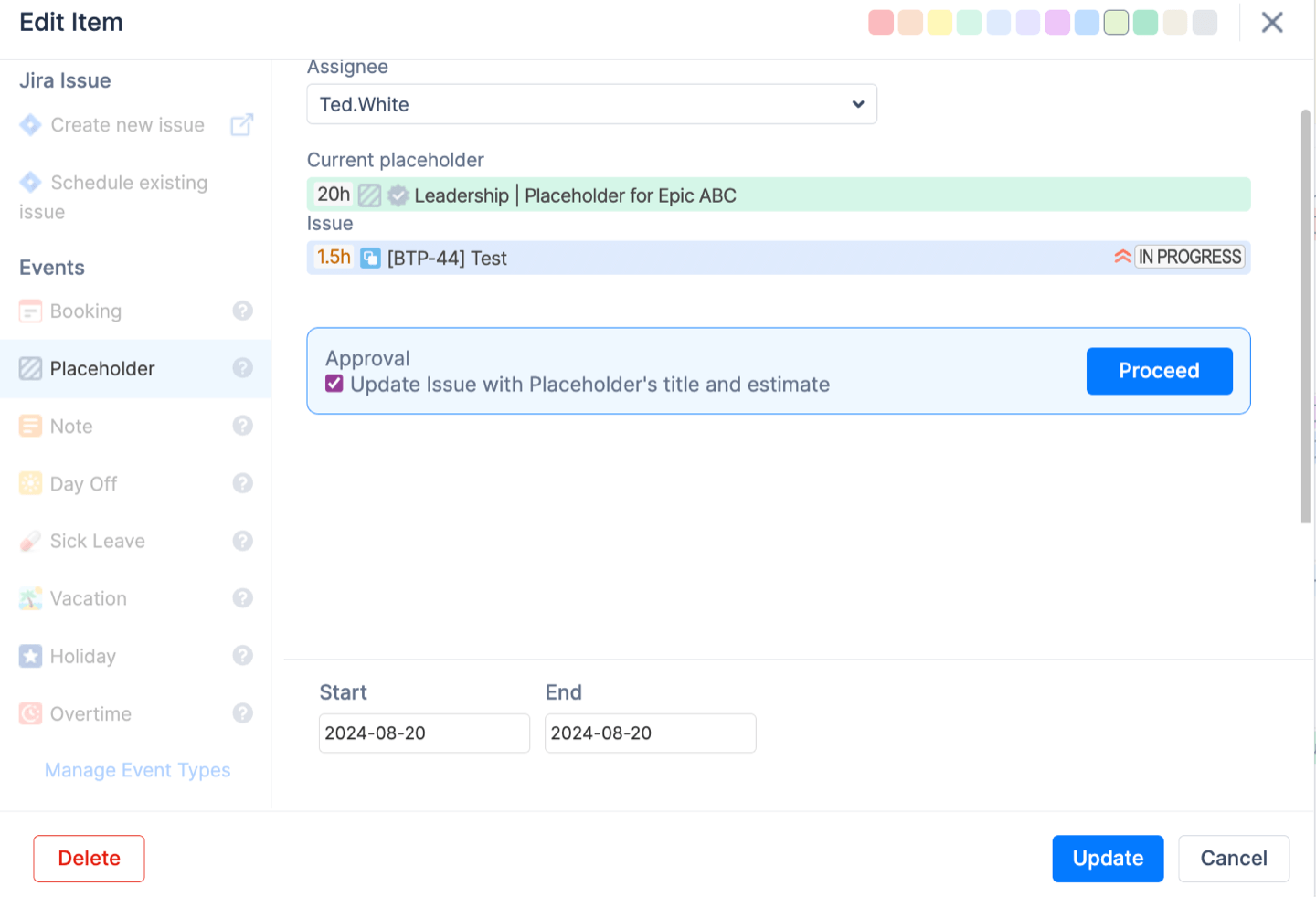
When associating a Jira issue, you can choose whether to update it with the Placeholder’s title and estimate.
To do this, enable:
Update Issue with Placeholder title and estimate
Then click Proceed.
The Placeholder will be replaced with the selected Jira issue on the user’s timeline. The Jira issue will inherit the Placeholder’s title and estimate.
Please note that the previous Jira issue title and estimate will be overwritten.
Keep the original Jira issue title and estimate
If you do not want the Jira issue to inherit the Placeholder values, leave the Update Issue with Placeholder title and estimate option unchecked.
In this case, the Jira issue will keep its existing title and estimate.
Use Placeholders for capacity planning only
Approving or replacing a Placeholder with a Jira issue is optional.
You can keep standalone Placeholders as capacity planning items without linking them to Jira issues. This is useful for high-level planning, early-stage project forecasting, or reserving capacity before specific work items are created in Jira.