
In addition to Jira issues, ActivityTimeline allows users to create different types of custom events directly on the Planner. These events help managers and teams plan resource availability, reserve capacity, and track non-project activities that may not be represented by Jira issues.
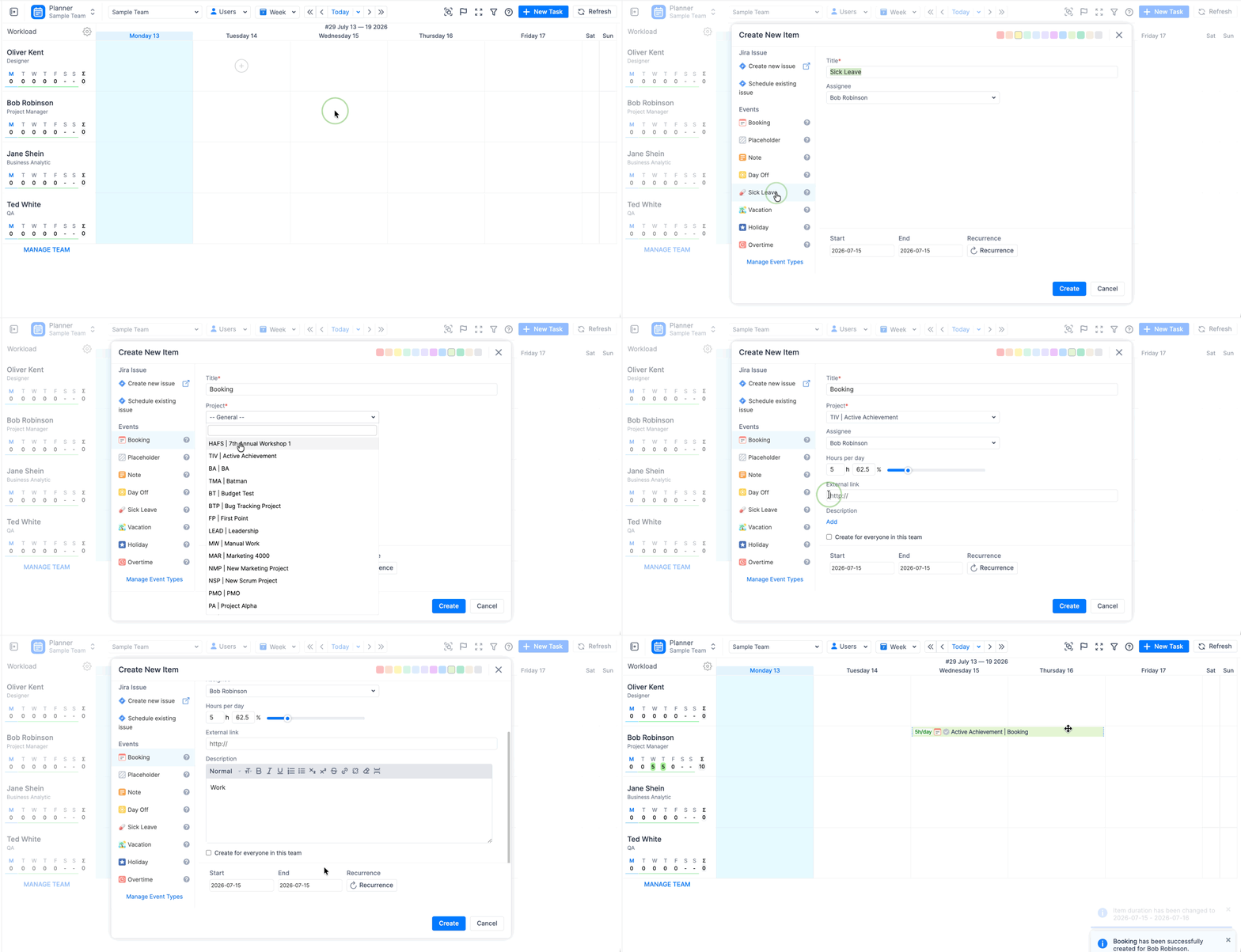
ActivityTimeline events can be divided into two main categories:
-
Non-working events
-
Planning events
Non-working Events
Non-working events are used to mark periods when users are not available for work.
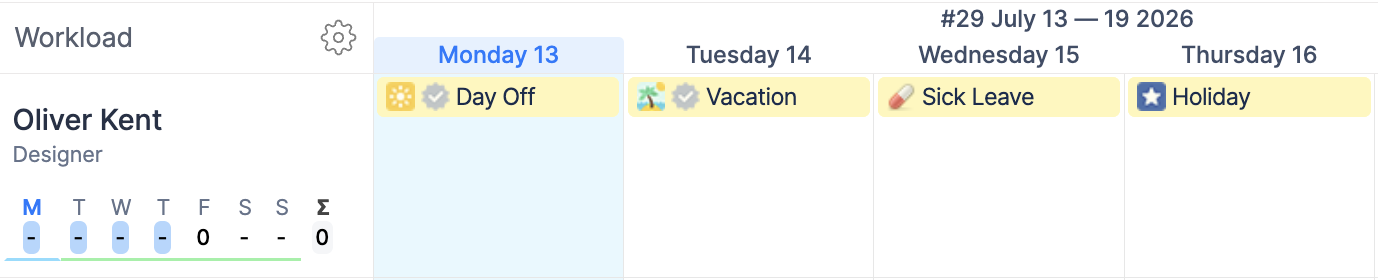
Examples include:
-
vacation;
-
sick leave;
-
days off;
-
holidays.
Non-working events reduce the user’s available capacity for the selected period. This helps managers understand real availability and plan work more accurately.
For example, if a user has 8 hours of daily capacity and a full-day vacation is scheduled, ActivityTimeline reduces the user’s available capacity for that day.
Planning Events
Planning events are used to reserve or allocate a user’s time for specific work, activities, or resource needs.
They are useful when work needs to be planned, but a Jira issue is not yet available or does not fully represent the planned activity.
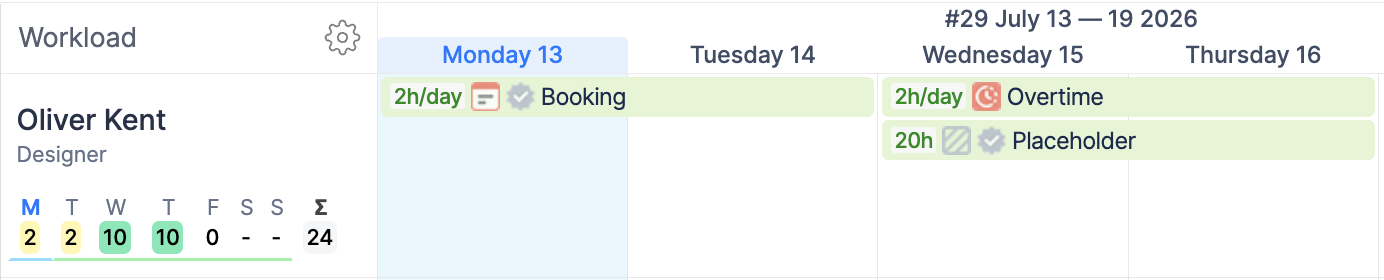
Planning events help managers allocate resources, forecast workload, and make sure the right people are available for planned work.
Learn more:
Note Event
A Note event is used as a simple text note or reminder on a person’s timeline.
Note events do not affect the user’s capacity, workload, or availability. They are intended for informational purposes only.
Why Use Events Together with Jira Issues?
Jira issues usually represent planned project work, while ActivityTimeline events help cover availability, resource reservations, and non-project activities.
Using Jira issues together with ActivityTimeline events gives managers a more complete view of:
-
what work is planned;
-
who is available;
-
who is unavailable;
-
where capacity is already reserved;
-
whether users are overbooked or underutilized.
This helps teams improve resource planning, capacity forecasting, and timeline accuracy.