
Is it possible to create my own custom events in ActivityTimeline?
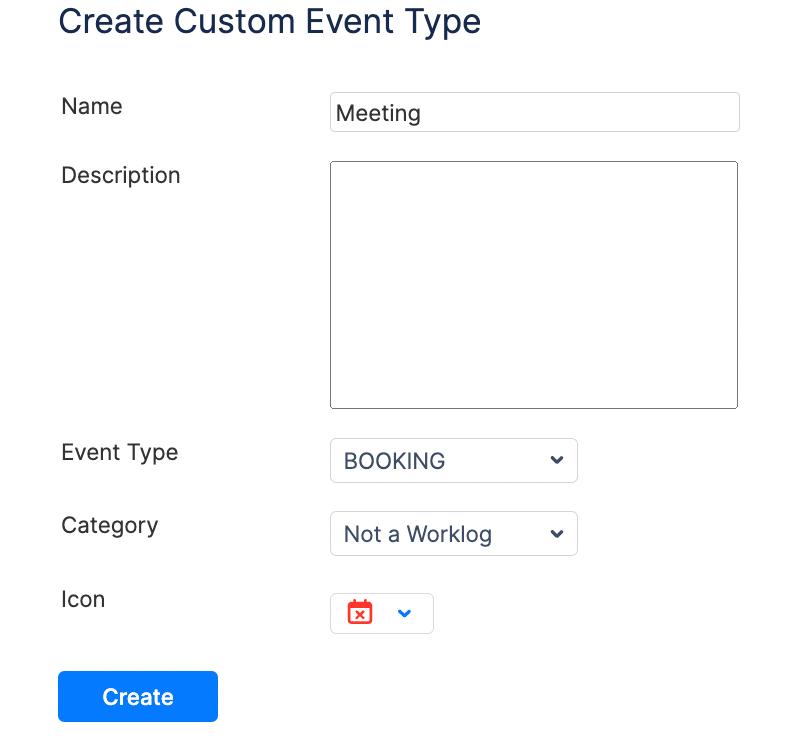
Yes, you can create your own custom events in ActivityTimeline which will be based on the functionality on already existing events. You need to go to ActivityTimeline Configuration → Events → 'Create New Timeline Event Type'
Why are Bookings counted as worklogs?
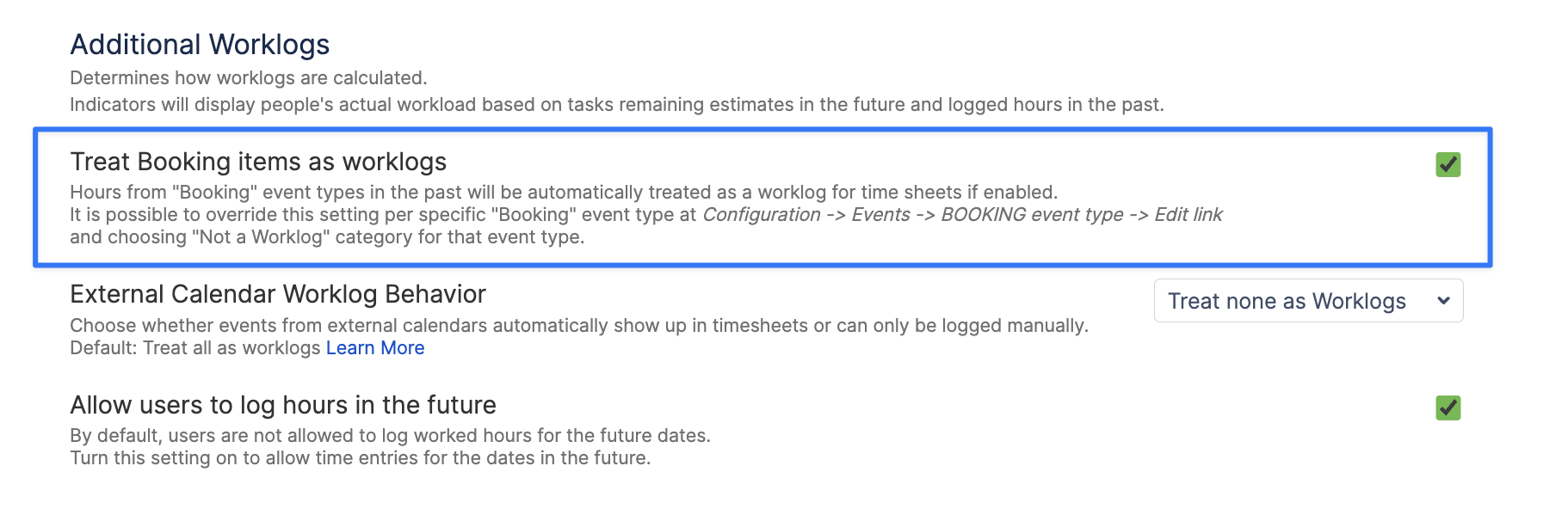
In ActivityTimeline, Booking events (and any events based on the Booking event type) are automatically treated as Jira worklogs once they are scheduled in the past.
This behavior exists because Bookings are often used to plan activities that are not linked to Jira issues (for example, internal work, meetings, or operational tasks). To ensure this time is still reflected accurately in reporting and timesheets, ActivityTimeline counts past Booking time as worked time by default.
If this doesn’t align with your process, you can change this behavior in: ActivityTimeline Configuration → Timesheet Configuration → Treat ‘Bookings’ as worklogs.
You can learn more about ActivityTimeline custom events via the following link: