December 7, 2019
Server version may take up to 60 minutes to start for the first time if upgraded from the v7.0.6 or below due to DB schema update.
Important: ActivityTimeline has few infrastructure changes between v7.2.x and v7.3.0:
-
Dropped support of 32bit servers starting from AT v7.3.0. Contact support if you are running AT on a 32bit server.
-
New start.sh/stop.sh and start.bat/stop.bat scripts:
-
Do not use them if upgrading from v7.2 or below and "atdb" folder is not in "<INSTALLED_LOCATION>/activitytimeline/bin/" folder as ActivityTimeline may not be able to load the previous data.
-
Start ActivityTimeline in the same way as before or move "atdb" folder into "<INSTALLED_LOCATION>/activitytimeline/bin/" folder and then use the new scripts.
-
You can use new scripts if you have ActivityTimeline configured to use external database like MSSQL, MySQL, PostgreSQL or Oracle DB.
-
-
Upgraded underlying Tomcat to version 9 and JRE 8 u202
ActivityTimeline Cloud: Released on November 7, 2019.
ActivityTimeline Server: Released on December 7, 2019.
This version update includes the following enhancements:
-
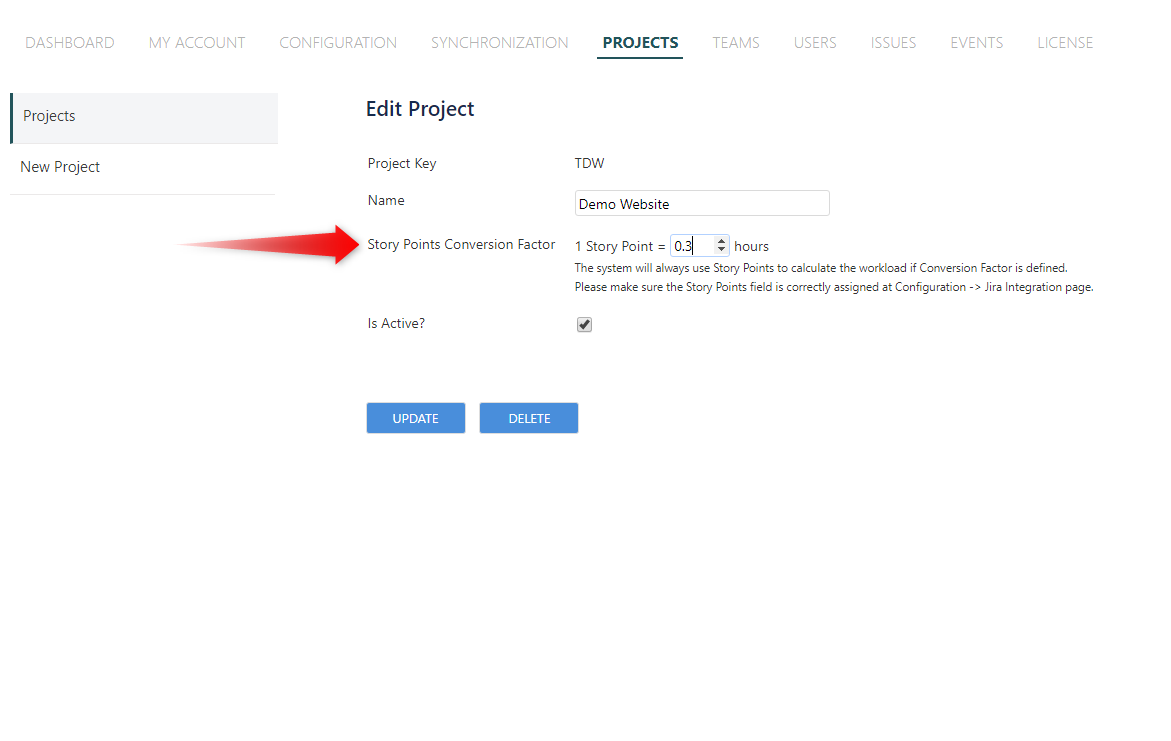
Implemented Story Point to Hours Conversion Factor per project
-
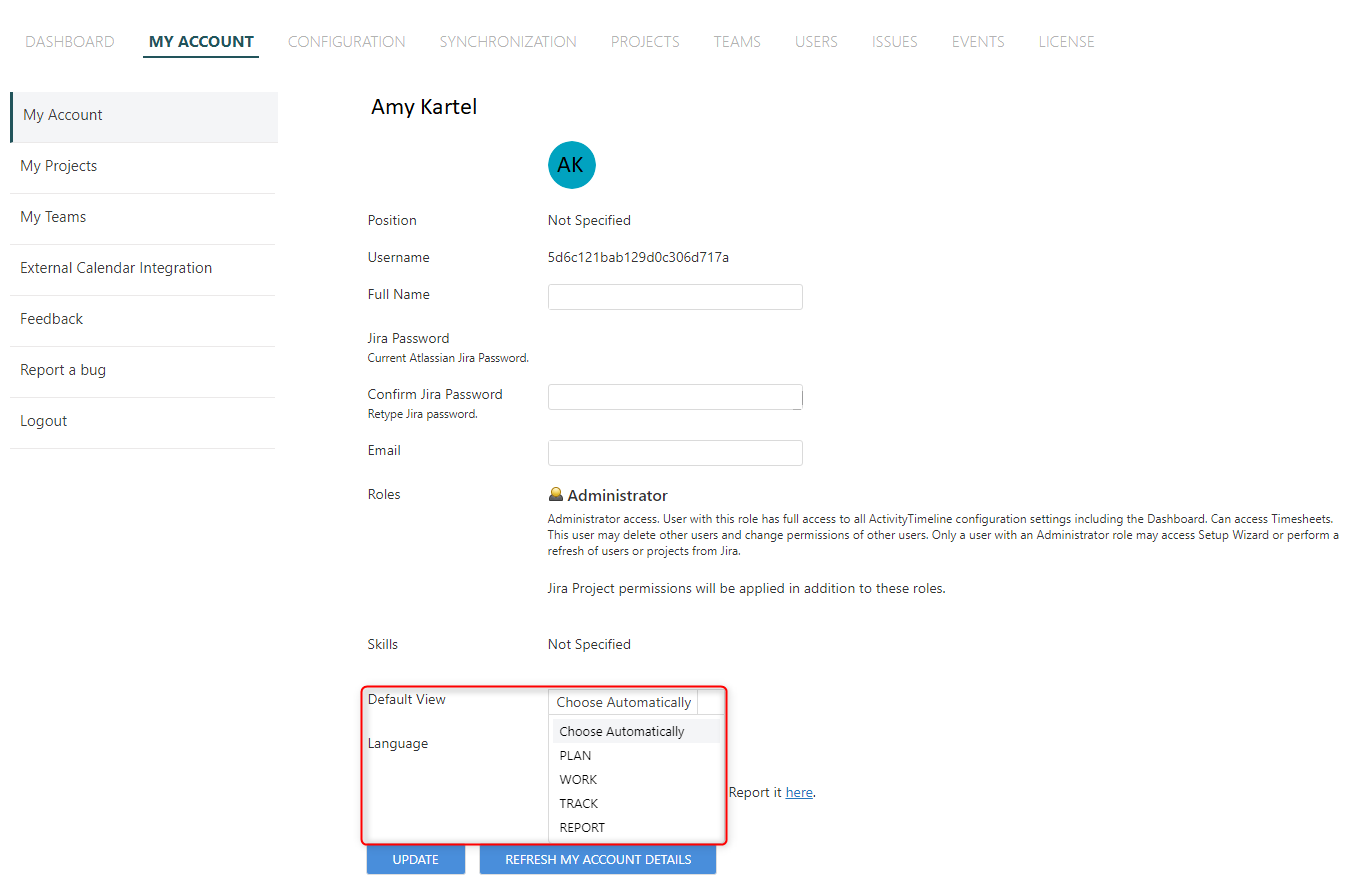
New Default module view per user configuration in My Account page
-
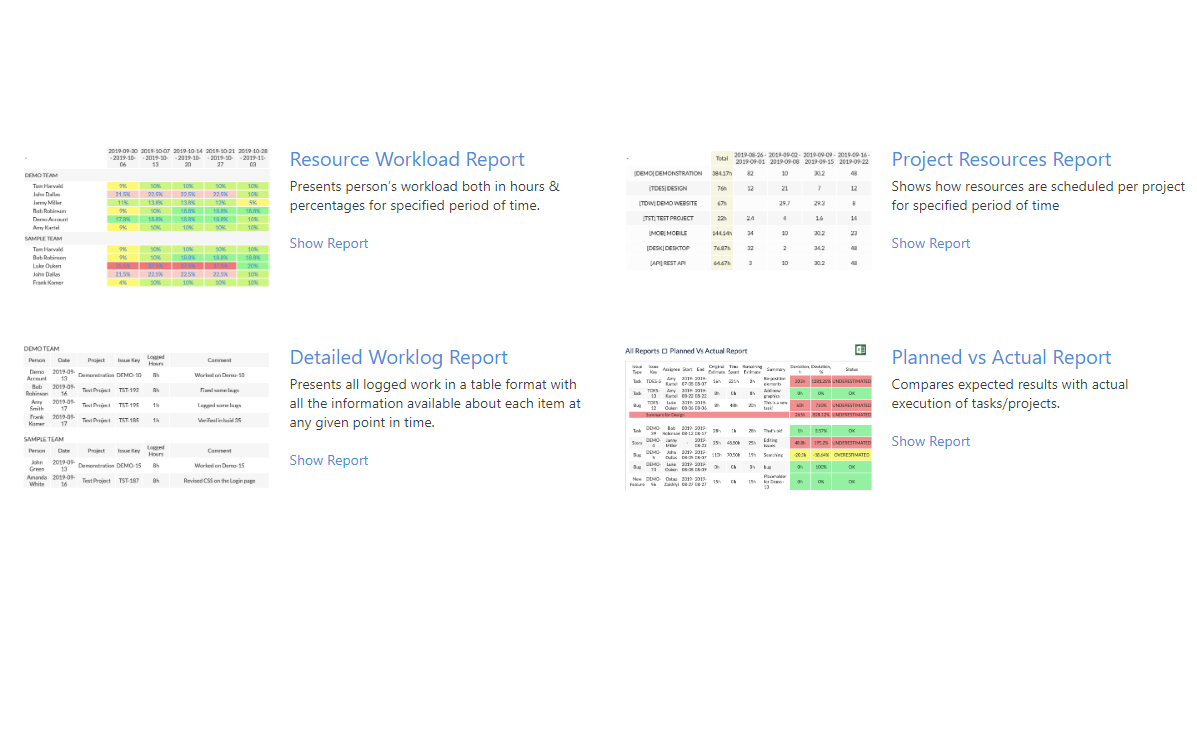
Re-designed Reports module UI
-
Added possibility to add description to Custom Events types
-
Added possibility to clone Placeholders (w/o issue)
-
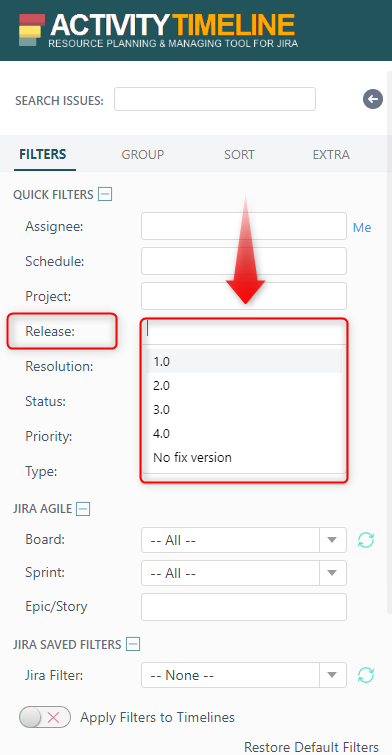
Added possibility to filter issues by Release (FixVersion)
-
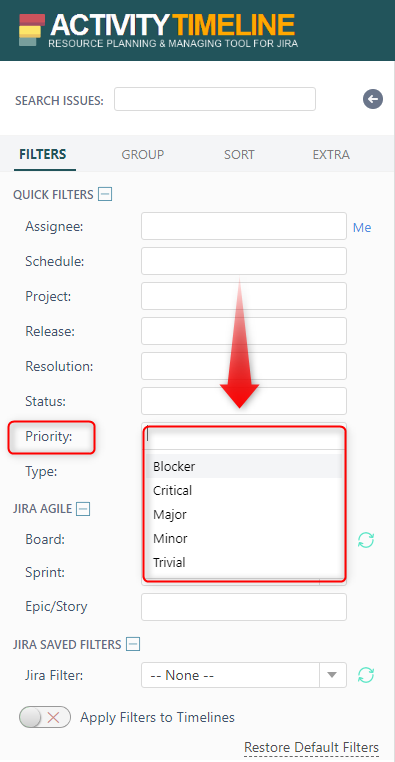
Added possibility to filter issues by Priority
-
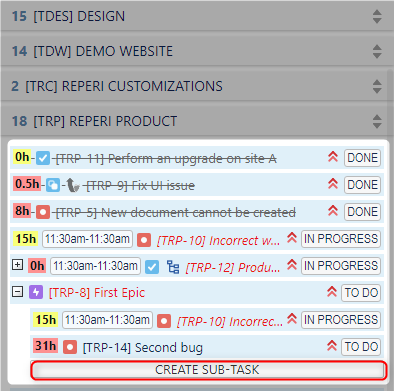
Added possibility to create sub-tasks for issues on left panel
-
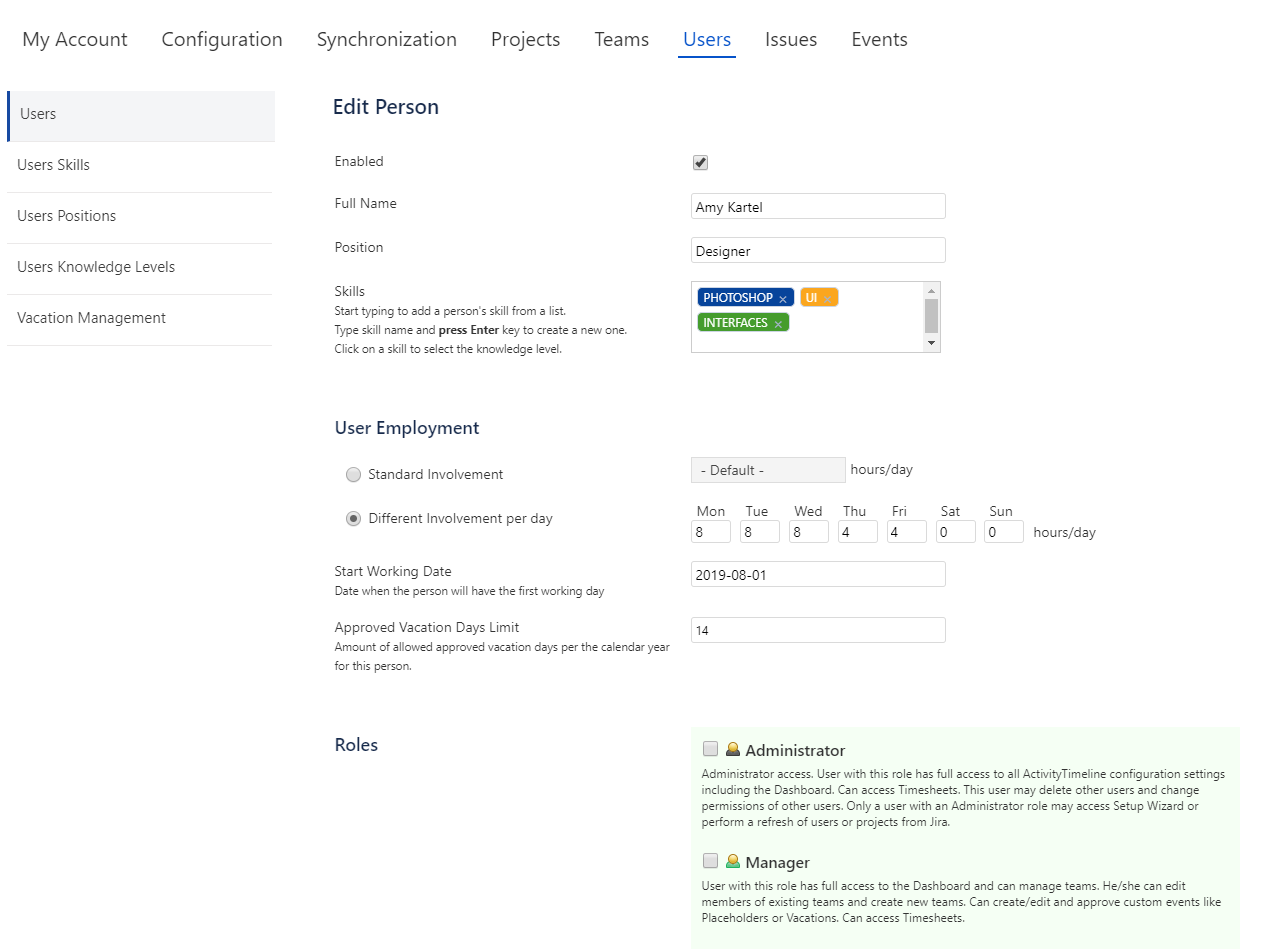
User roles management UI improvements
-
New Custom Event Report based on scheduled events
-
Added support of additional fields in "Detailed Worklog Report"
-
Possibility to Include worklogs on Timeline Excel report
-
Allows users to choose past months in Timeline reports
-
Added a configuration to show more than 30 users on Dashboard
-
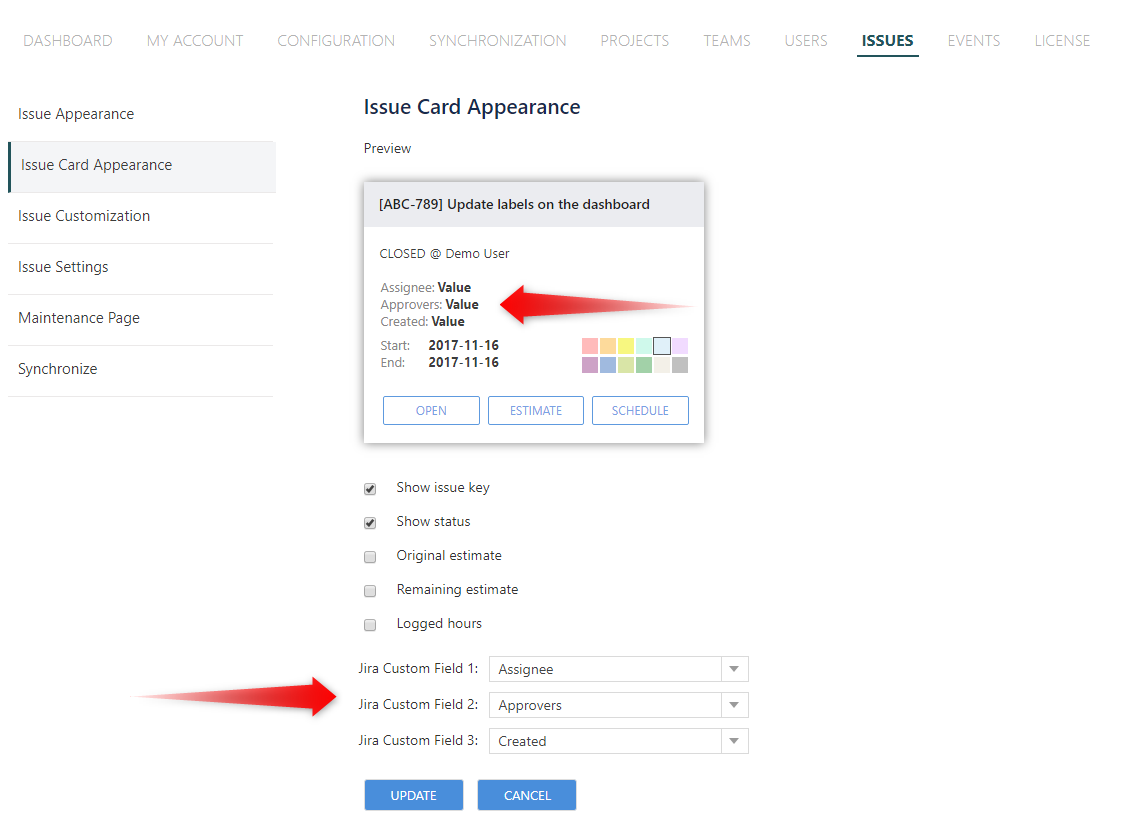
Added support of new additional fields on Issue Card
-
Added new "Epic/Story" field into left issues panel
-
Possibility to assign Skill to users at Skill Creation
-
Possibility to specify time on "Log work" dialog
-
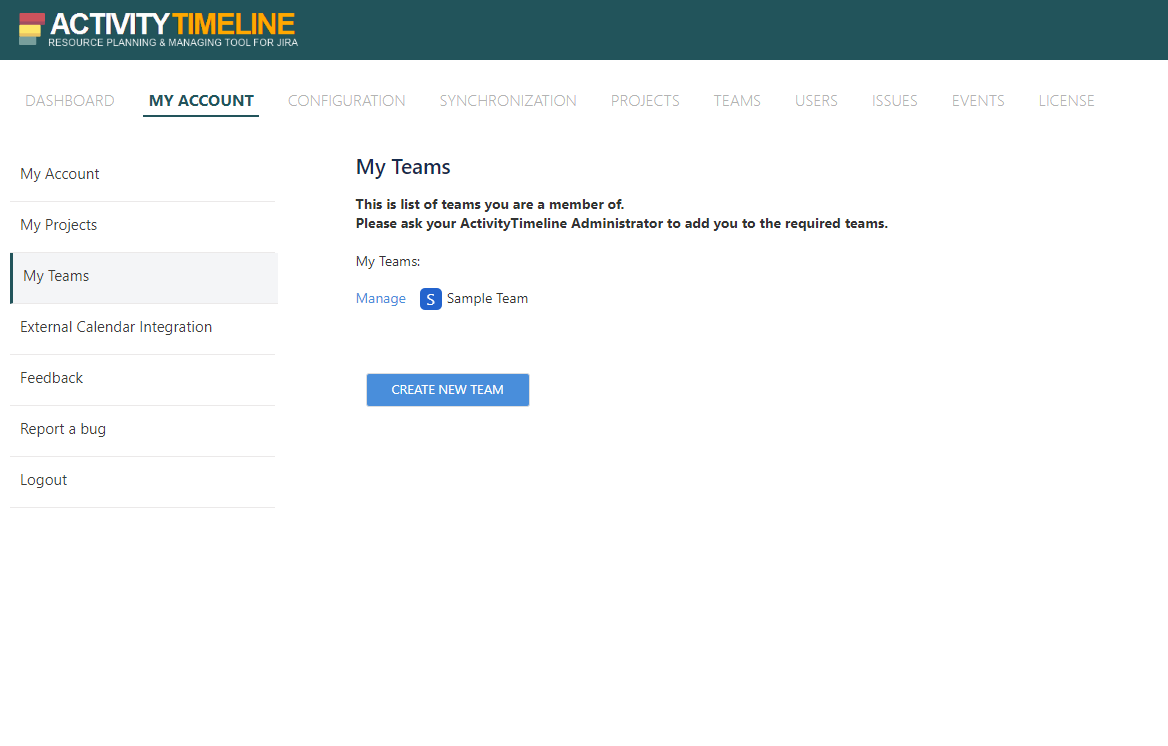
New 'My Teams' menu for a user
-
A number of other improvements and bug fixes
User management involvements:
Default View:
Home Reports view:
New custom fields on Issue Card support:
Story Points to Hours conversion per Project:
New My Teams page:
New filters and creating a sub-task from left panel: