
ActivityTimeline allows users to connect their schedules with third-party applications and calendar tools, including Microsoft Outlook, Google Calendar, and Apple iCal.
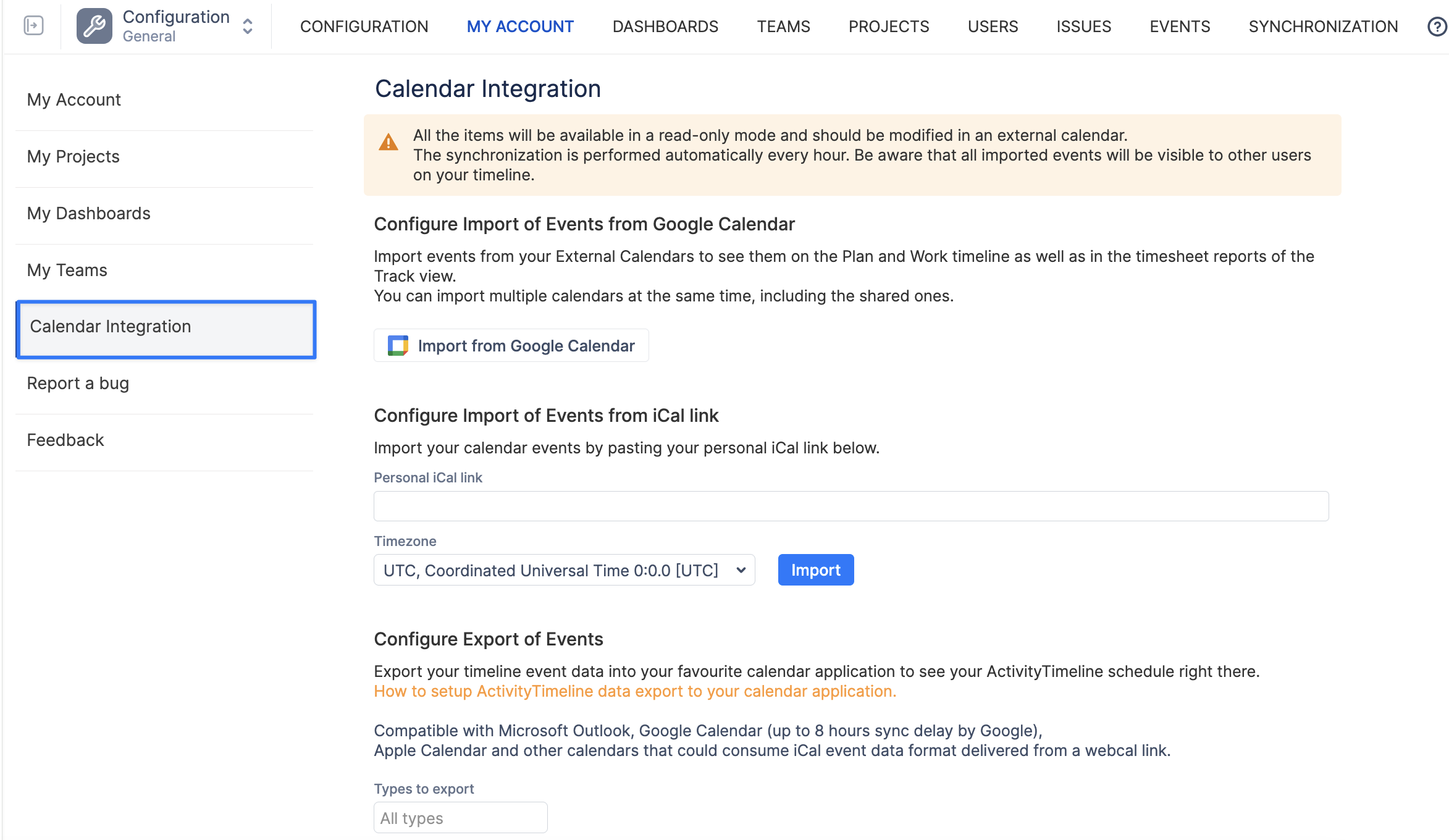
Calendar integrations are configured individually by each user. Users can import events from external calendars into ActivityTimeline or export their ActivityTimeline schedule to another calendar application.
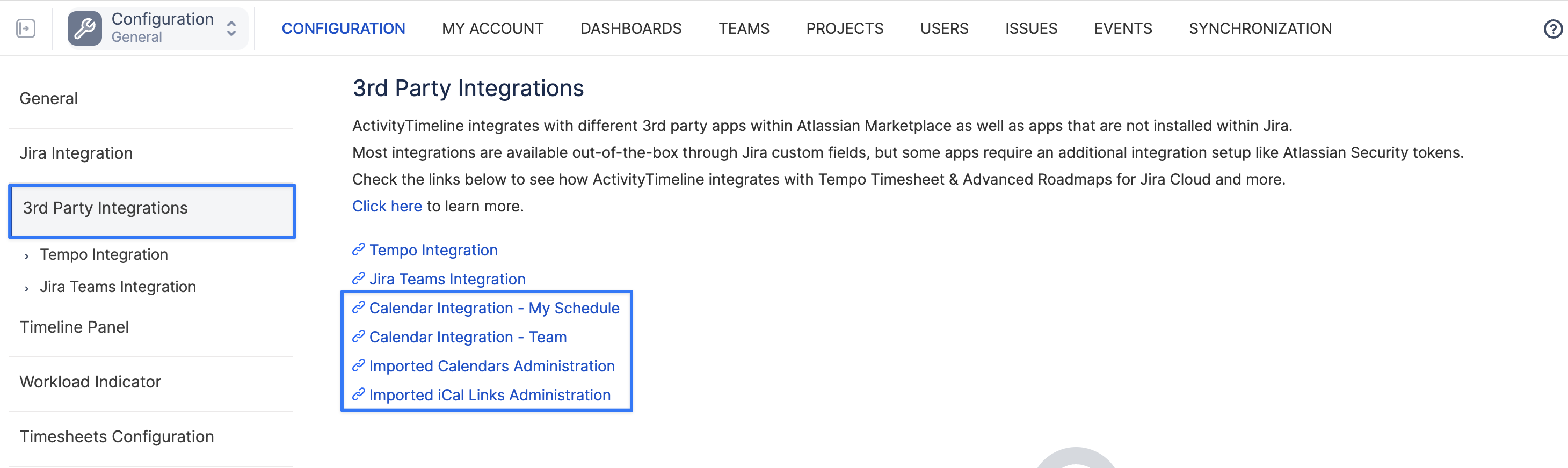
Administrators can manage configured calendar integrations from the 3rd Party Integrations section. This includes access to administration pages where admins can review users’ connected calendars and, when needed, delete or resynchronize integration.
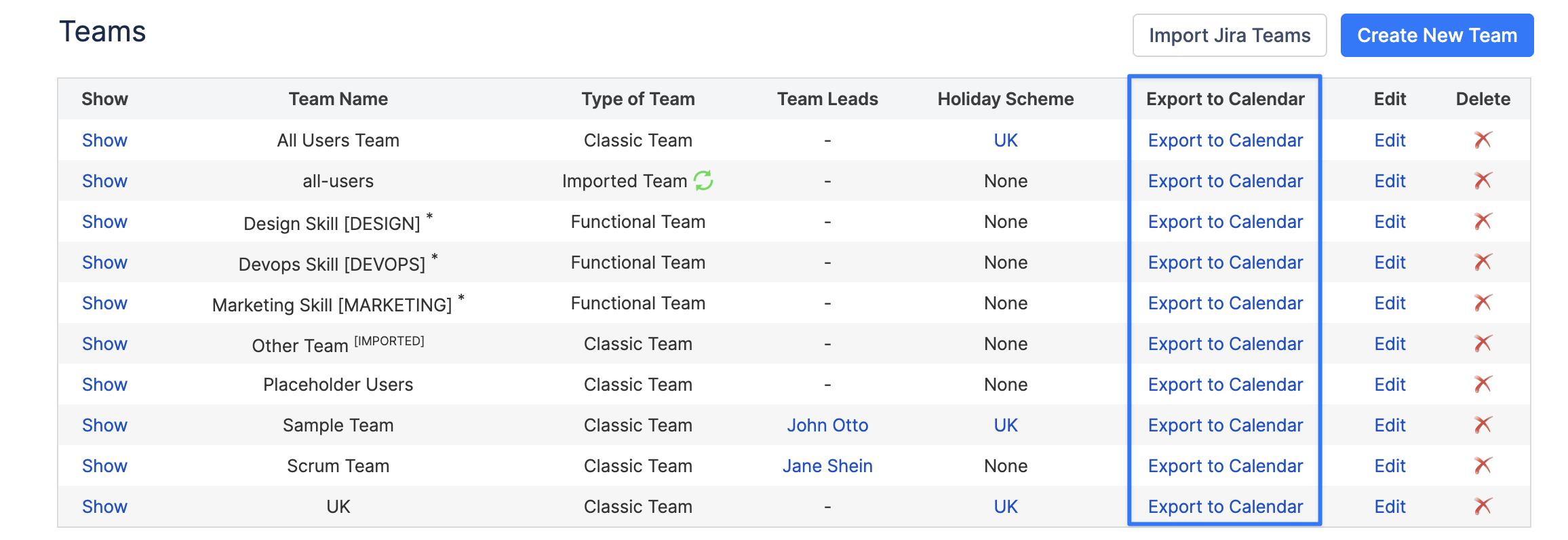
Each user can export their own ActivityTimeline calendar. Managers and administrators can also export team calendars, making it easier to share team schedules and availability outside ActivityTimeline.
For more information, refer to the following sections:
Integrating with Google Calendar - Export & Import
Integrating with Outlook Calendar - Export & Import
Integrating with Apple iCal - Export