
Overview
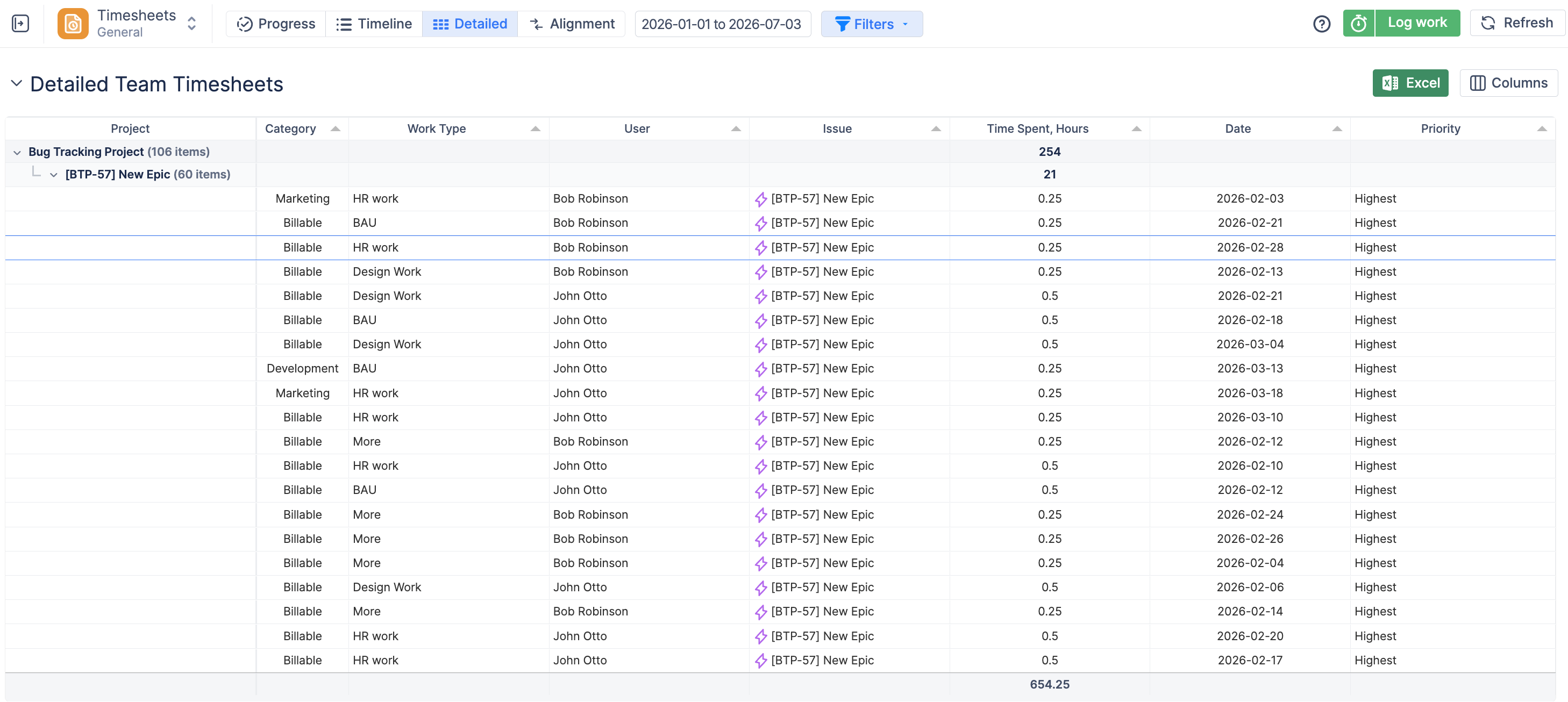
The Detailed Timesheet provides a detailed view of individual worklogs, making it easier to review, analyze, and manage logged time.
Use this view when you need to examine time entries in more detail, or include additional Jira and worklog information in your report.
You can use predefined templates or create a custom grouping based on Jira fields.
Templates
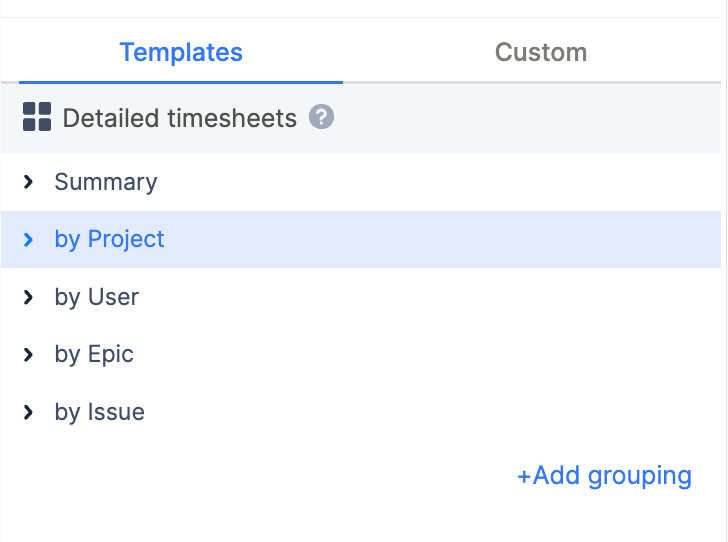
The Detailed Timesheet includes several predefined templates:
-
Summary — Provides an overview of all worklogs included in the report.
-
By Project — Groups worklogs by project to show how much time was logged for each project.
-
By User — Groups worklogs by user to help you review individual time entries and totals.
-
By Epic — Groups worklogs by Epic to analyze time spent on larger bodies of work.
-
By Issue — Groups worklogs by Jira issue to review time spent on individual tasks.
You can also use the Custom tab to create your own grouping structure based on available Jira fields.
Customize the Report
The Detailed Timesheet can be adjusted to show the information most relevant to your needs.
Configure Columns
Click Columns in the top-right corner to choose which information is displayed in the report.
Depending on your configuration, available columns may include:
-
Jira fields and custom fields.
-
Worklog attributes.
-
Category.
-
Approval Status.
-
Approver.
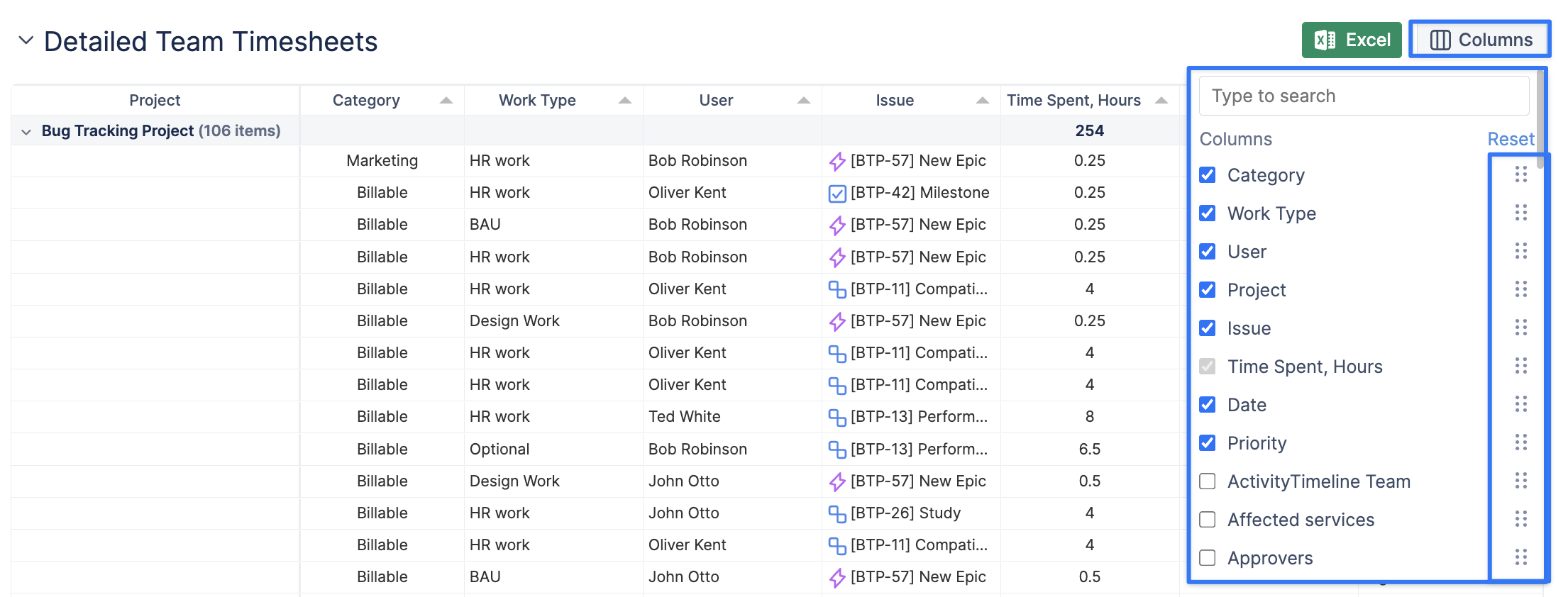
You can also drag and drop columns to rearrange them in the preferred order.
Sort the Report
Click a table column header to sort the report by that value.
Sorting can help you quickly identify information such as:
-
Jira issues with the highest logged time.
-
Users with the most logged hours.
-
Worklogs for specific dates or projects.
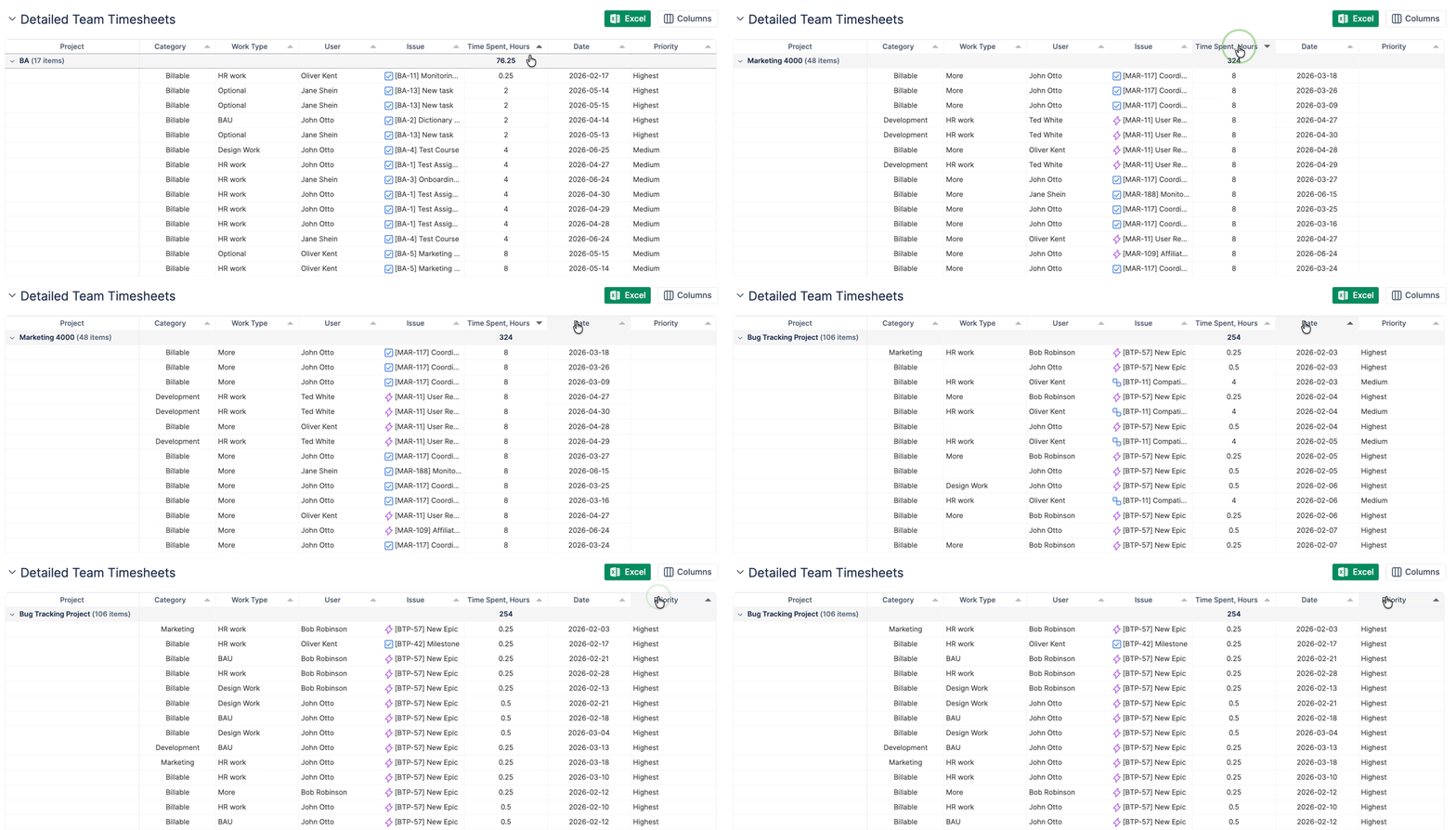
The available columns and data depend on your ActivityTimeline configuration and permissions.
Include Non-Working Days
Select Include non-working days to include non-working events, such as days off, in the Detailed Timesheet.
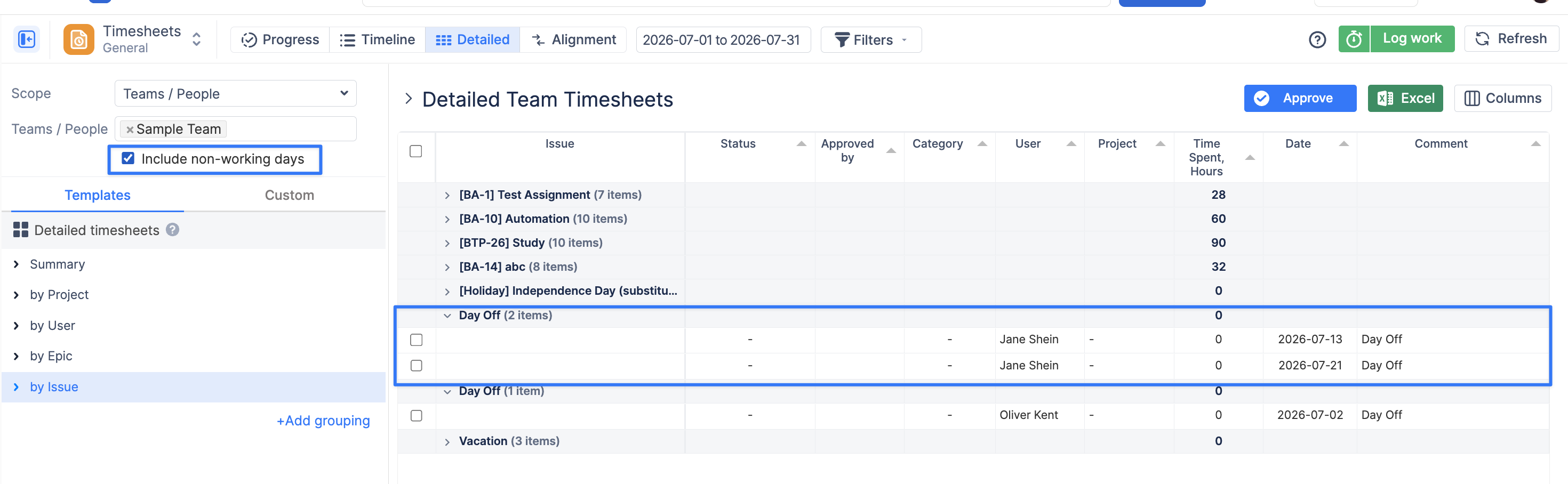
When enabled, these events appear alongside regular worklog data and can also be included in grouped results.
This can be useful when you want additional context about user availability while reviewing reported time.
Expand or Collapse Grouped Results
When the report is grouped, use the expand/collapse control next to the timesheet title to expand or collapse all grouped rows at once.
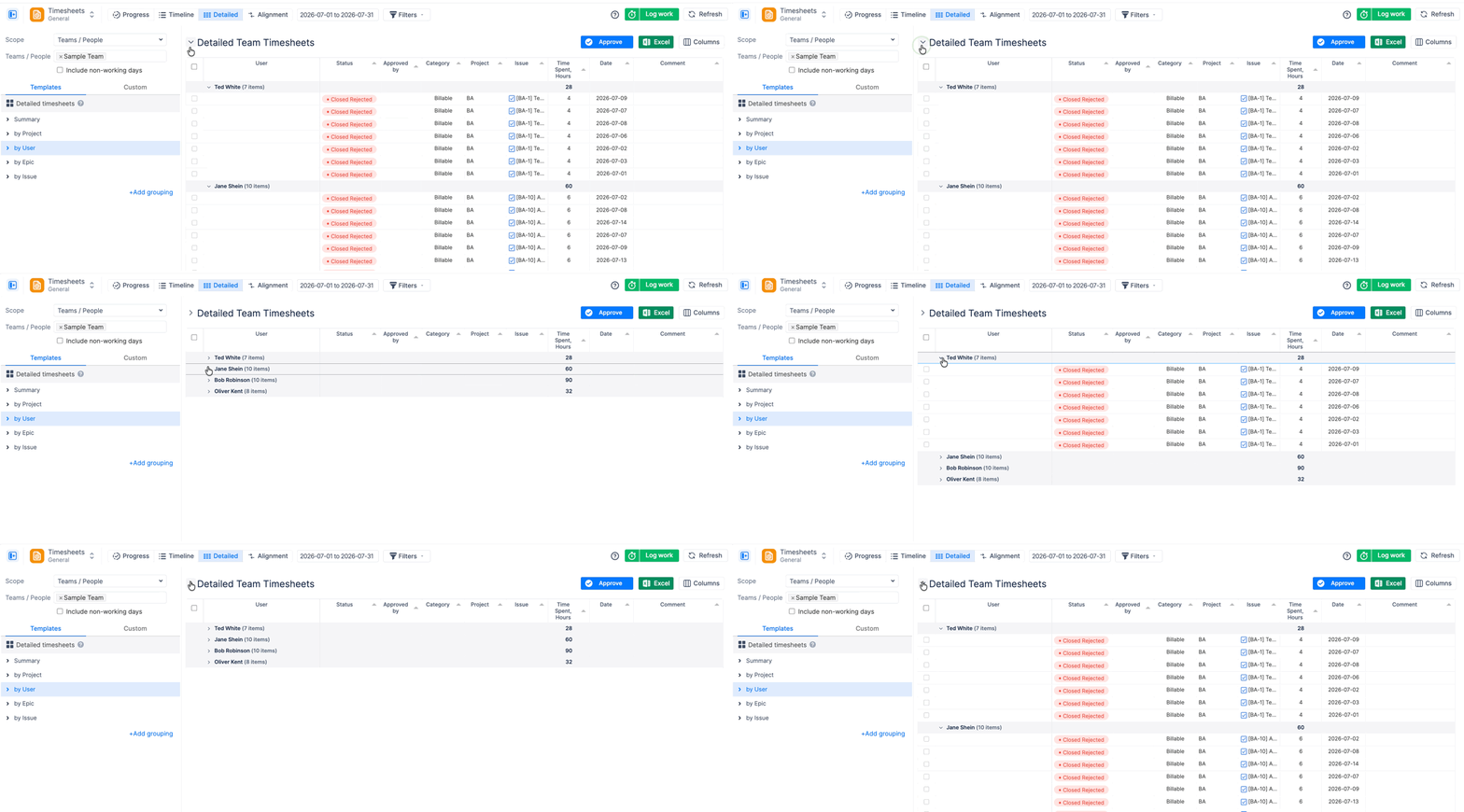
You can also expand or collapse individual groups directly in the table.
This is useful when you want to quickly switch between a high-level summary and detailed worklog data.
Review and Approve Worklogs
If Timesheet Approval is enabled, users with the required role — Administrators, Managers, Power Team Leads, or Team Leads — can review and approve worklogs directly from the Detailed Timesheet.
Depending on your permissions, you may be able to:
-
Review the approval status of individual worklogs.
-
See who approved a worklog.
-
Approve or unapprove worklogs.
-
Select multiple worklogs and approve them in bulk.
For more information about approval statuses, bulk approval, period closure, and grace periods, see Timesheet Approval.