
Atlassian is moving Cloud apps from Connect to Forge, its current platform for building apps for Jira and other Atlassian Cloud products. As part of this transition, Atlassian will end support for Connect on January 31, 2027.
You can read more in Atlassian’s official announcement: Getting Ready for Connect End of Support.
This page provides information about our migration progress, what is changing, and what ActivityTimeline customers need to know.
Current status
ActivityTimeline Forge Native was released on October 11, 2026, completing the migration from Atlassian Connect to pure Atlassian Forge. The new version no longer uses legacy Connect modules.
Existing customers need to manually update the app to move to the Forge Native version.
How to update ActivityTimeline
An administrator needs to complete the update:
-
Open Jira Settings and select Marketplace Apps.
-
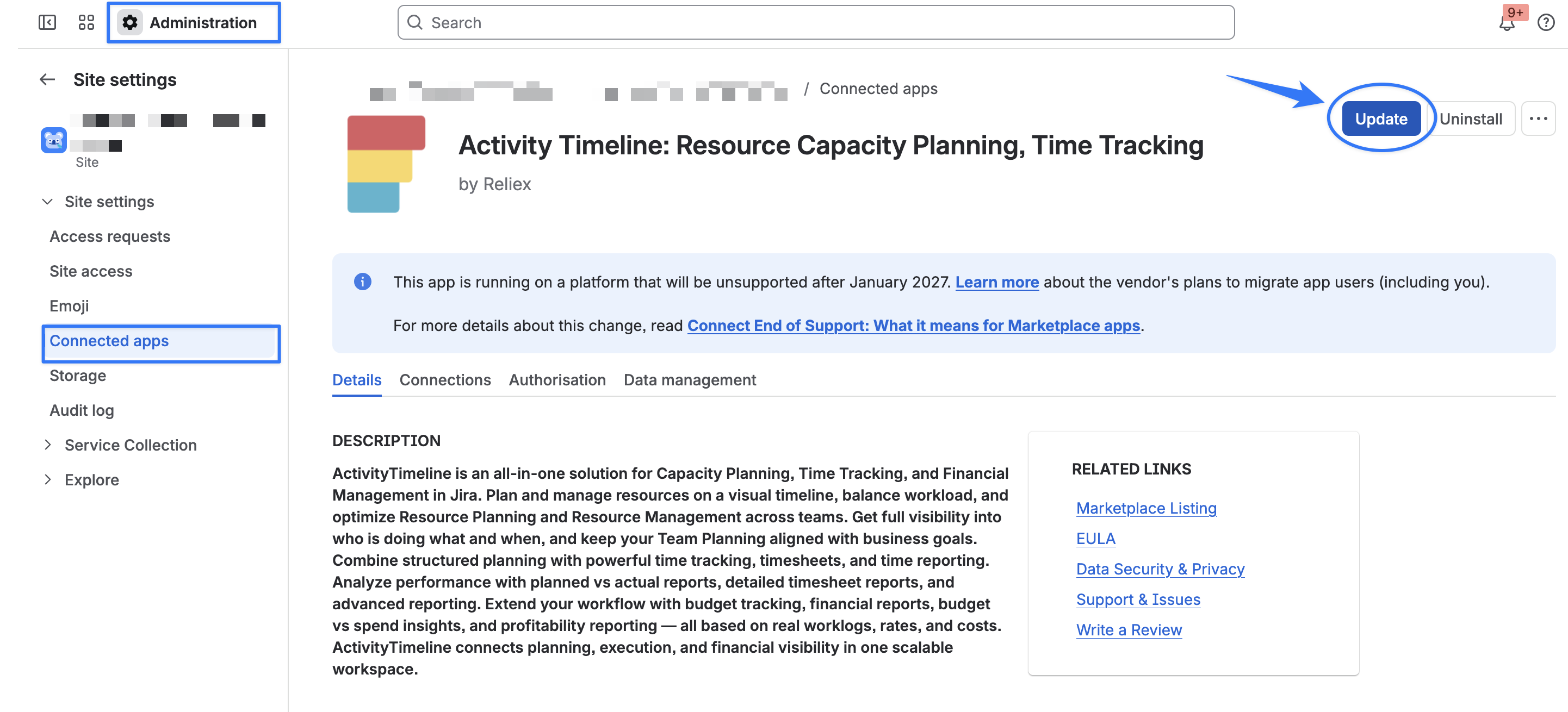
Open Activity Timeline: Resource Capacity Planning, Time Tracking by clicking on ‘View App Details’
-
Click Update.
-
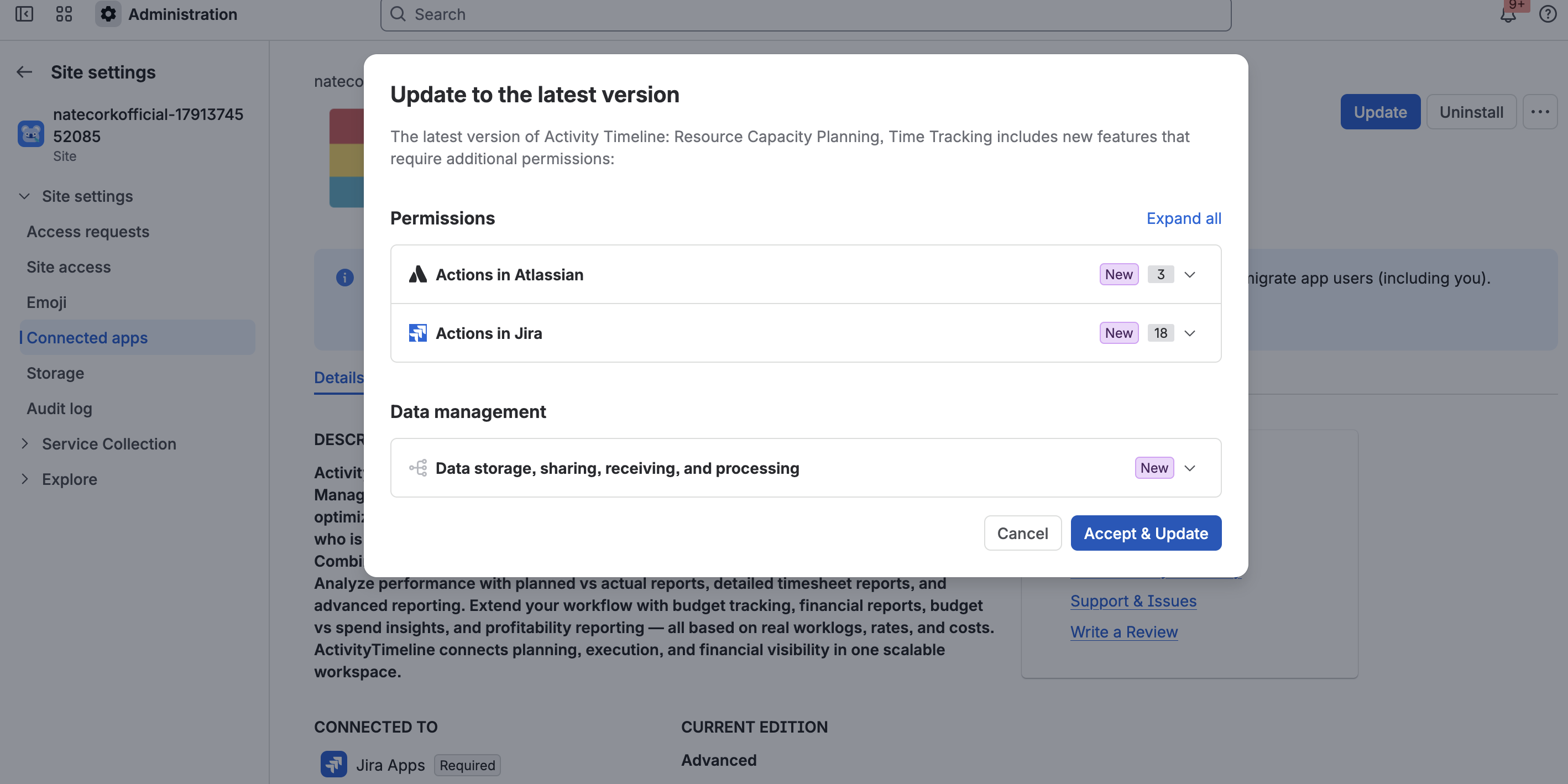
Review the permissions and data management information, then click Accept & Update.
Why does the update request new permissions?
During the update, Atlassian displays permissions and data management information marked as New. These requests are part of the transition from Connect to Forge: they replace the permissions used by the previous Connect version with their Forge equivalents.
You do not need to manually migrate your ActivityTimeline data or configuration.
What changes after the update?
Our goal is to keep the transition as seamless as possible and preserve the existing ActivityTimeline experience.
However, because Forge and Connect have significant technical differences, a small number of existing integration points may work slightly differently after the migration.
Logging time in the Jira mobile app
Due to the current limitation of Forge support on Jira mobile app, ActivityTimeline Log Work action will no longer be available in the Jira mobile app after the Forge migration, as the required functionality is not currently supported by Atlassian for Forge apps on mobile.
Logging work through ActivityTimeline in Jira on the web will remain available as usual. We will continue to monitor Atlassian’s Forge mobile capabilities and intend to restore this functionality once the necessary support becomes available.
Bookmarked ActivityTimeline links
Existing browser bookmarks pointing directly to the ActivityTimeline app will no longer work because Forge uses different app URLs.
After updating, open ActivityTimeline from Jira’s Apps menu and save a new bookmark.
Need help?
If you have questions about the migration or how it may affect your ActivityTimeline environment, please contact our Support team.