
This module is part of the Advanced Edition of ActivityTimeline.
What it does
Finances allows you to track, analyze, and control project costs and revenue directly in Jira.
It helps you:
-
understand how much your work actually costs,
-
track budget consumption in real time,
-
monitor profitability and margins,
-
combine labor costs and fixed expenses in one place,
-
compare planned budgets with actual spend.
While Planner and Workspace focus on planning and execution, Finances gives you the financial layer behind that work.
How it works
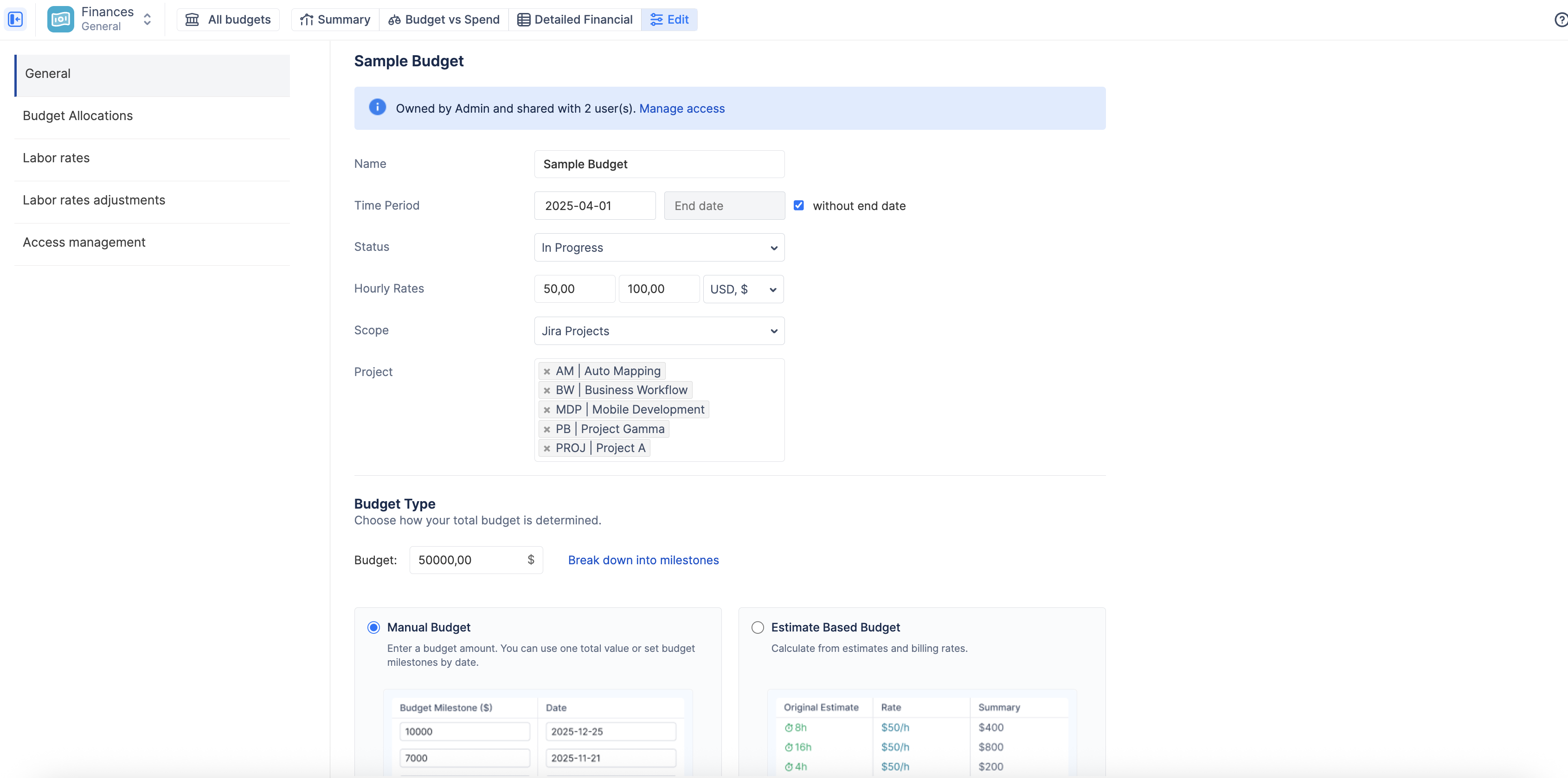
Finances connects your Jira data (worklogs, estimates, scope) with financial logic (rates, budgets, transactions).
It works by:
-
converting logged time into cost and revenue using labor rates,
-
aggregating this data into a budget (financial container),
-
combining it with manual transactions (expenses or revenue),
-
and presenting everything in real-time financial reports.
You define:
-
what work to track (scope),
-
how money is calculated (rates),
-
and what targets to compare against (budget + allocations).
From that point, the system automatically builds your financial picture.
Types of Financial Reports
Finances provides three main ways to analyze financial data:
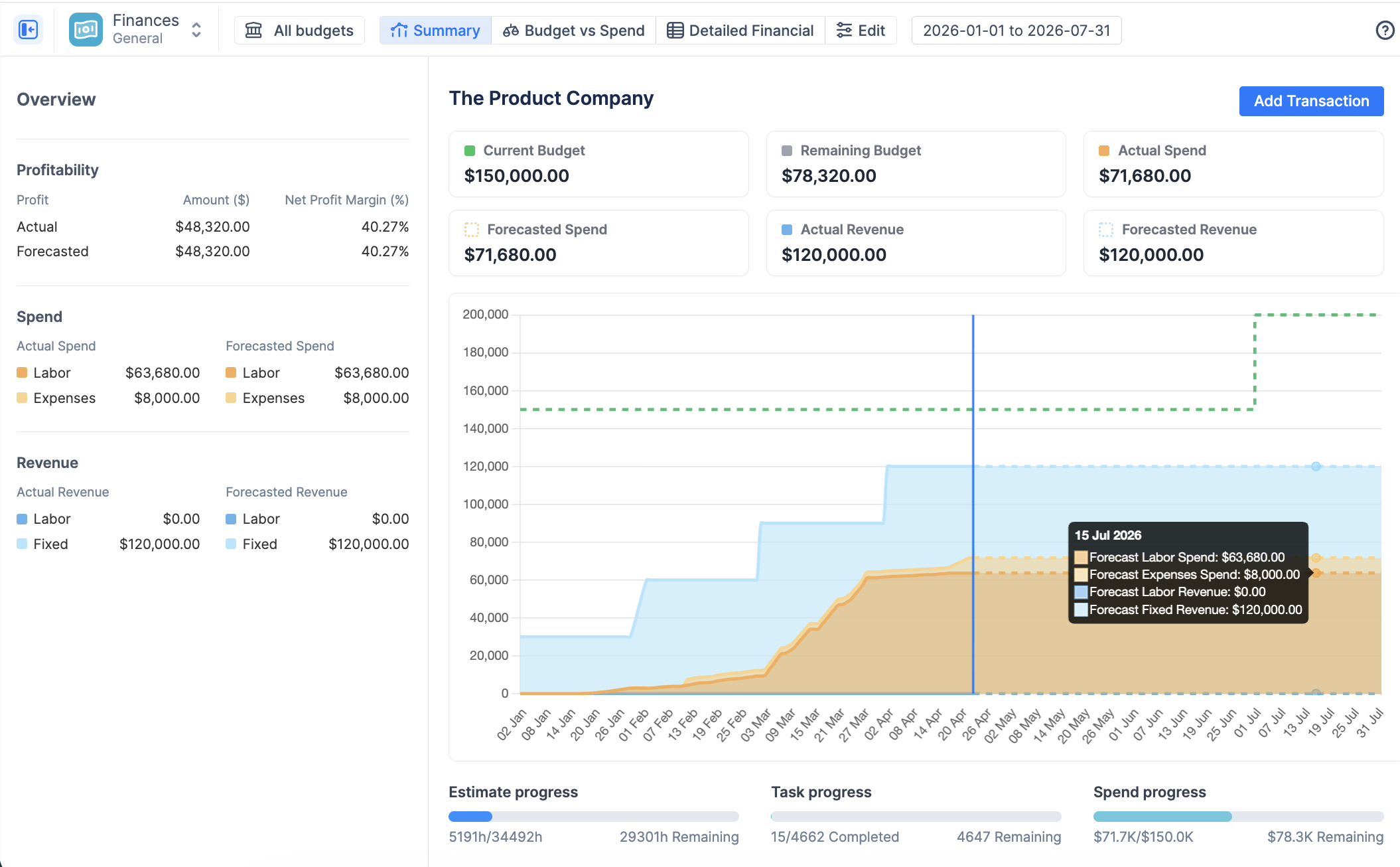
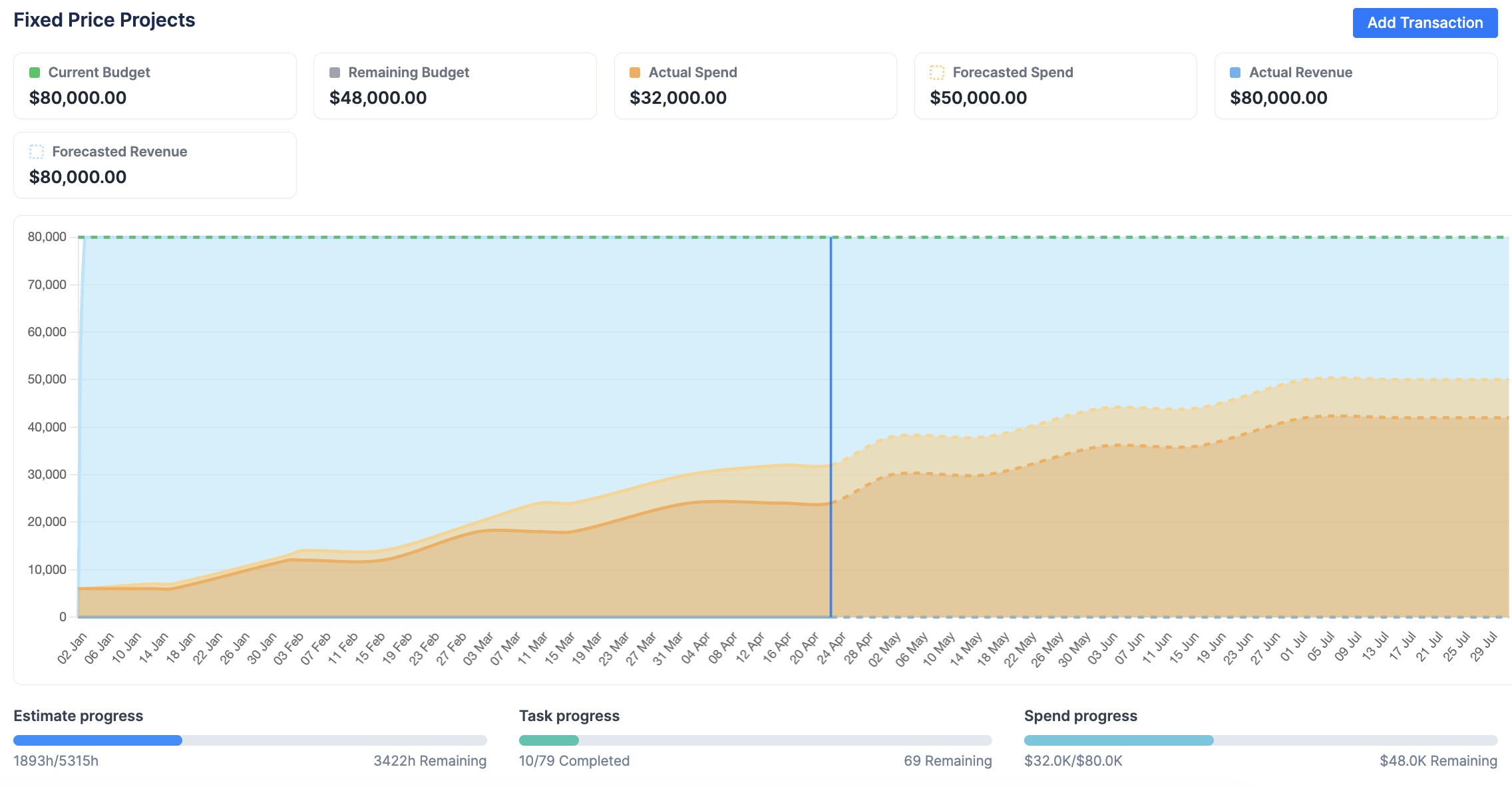
Summary Dashboard
Gives a high-level overview of your financial health.
You can:
-
track budget vs actual spend,
-
monitor profit and margin,
-
visualize burn rate over time,
-
see forecasted outcomes.
Budget vs Spend
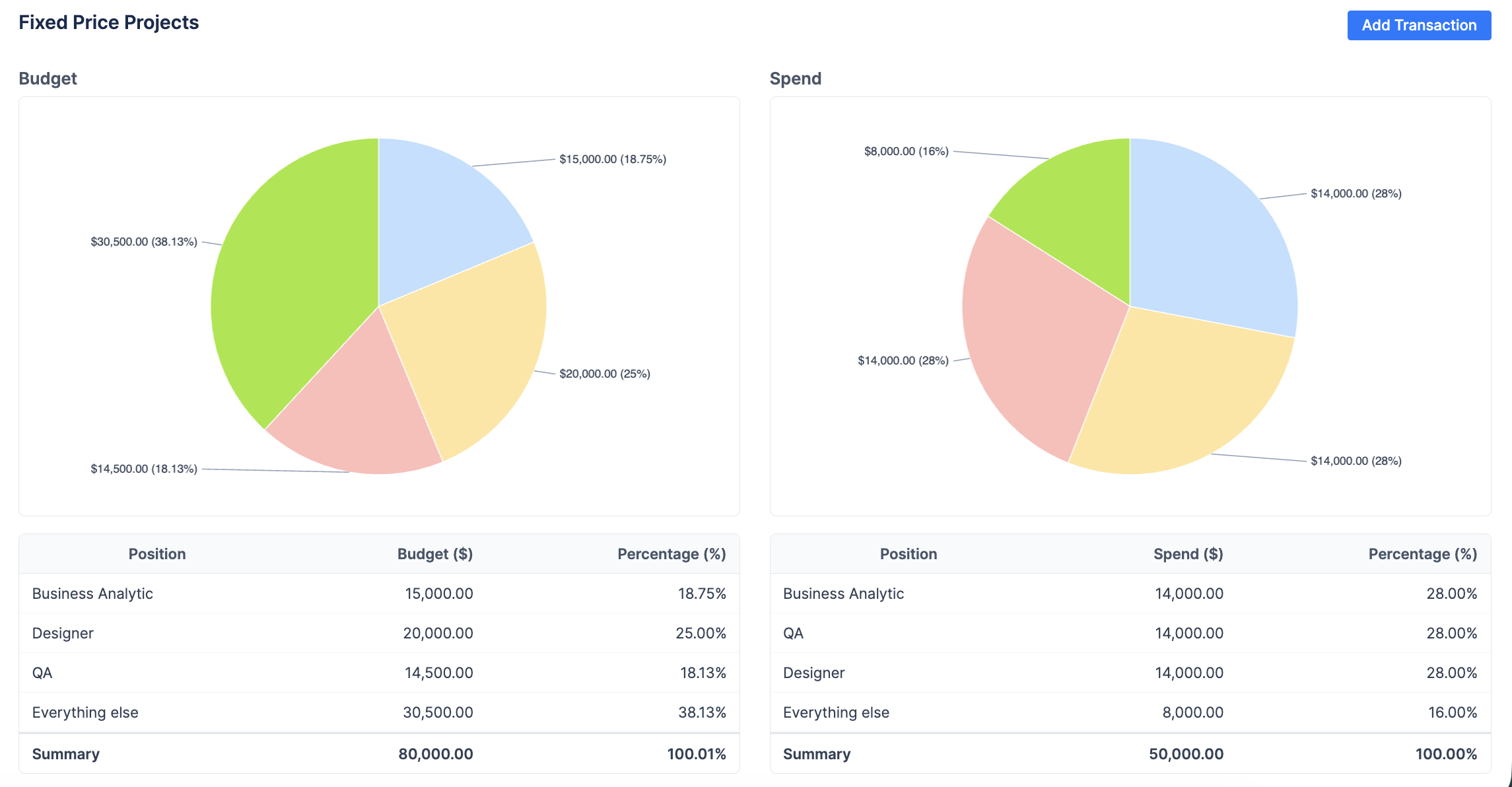
Compares your planned budget allocations with actual spending.
You can:
-
see if money is spent as intended,
-
identify overspending areas,
-
analyze distribution by project, category, or team.
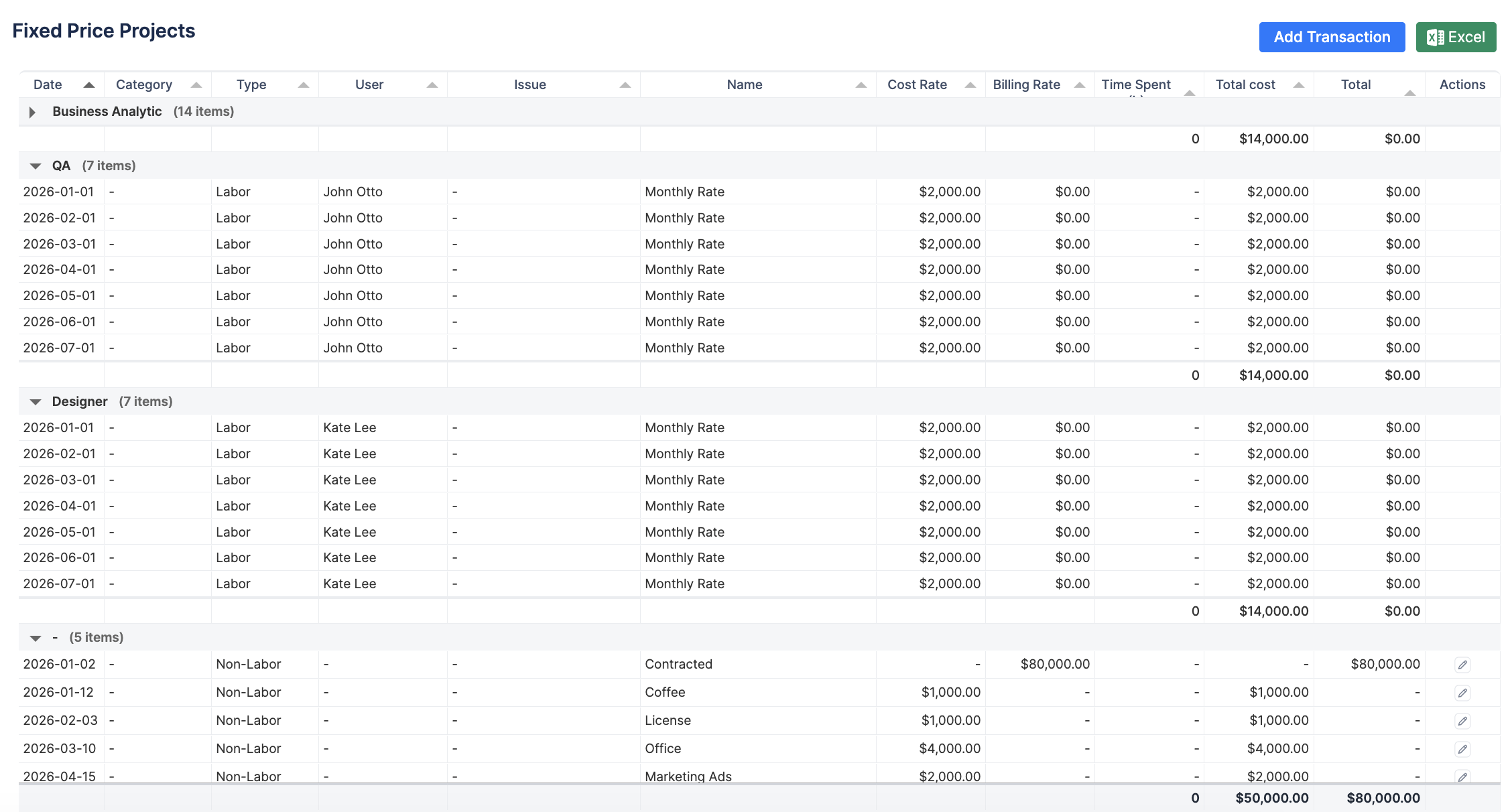
Detailed Financial
Provides a full breakdown of all financial data.
You can:
-
review every worklog cost,
-
analyze revenue and expenses line by line,
-
audit financial data for reporting or invoicing.
Why this matters
Finances gives teams visibility and control over project profitability.
It helps you:
-
avoid budget overruns,
-
understand where money is going,
-
make better planning decisions,
-
align delivery with financial outcomes,
-
connect operational work with business impact.
To explore Finances module in detail, see Finances - Cost & Revenue Tracking.