
ActivityTimeline Cloud: Released on
ActivityTimeline Server/DC: Released on
Recommended: Backup your Jira’s database before the upgrade.
Important note: AT v12.x update performs an automatic ActivityTimeline’s data migration for better performance on the first start so it may take a few minutes for the first start after an upgrade from v11.x depending on the amount of issues in your Jira DC.
This version update includes the following enhancements:
-
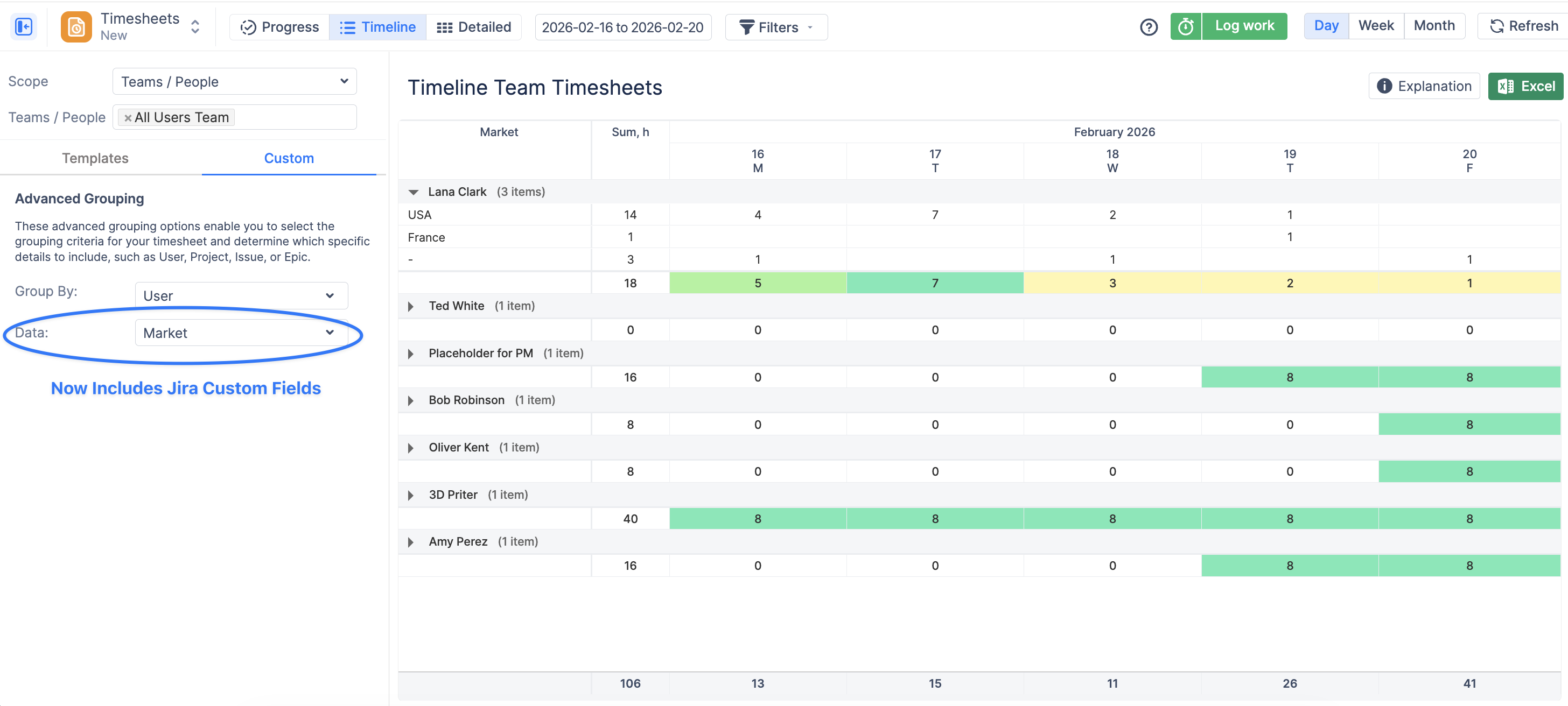
Subgrouping by Jira Custom Fields in Timeline Timesheet: When configuring grouping options, you can now select supported Jira custom fields as a data parameter, enabling multi-level time analysis within the same report:
-
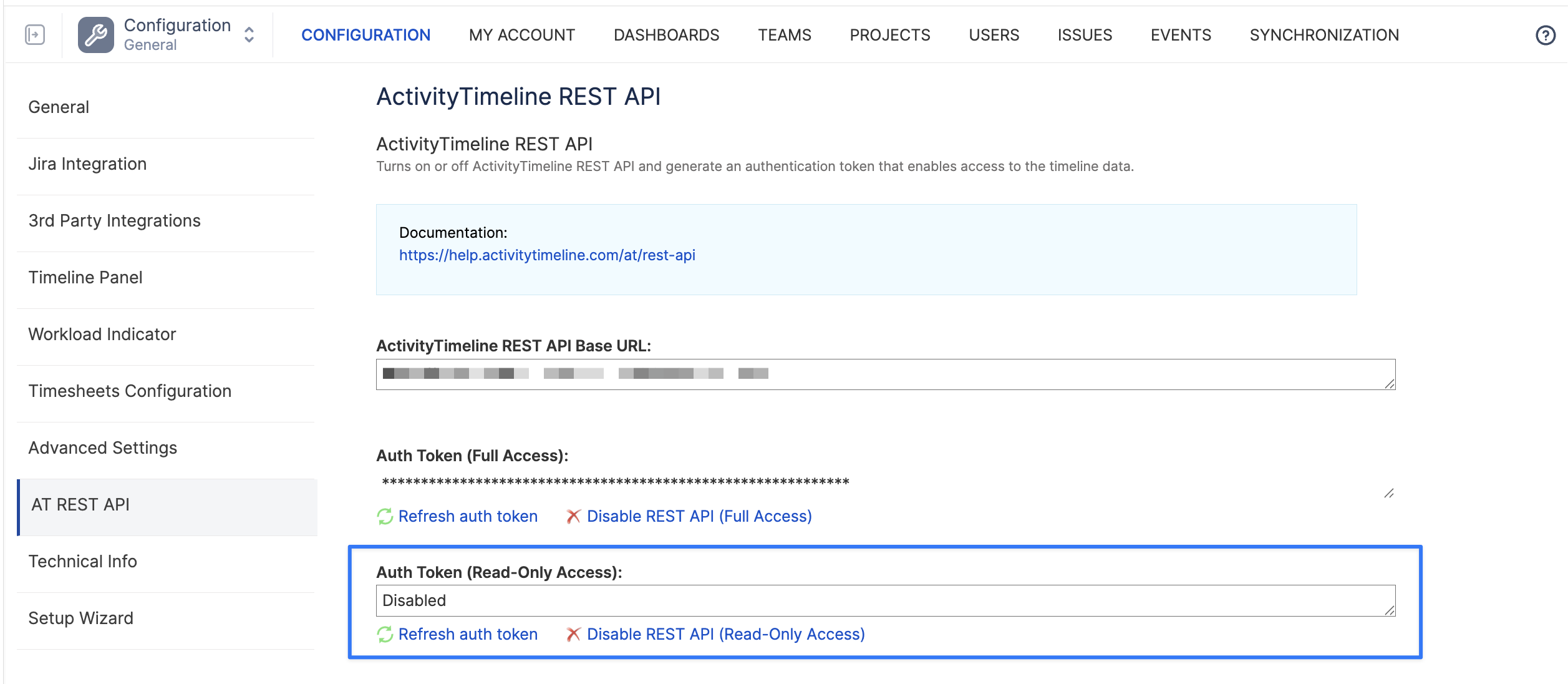
Added support for read-only REST API tokens, allowing secure access to data without granting permission to create, edit, or delete information.
-
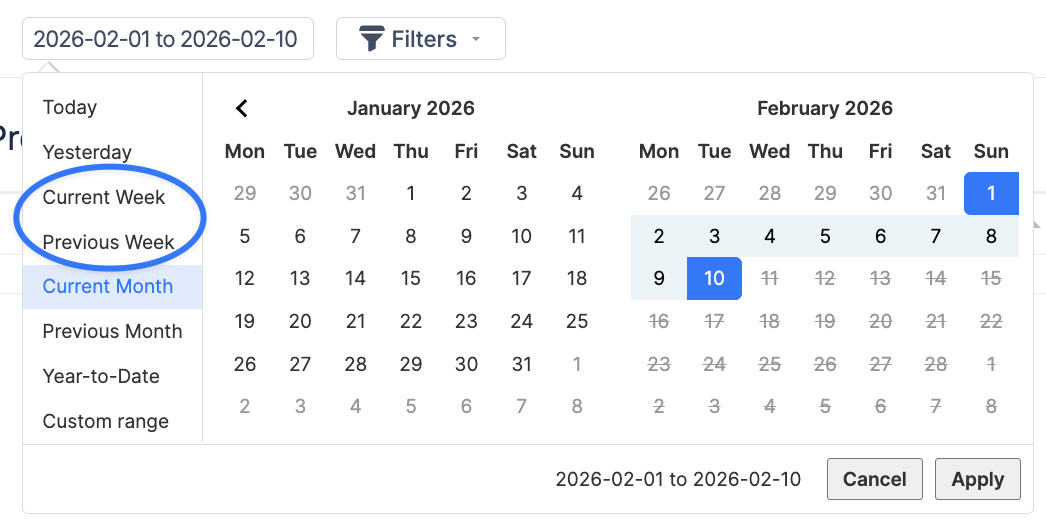
Added new “Current Week” and “Last Week” quick select options to the Timesheets date picker, allowing users to quickly switch to commonly used time periods.
-
Added displaying of the current Java version on the Maintenance Page.
-
Performance optimization of Planner and Workspace initial loading time.
-
Improved compatibility with a new MS SQL Server database driver.
-
Fixed Issue/Event color disappearing after rescheduling via the Schedule dialog.
-
Implemented concurrent request limit per API token (max 3 active requests per REST API token).
-
Introduced a limit of up to 3 concurrent timesheet generation requests to improve system stability and prevent performance issues caused by multiple simultaneous requests.
-
Added Support for Jira Space Category (Former Project Category): You can now use Jira Project Categories (also known as Space Categories) across ActivityTimeline for better organization and filtering.
-
Workspace Assignee Filter Persistence: The Assignee filter is now preserved when saving the Workspace view as a Dashboard. This ensures that dashboards retain the selected assignee context and display consistent data when reopened.
-
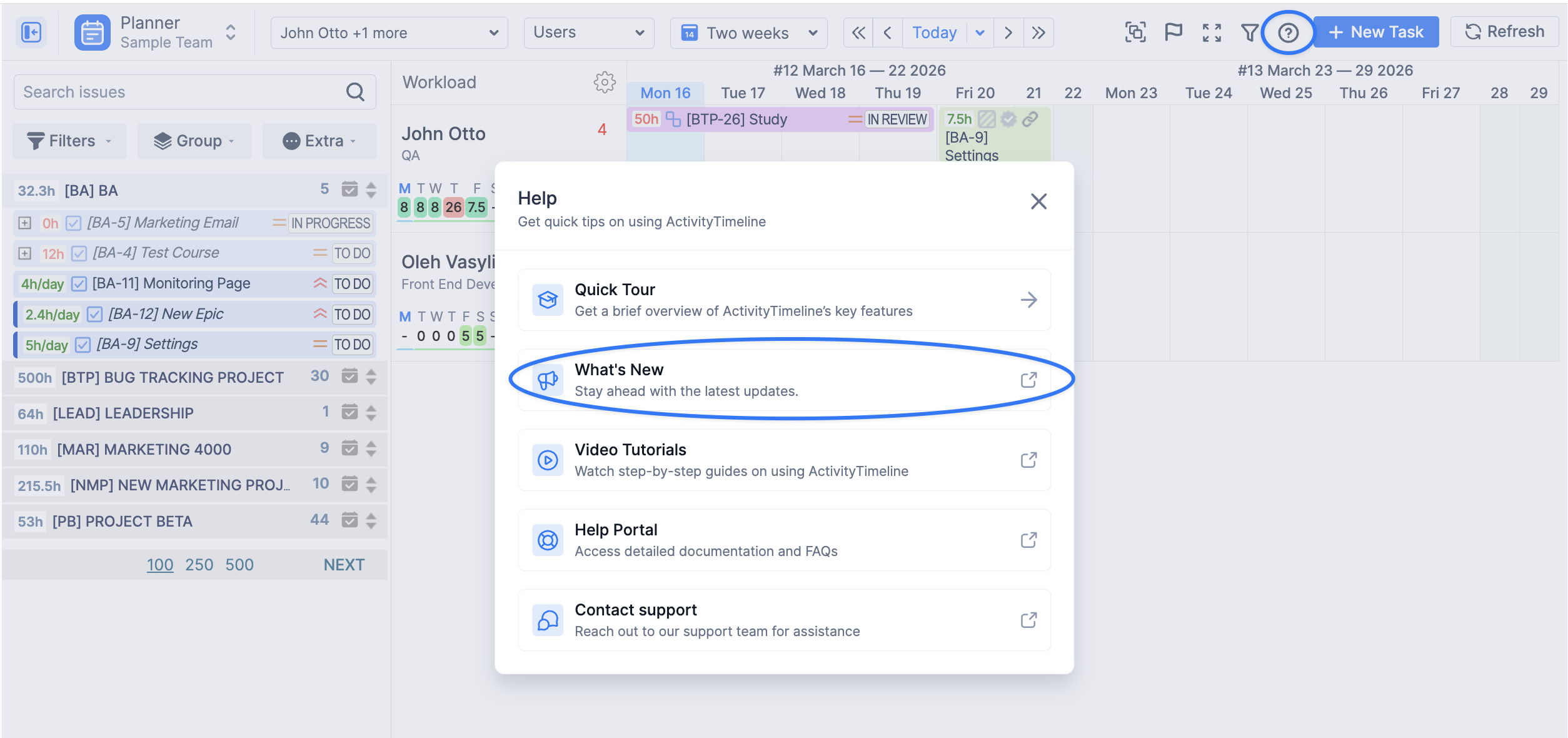
Cloud only Improved Access to “What’s New”: A new “What’s New” quick access link has been added to the Support menu to help users easily discover recent updates and improvements.
-
Security improvements.
-
Other improvements and fixes.
In addition, Jira 11.0.0 - 11.3.0 support is available in the app version ending with “-jira11” suffix.
If you are running Jira DC on the Microsoft SQL Server database with Windows Authentication then you would need to update the corresponding driver library to 12.10.2 (mssql-jdbc_auth-12.10.2.x64.dll)
Should you have any questions regarding any of the new features - feel free to contact our Support Team.