
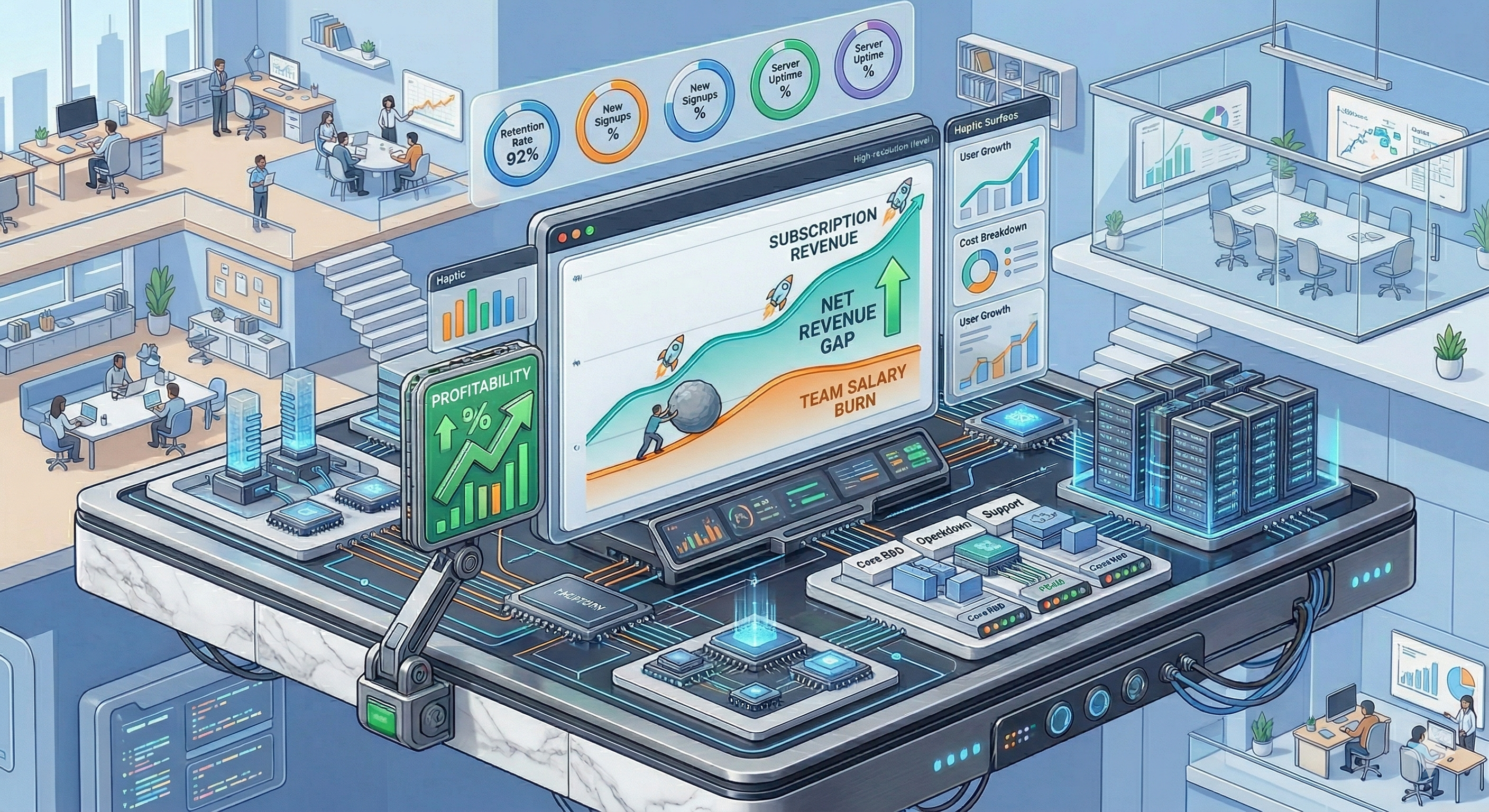
The Profile: A company or internal division that builds, maintains, and sells products (e.g., software subscriptions, enterprise licenses, or physical items).
The Goal: Understanding product profitability. You need to weigh the true, ongoing cost of developing and maintaining the product (team salaries, server costs) against the income generated by selling it.
Step 1: Set the Budget Container (Ongoing vs. Annual)
Product development is often continuous.
How to Configure This Scenario in ActivityTimeline
In a product company, revenue rarely comes from billing clients by the hour. Instead, revenue comes from discrete sales, while costs are a continuous burn of employee salaries and overhead.
-
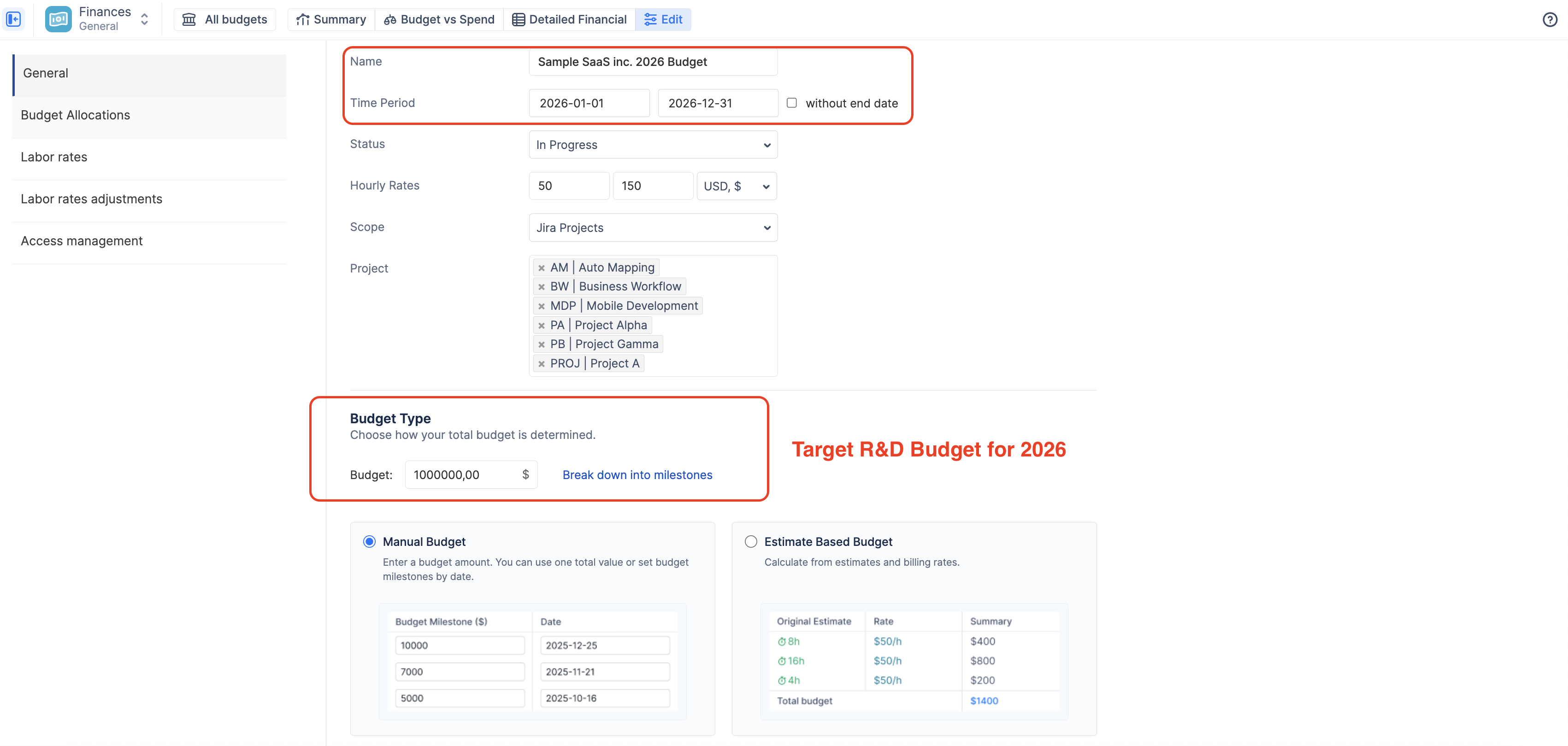
Create a new budget and select the Jira Projects or Epics where your product team tracks their work.
-
In the Time Period, you can either define an annual budget (e.g., Jan 1 to Dec 31) or check the "without end date" box if you are tracking the lifetime profitability of the product.
-
Select Manual Budget and enter your target R&D budget for that period.
Step 2: Configure the Tracking Rules
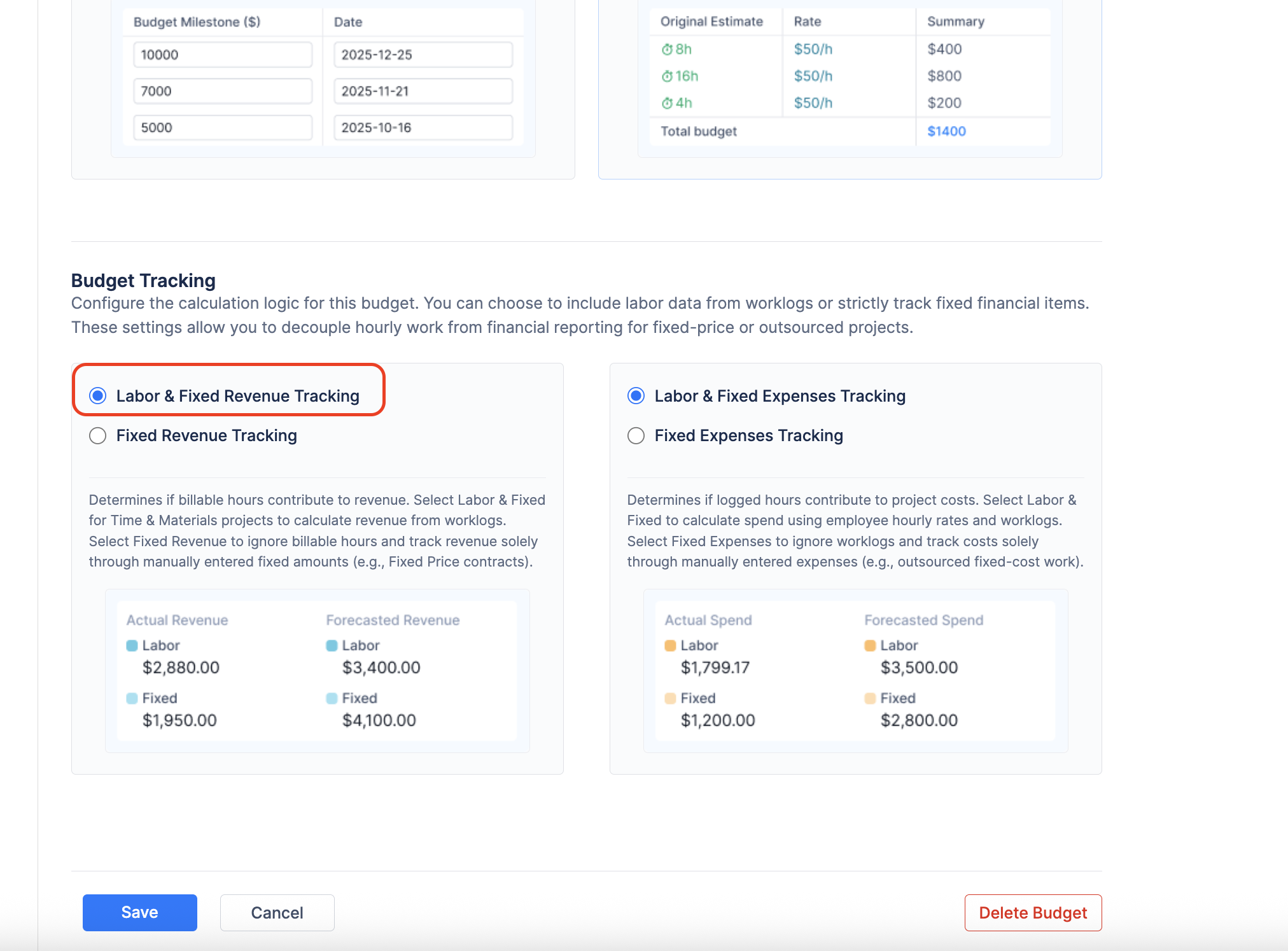
You need the system to track labor for costs, but rely primarily on manual entries for revenue.
-
Navigate to the Configuration → General tab.
-
Under Cost Tracking, select Labor & Fixed Expenses Tracking. (You must track what your development team costs).
-
Under Revenue Tracking, select Labor & Fixed Revenue Tracking. (While your core revenue is fixed sales, keeping labor revenue enabled allows you to track occasional billable consulting or onboarding hours if your team does both).
Step 3: Define Internal Costs (Monthly Rates)
Product teams are typically salaried employees, not hourly contractors.
-
Navigate to the Labor rates tab.
-
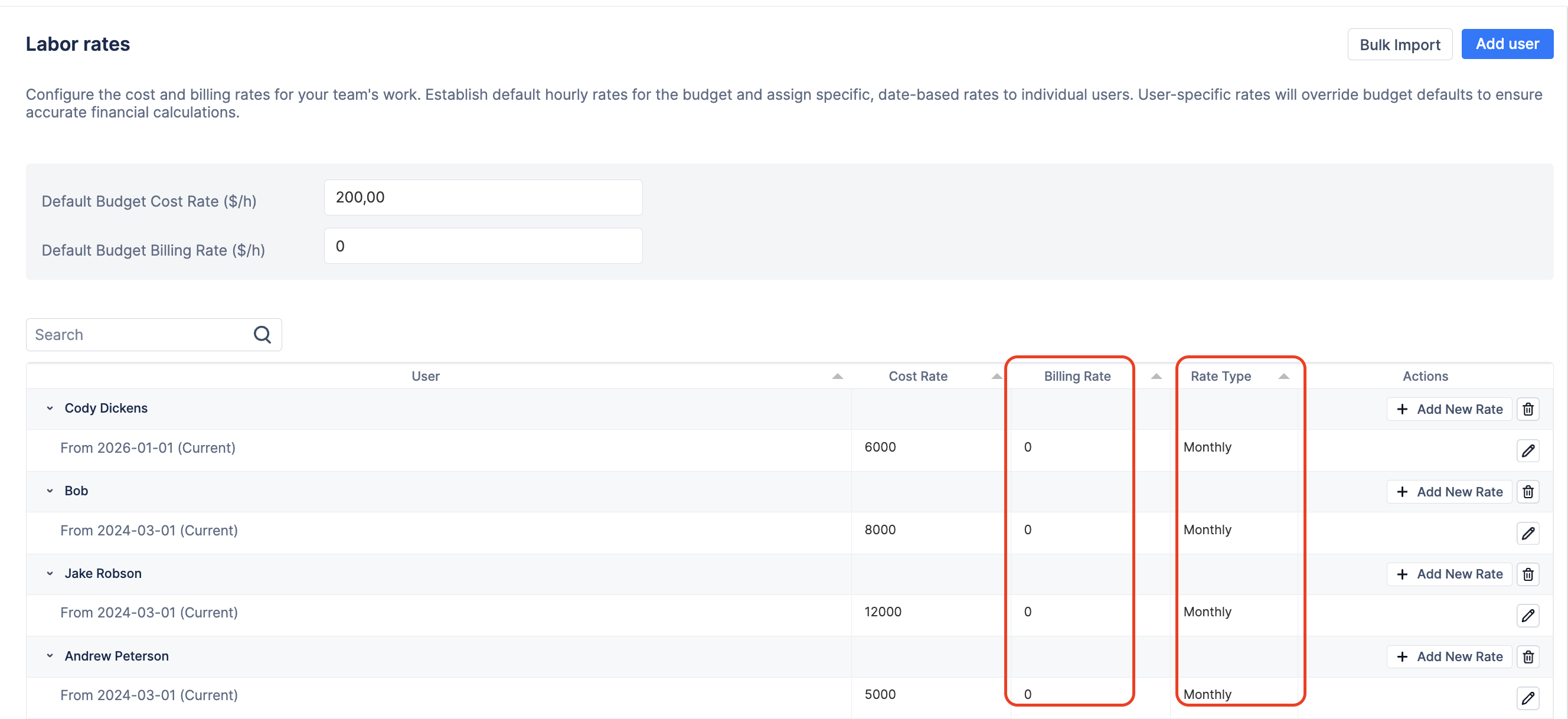
When adding users, change the Rate Type to Monthly and enter their monthly salary equivalent in the Cost Rate field. The system will automatically charge them for the cost on the first day of the month.
-
Note: Leave the "Billing Rate" blank or at zero for your core developers, as their time isn't directly billed to the customer.
Step 4: Log Product Sales and Overhead
Because your team isn't generating hourly revenue, you must manually log your sales to track profitability.
-
Navigate to the Detailed Financial report tab.
-
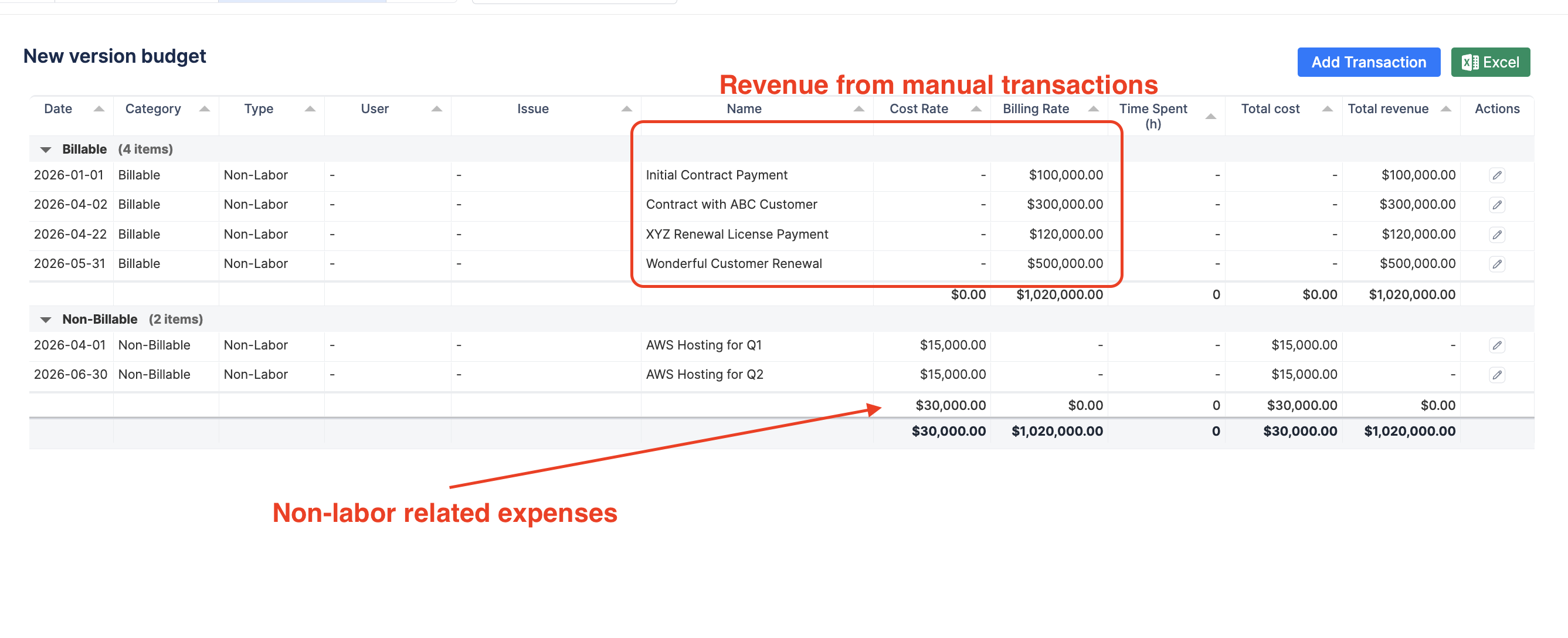
Whenever a sale is made (or at the end of a month/quarter), click + Add Transaction and select Revenue. Name it appropriately (e.g., "Q3 Subscription Renewals" or "Enterprise License - Client X") and enter the amount.
-
Similarly, use the Expense tab to log product overhead, such as "AWS Server Costs" or "Marketing Ad Spend."
💡 Scenario Recap: The Product Company
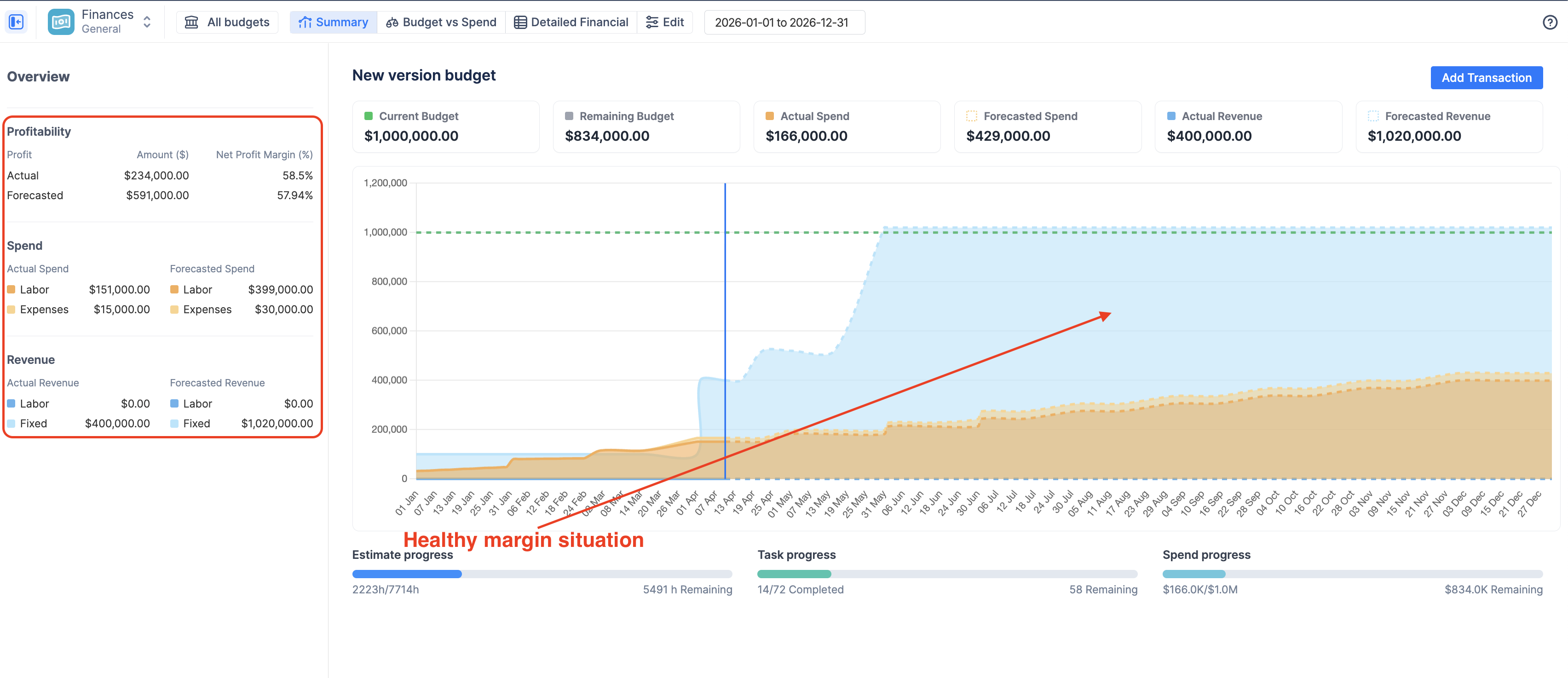
By configuring your budget for a product lifecycle, ActivityTimeline acts as your continuous Profit & Loss (P&L) monitor, comparing the slow burn of development against the spikes of product sales.
The Key Takeaways:
-
The Setup: Use Monthly Cost Rates for your salaried team. Keep Labor & Fixed enabled for both Revenue and Cost tracking.
-
The Action: Your team simply logs their time in Jira (to track cost). You manually log sales and overhead via the + Add Transaction button (to track revenue and non-labor expenses).
-
The Value: The Detailed Financial ledger allows you to audit the exact mix of daily labor costs against your lumpy, manual revenue entries. The Summary Dashboard provides a high-level view to instantly answer: "Are our product sales outpacing our development costs this quarter?"
Related Features for Product Companies:
To get even more out of this scenario, explore these other ActivityTimeline features:
-
Custom Category Rates: Do you capitalize R&D work but expense maintenance work? You can set up Worklog Categories (e.g., "New Feature Dev" vs. "Bug Fixing") and use the Summary report to see exactly how much of your product's cost is going toward innovation versus upkeep.
-
Templates in Detailed Financials: Use the pre-built templates on the left side of the Detailed Financial report. Clicking "Non-Labor cost" will instantly filter out all employee salaries, allowing you to quickly audit just your server, marketing, and software expenses.